ENG
REP
REP
ALBUM
REP
ALL
RAND
REPEAT 1
RANDOM
REPEAT
ALL
NORMAL
PLAYBACK
REPEAT
ALBUM
17
MODE
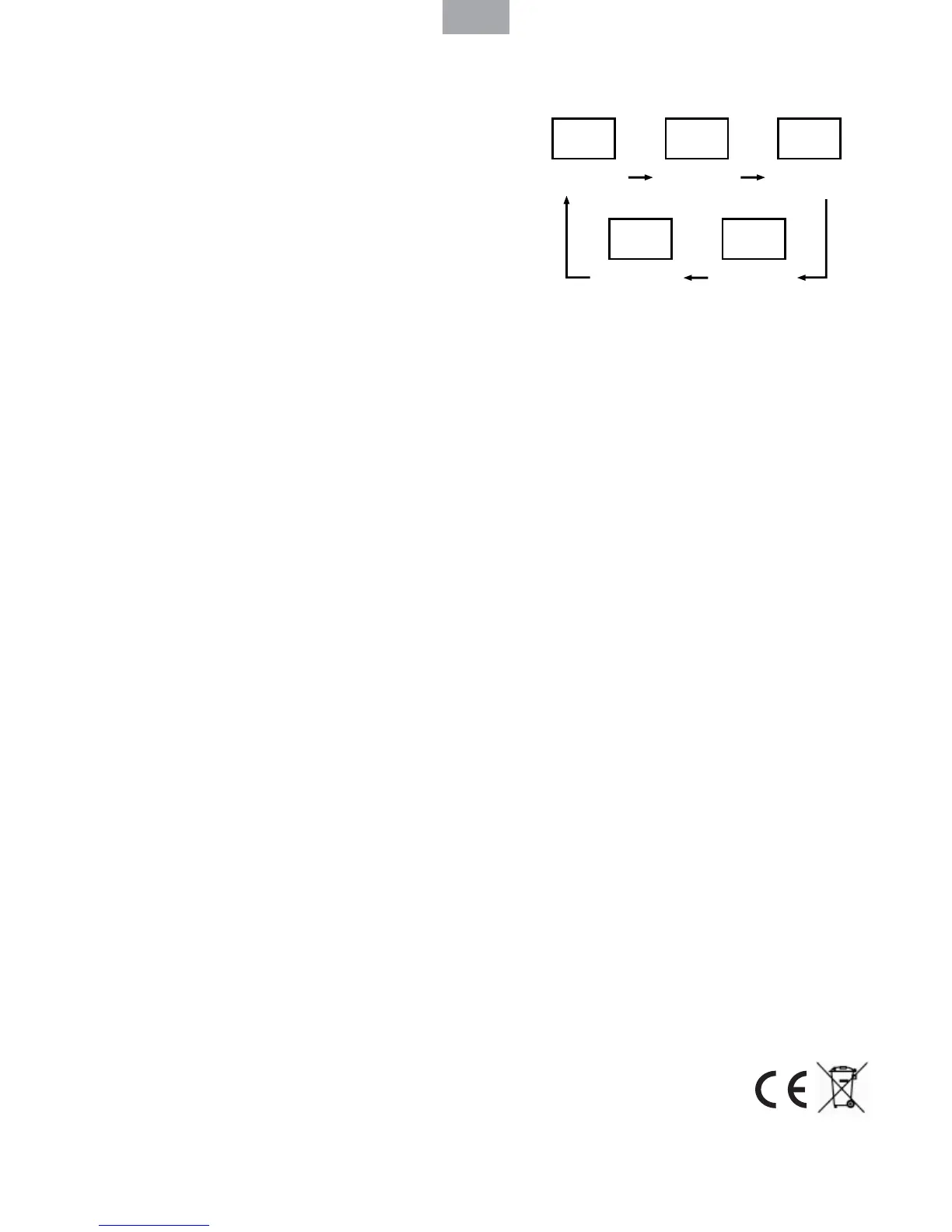
Press the “MODE” button before or during playing CD / MP3 disc, each press switches the
mode function as follows:
1 - REPEAT 1
2 - REPEAT ALBUM ( *MP3 ONLY )
3 - REPEAT ALL
4 - RANDOM
5 - NORMAL PLAYBACK
USB OPERATION
GENERAL OPERATION
PLAY / PAUSE
Press and hold while playing until you nd the point of the sound.
STOP Press to stop all USB operation.
PLAYBACK
1. Plug or slot in USB device to the port.
2. Set the “FUNCTION” selector to “CD / MP3 / USB” mode.
3. It will read and automatic playing USB, if no disc on disc tray.
4. It will read and automatic playing DISC, if have disc on disc tray.
5. Press and hold the “PLAY / PAUSE” button for a few seconds to entry USB mode.
6. Playback will start automatically from the rst track.
7. Press the “STOP” button when nished.
PROGRAM MODE
The operation of PROGRAM, MODE are as the same as that of CD / MP3. Please refer to CD /
MP3 OPERATION.
OTHER FEATURES
AUTO-OFF
This product is equipped with an auto power-save function in the CD/MP3/ USB mode, if the
unit remains in STOP, PAUSE or NO DISC mode for more than 10 minutes it will automatically
switch o . Please set the “FUNCTION” selector to o mode, and then back to “CD/MP3/USB”
or “Radio” mode to re-active the unit.
DECLARATION OF CONFORMITY
Flamagas, S.A. declares product DBU-51 complies with the essential protective requirements
and objectives of:
• EMC Directive 2004/108/EC
• Low Voltage Directive 2006/95/EC
To check the entirely declaration of conformity of this model, visit
www.electronica amagas.com



 To Next Page