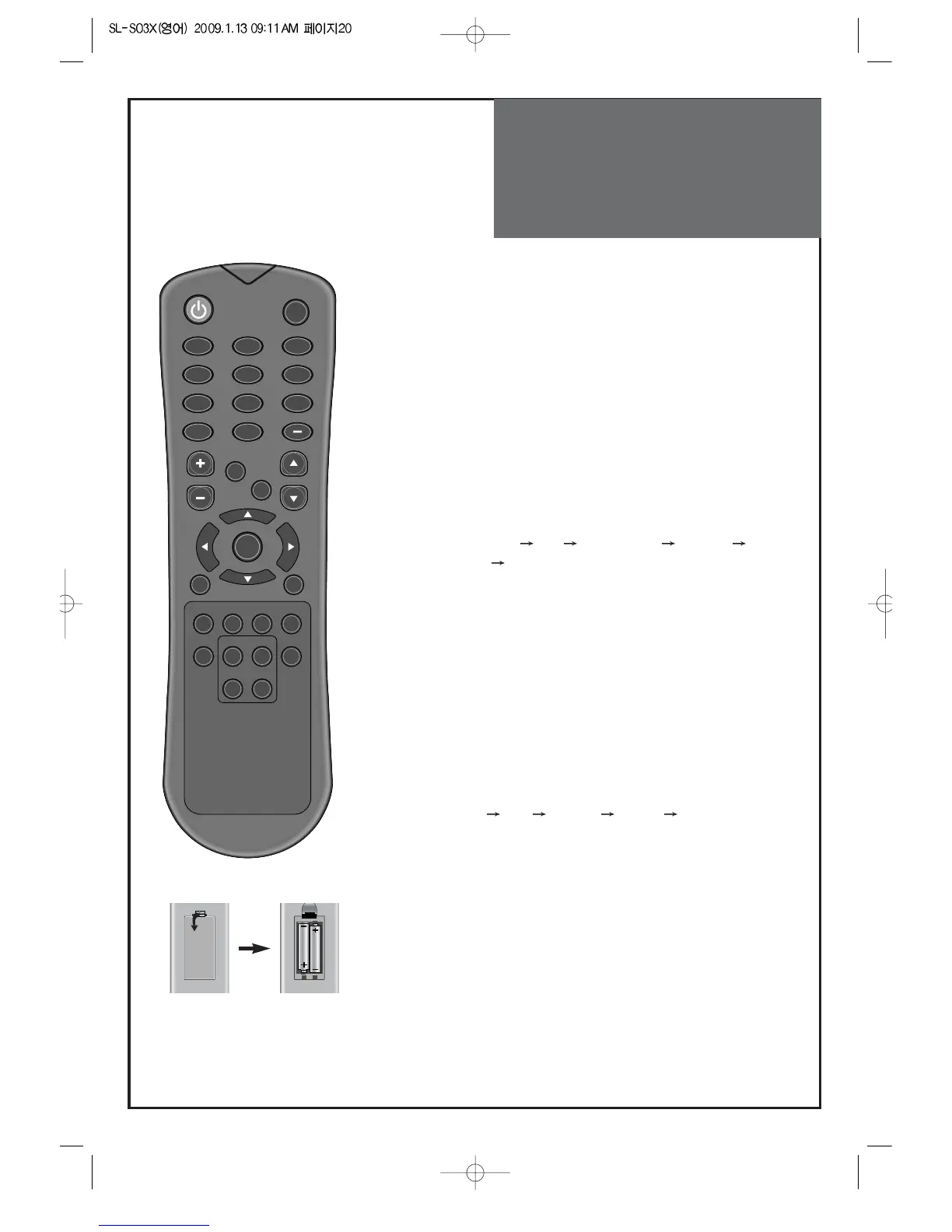
Functions of the
remote control
20
Inserting Batteries into the Remote Control Unit
To install the batteries, turn the remote control over and open the
battery compartment. Insert the batteries (Two 1.5V, type AAA).
Make sure that the polarity matches with the (+) and (-) marks
inside of the battery compartment.
Note:
To avoid damage from possible battery leakage, remove the
batteries if you do not plan to use the remote control handset for
an extended period of time.
1. POWER : Turns the TV on and off.
2. MUTE : Press this button, and the sound goes off. Press again, and the
sound returns.
3. NUMBER :
Press the numbers on this board; you can select CH
directly in TV mode.
(EX: When you want to select CH10, you should press down "1", "0"
and "OK" within 5second. If you only press down "1", after 5second,
CH1 will be selected.)
4.
PREV CH
: Press this button, you can tune to the previous channel.
5.
DTV(-) : No Function
6. VOL : Adjust the volume.
7. OPTION : Use to quickly select frequently used functions.
8. INPUT : Each time you press this button, the TV will cycle Through:
AIR/CABLE AV Component HDMI1
HDMI2 PC
9. CH : Press to switch to your memorized channels in sequence.
10. NAVIGATION KEY : You can use Navigation Key to move in multi
mode.
11. OK : Confirm to change a part of the menu.
12. MENU : Displays the main on-screen menu.
Picture, Sound, Channel, Feature, Time.
13. EXIT : Exit from the MENU.
14. GUIDE : No Function
15.
FAV CH
: Press to switch to your favorite channels.
16. MEDIA : No Function
17. MTS : In Analog, you can select sound mode (Mono/Stereo/SAP).
18. P.MODE : Picture modes change as follows:
Normal
User Dynamic Cinema Normal.
19. STILL : Press this button to freeze the picture.



 To Next Page