EasyManua.ls Logo

Daewoo DMP-2000 - User Manual

Daewoo DMP-2000
16 pages
Print Icon
To Next Page IconTo Next Page
Loading...
S er v ice M a nua l
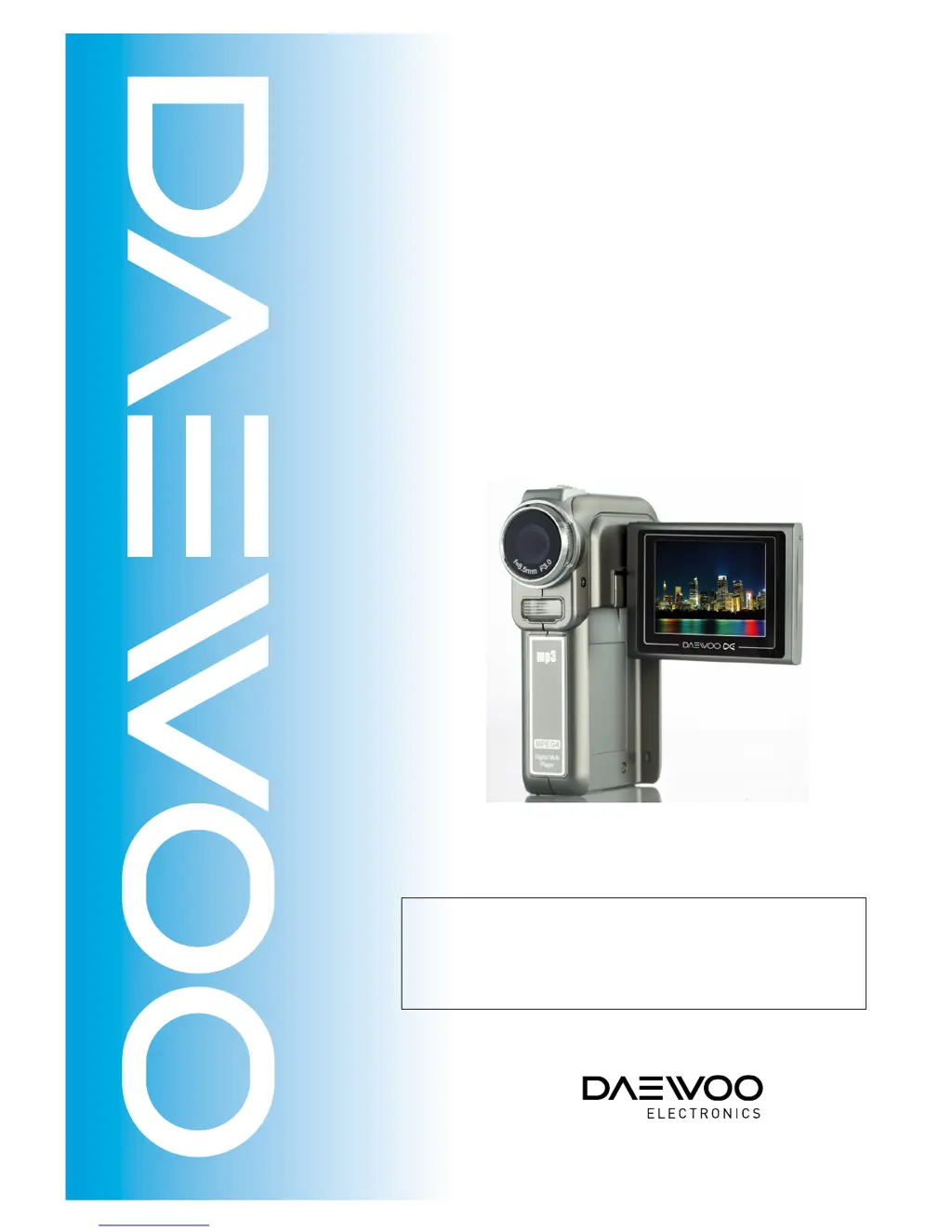
Digital Multi Player
Model: DMP-2000
S/ M N o. : OSMP200001
May. 2005
 C aution
: In this Manual, s ome parts can be changed for improving,
their performance without notice in the parts list.

Questions and Answers

  • J
    juliasolisAug 17, 2025
    Why does my Daewoo DMP-2000 Media Player power down after turning on?
    • J
      Joseph PenaAug 17, 2025
      If your Daewoo Media Player powers down soon after being turned on, here are a couple of things to investigate: * If the red light comes on briefly and then the power shuts off, use an oscilloscope to check if R17 has a clock output. If the clock isn't normal, it suggests the program hasn't booted up. Check the circuit around U4 DDR RAM. If that's normal, then consider replacing the main board. * If the power turns on initially but then shuts off when playing a picture or video file, check the circuit around U4 DDR RAM. If it appears normal, replace U3. If U4 is damaged, replace the main board.
  • J
    jbrownAug 25, 2025
    Why is the date and time inaccurate on my Daewoo DMP-2000?
    • P
      Patricia ShawAug 25, 2025
      If the date and time on your Daewoo Media Player is inaccurate, especially after turning it off and on again, check R12 and C35. If the date and time is advancing too quickly, inspect Y2. If the problem persists, consider replacing the main board.
  • J
    johnwilliamsSep 1, 2025
    Why is my Daewoo Media Player unable to charge the battery?
    • R
      Richard StuartSep 1, 2025
      If your Daewoo Media Player isn't charging the battery, start by checking if J3.4 has 5V voltage. Then, check if R7 and R13 have a voltage greater than 2.0V. Next, check if Q4.S has voltage, if not, replace the main board. Also, check if Q4.D has voltage, if not, replace the main board. Finally, check if D9.K has voltage, if not, replace the main board.
  • L
    Lori SmithSep 5, 2025
    What causes abnormal sound recording and replaying on Daewoo Media Player?
    • K
      Kathy DouglasSep 5, 2025
      If you are experiencing issues with sound recording and replaying on your Daewoo Media Player, consider the following: * If there is no sound after powering on, check if the soldering wire of the U10 Speaker is broken. Try replacing the U10 Speaker. If the problem persists after replacing the speaker, replace the main board. * If there is no sound or unclear sound while recording or replaying video, check if the connection between the sensor board and main board is normal. Check if C23, C24, R59 and R71 are normal. You might also try replacing the U7 microphone. If the problem remains after replacing the microphone, replace the main board.
  • K
    Kaitlin GeorgeSep 8, 2025
    What to do if buttons on my Daewoo DMP-2000 aren't working?
    • V
      victoria89Sep 8, 2025
      If the buttons on your Daewoo Media Player are malfunctioning, first, check if the connection between the keyboard and the main board is normal. If it's the five-direction button, check if keyboard J1.10 shows the following voltages when pressing different buttons: Enter (2.76V), UP (2.20V), Down (1.65V), Left (1.12V), Right (0.55V). If not, check resistors R1 - R6 or replace the Dimple Dome. If J1.10 shows different voltages, check if main board J6.10 has the voltage variation. If not, replace the main board. For other buttons, check if the Dimple Dome or board-to-board connector is normal.
  • T
    Thomas SinghNov 12, 2025
    What to do if my Daewoo DMP-2000 Media Player is unable to turn on?
    • C
      Christopher DuncanNov 12, 2025
      If your Daewoo Media Player is unable to turn on, there are several things you can check: * First, ensure the SW1 function is working correctly. * Next, verify that U18.1 is at High. If it remains at Low, inspect the surrounding circuit. Specifically, check if the voltage at Q1.D is within the normal range (2.2V~3.2V). If there's no voltage at Q1.D, consider replacing the main board. * If the U18.1 signal is normal, use a meter to check if the 2.5V, 1.8V, and 3.3V voltages are normal. Press SW1 and measure these voltages. If the U18 voltage is normal, replace the main board. * If the 2.5V is normal, check if the 1.8V voltage is normal. If it is not, replace the main board. * Check if the 1.8V voltage is normal first and then check if the 3.3V voltage is normal. Make sure that th...
  • D
    David BryantNov 20, 2025
    What to do if my Daewoo DMP-2000 has an abnormal LCD display?
    • K
      kmendezNov 20, 2025
      If the LCD on your Daewoo Media Player isn't displaying correctly, consider the following: * First, check if J2.1 has 3.3V. If the 3.3V voltage is normal, check if 3.3V on the LCD board is normal. If the LCD board's 3.3V is normal, then check if the backlight is normal. If the backlight circuit lacks a 10V output voltage, replace the LCD board. * Use an oscilloscope to measure if J2 Pin22 (LCD_SCL), Pin23 (LCD_SDA), Pin24 (LCD_CS), and PIN9 (LCDCLK) have a signal output. If abnormal, remove the LCD Cable and test again. If still not normal, replace the main board. * If the signals on LCD_CS, LCD_SCL, LCD_SDA, and LCDCLK of the LCD are normal, check if the components around the LCD Panel are normal. If they are, replace the LCD Panel. If the issue persists after replacement, replace ...
  • R
    Ronald ChristensenNov 27, 2025
    What causes abnormal images on my Daewoo DMP-2000 Media Player?
    • T
      todddeanNov 27, 2025
      If you're experiencing abnormal images on your Daewoo Media Player, here's what you can check: * If the power-on picture is displayed after turning on the device, but the image cannot be seen, verify the connection between the sensor board and the main board is secure. * Use a meter to check if sensor board J1.1 has 3.3V and if J1.3 has 1.8V. Also, check if sensor board C1.1 has 3.3V voltage; if the voltage is not normal, then check the sensor board. * If the voltage is normal, then use an oscilloscope to check if sensor board J1.16, J1.13, J1.35 and J1.36 have signal output, if not normal, replace the main board. * If all the above checks out, consider replacing the sensor board. If there are thick horizontal lines in the image, use USB to turn the power on first and view the im...

Summary

Functionality Test Procedures

Test Tools and Devices

Lists the necessary tools and devices for performing functionality tests on the device.

Functional Button Overview

Details the various functional buttons and their locations on the device.

Device Test Procedures

Outlines the step-by-step procedures for testing key device functions.

Troubleshooting Guide

Repair Instruments

Lists the essential instruments required for troubleshooting and repair tasks.

Power On Issues

Diagnosing and resolving problems related to the device failing to power on.

Power Interruption

Troubleshooting steps for when the device powers off unexpectedly after startup.

Playback Power Off

Fixing issues where the device turns off during media playback.

LCD Display Malfunctions

Resolving common LCD screen problems, such as no display or white screen.

Image Quality Problems

Troubleshooting distorted images or horizontal lines on the display.

Flash Light Faults

Diagnosing and fixing issues with the flash light operation.

Battery Charging Failure

Steps to troubleshoot when the device battery fails to charge.

Audio Recording Issues

Fixing problems related to sound recording and playback quality.

Date and Time Errors

Correcting problems with the device's date and time settings.

Button Operation Failures

Troubleshooting unresponsive or incorrectly functioning device buttons.

Software Updating Process

Required Devices for Update

Lists the necessary devices for performing a software update.

Software Update Procedure

Step-by-step guide for updating the device's firmware using an SD card.

Disassembly Instructions

Disassembling the Device

Detailed steps and illustrations for taking apart the device for repair or inspection.

Parts Identification

Parts List

An enumeration of all device components with their material numbers and quantities.

Essential Tools

Troubleshooting and Repair Tools

Illustrations and identification of tools used for device maintenance and repair.

Daewoo DMP-2000 Specifications

General IconGeneral
ConnectivityUSB 2.0
Supported FormatsMP3, WMA
Memory128MB
Display1.8-inch TFT LCD
BatteryRechargeable Lithium