EasyManua.ls Logo

Daewoo DSK-380 - User Manual

Daewoo DSK-380
26 pages
Go to English
Print Icon
To Next Page IconTo Next Page
Loading...
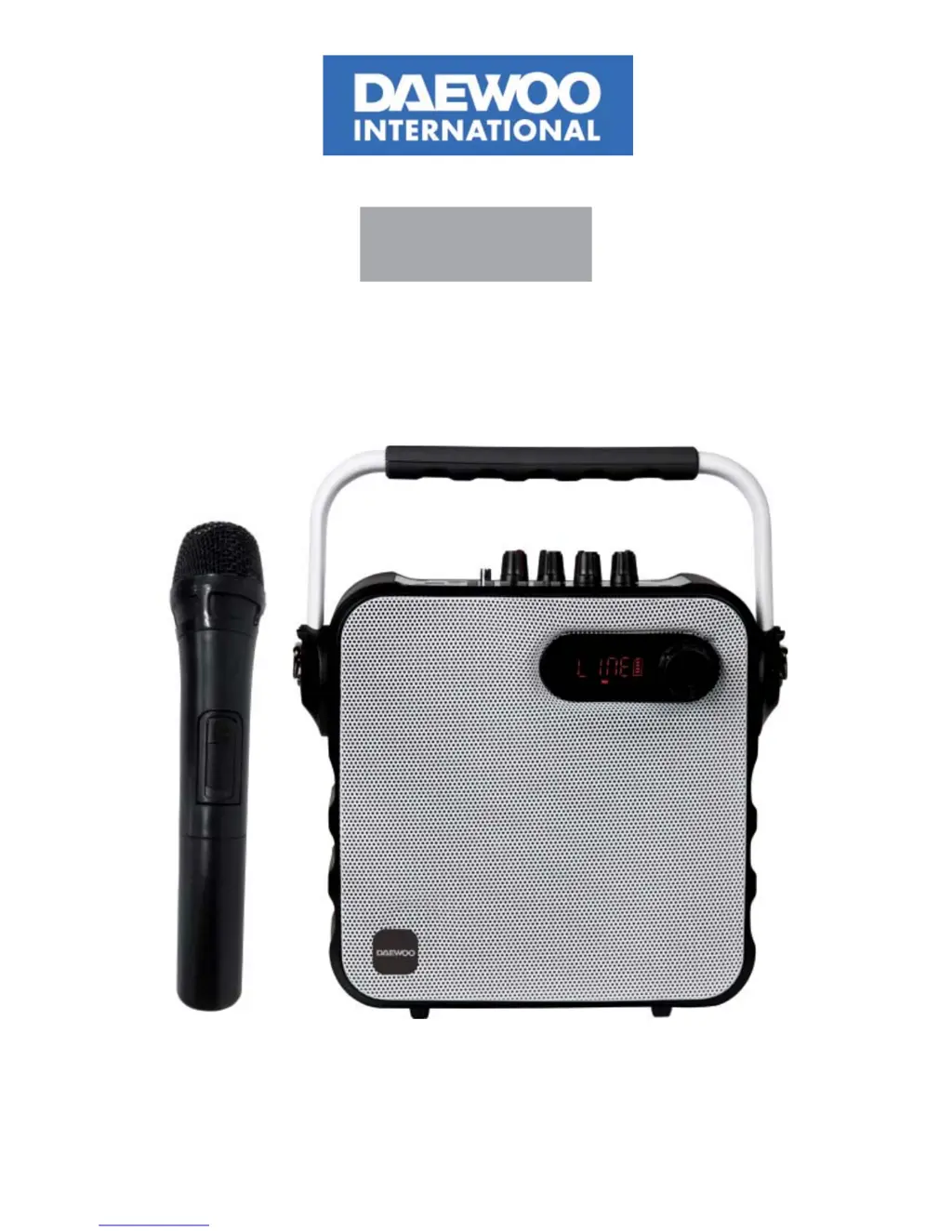
DSK-380
Altavoz portátil con micrófono inalámbrico, Bluetooth y radio FM
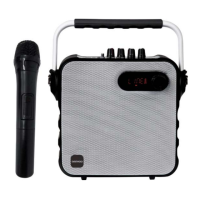
Portable Bluetooth speaker with wireless microphone and FM radio
Haut-parleur avec microphone sans  l Bluetooth et radio FM
Coluna Bluetooth portátil com microfone sem  os e rádio FM
MANUAL DE INSTRUCCIONES
USER MANUAL
MANUEL D’INSTRUCTIONS
MANUAL DE INSTRUÇÕES

Questions and Answers

  • B
    brucejulieAug 3, 2025
    Why is there distortion of sound from my Daewoo DSK-380?
    • V
      Victor SmithAug 3, 2025
      Sound distortion can occur if the volume is too high; try turning it down. Alternatively, the speaker itself may be damaged. If that's the case, consider repairing or replacing it.
  • L
    Laura JonesAug 9, 2025
    What to do if my Daewoo DSK-380 have no sound?
    • D
      dawnwuAug 10, 2025
      If there is no sound, it could be due to a poor input sound source; try using a better music signal. Also, check the volume level and adjust it if it's too low.
  • J
    Jeffrey BoydAug 17, 2025
    What to do if MP3 does not play on Daewoo DSK-380 Speakers?
    • T
      Tammie ClaytonAug 17, 2025
      If your MP3 isn't playing, the song format on the USB disk might be incorrect; try converting it to MP3 format. Also, an improper operation may have caused a process disorder, so reboot the machine. Finally, ensure that the USB disk/TF card is properly inserted.
  • R
    Rachel GarciaAug 25, 2025
    How to fix Karaoke if it does not work on Daewoo DSK-380?
    • B
      Brandon LoweAug 26, 2025
      If the karaoke function isn't working, make sure the microphone is fully plugged into the socket. Also, verify that the microphone switch is turned on and the microphone volume knob is properly adjusted. If you're using a wireless microphone, try replacing the battery.

Summary

Technical Specifications and Features

Performance Metrics

Details on output power, input sensitivity, SNR, frequency response, and power supply.

Audio Control Features

Explains volume, treble, bass, microphone volume, and echo adjustments.

Machine Capabilities

Highlights compatible devices, sound quality, and internal component quality.

Operation and Charging

Speaker Charging Process

Instructions for charging time, adapter use, and indicator lights.

Battery Management

Guidance on interpreting battery status and proper long-term storage.

Remote Control Usage

Remote Control Functions

Lists and explains all buttons on the remote control for device operation.

Optimal Remote Operation

Advice on aiming, distance, and environmental factors for remote control effectiveness.

Device Controls and Connections

Front Panel Interface

Identifies and describes the numbered controls and ports on the speaker unit.

Input and Media Ports

Details the audio input jack, USB socket, and TF card socket.

Media Playback and Recording

USB;TF Card Media

Guidelines for using USB/TF cards, file formats, and playback sequence.

Microphone and Recording

Instructions for wireless microphone use and the recording function.

Audio Formats and Playback

Supported audio types (MP3, WMA, WAV) and basic playback controls.

Advanced Functions and Troubleshooting

Bluetooth Connectivity

Steps for pairing and using Bluetooth devices with the speaker.

FM Radio Operation

Instructions for switching to FM, scanning, and selecting channels.

Common Problem Solving

Solutions for issues like no sound, distorted audio, karaoke, and MP3 playback.

Legal and Support Information

Compliance and Guarantee

Statement of conformity to directives and details of the product warranty.

Product Disposal Advice

Environmental recommendations for disposing of batteries and electronic waste.

Daewoo DSK-380 Specifications

General IconGeneral
BrandDaewoo
ModelDSK-380
CategorySpeakers
LanguageEnglish

Related product manuals