Need help?
Do you have a question about the Daewoo DTQ 20U6SC and is the answer not in the manual?
Identifies and explains the buttons, controls, and terminals on the TV's front panel.
Instructions for connecting coaxial or twin lead antennas to the TV's antenna terminal.
Explains how to change TV channels using remote control or front panel buttons.
Details how to adjust TV volume using remote or front panel, and use the MUTE function.
Instructions on how to set the TV to automatically turn off at a specified time.
How to cancel the Wake-up Time or Off Time settings by returning them to default.
Steps to change the language displayed in the TV's on-screen menus (English, Spanish, French).
How to enable and select Closed Caption (C1, C2) or Text (T1, T2) display on the TV.
How to change the audio mode (Stereo, Mono, SAP) using the remote control's MTS button.
Steps to adjust bass and treble settings via the TV's audio menu.
Solutions for common TV problems like no picture/sound, poor reception, and remote issues.
This document is an instruction manual for a Daewoo Color Television, model DTQ 20U6SC. It provides comprehensive information on the television's operation, features, and maintenance, ensuring users can maximize their viewing experience and maintain the device's longevity.
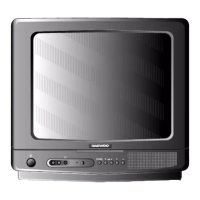
The Daewoo DTQ 20U6SC is a color television receiver designed for home entertainment. Its primary function is to display video and play audio from various sources, including broadcast television signals (antenna or cable) and external audiovisual components like VCRs, laser disc players, or satellite receivers. The television is equipped with a remote control for convenient operation from a distance, allowing users to power the unit on/off, change channels, adjust volume, and navigate through menu settings. The front panel also features physical buttons for essential controls, providing an alternative if the remote is unavailable.
The television supports both single coaxial lead and 300-ohm twin lead antenna connections, accommodating different antenna setups. For cable systems, it can be connected directly or through a converter box, depending on the cable provider's requirements. The device is designed to handle various signal inputs, allowing users to switch between TV broadcasts and external A/V sources seamlessly.
A key feature of this television is its ability to display "Closed Caption" (CC) information, which provides a written version of dialogue, narration, and sound effects for TV shows. It also supports "text" displays, offering information such as news or weather, independent of the on-screen action. This feature enhances accessibility for viewers with hearing impairments or those who prefer to read along.
The television includes a "Parental Control" system, allowing parents to set standards for programs their children can watch. This feature helps manage content access based on TV guidelines and movie ratings, providing a safe viewing environment for families. Users can set a password to access and modify these parental control settings, ensuring only authorized individuals can make changes.
For convenience, the television incorporates timer functions, including "Off Time" and "Wake-up Time." The "Off Time" feature allows users to program the TV to automatically turn off after a specified duration, useful for falling asleep while watching. The "Wake-up Time" function enables the TV to turn on at a set time, potentially serving as an alarm or reminder.
The television's audio system includes adjustable bass settings, allowing users to customize the sound output to their preference. It also supports different audio modes, such as Stereo, Mono, and SAP (Secondary Audio Program), which can be selected based on broadcast availability and user preference. The manual notes that selecting "Mono" mode can reduce noise and hum if a broadcast signal is weak.
The Daewoo DTQ 20U6SC offers a user-friendly interface for navigation and control. The remote control is central to its operation, featuring dedicated buttons for power, mute, channel up/down, volume up/down, menu access, display information, input selection, video adjustments, and direct channel entry (0-9). The "PREVIOUS" button allows instant return to the last watched channel, enhancing channel surfing convenience. The "SLEEP" button enables programming the TV to turn off after a set time.
The front panel controls mirror many of the remote's functions, including power, video input, audio input, earphone jack, channel up/down, volume up/down, menu, and TV/Video source selection. An LED indicator for "STAND-BY" illuminates when the power is off, providing a visual cue of the TV's status.
Changing channels can be done in three ways: sequentially using the CH▲/▼ buttons, directly by entering the channel number using the 0-9 buttons, or by returning to the previous channel with the "PREVIOUS" button. The volume can be adjusted using the VOL◄/► buttons on either the remote or the front panel, and the "MUTE" button on the remote allows for quick silencing and un-silencing of the audio.
Switching between different input sources (TV, Line1, Line2) is managed through the menu system. Users can access the "Set-Up" menu and select the desired input, making it easy to view content from connected A/V components.
The television's video settings, including contrast, brightness, sharpness, color, and tint, can be adjusted through the "Video" menu. Users can choose between "Custom" settings, which remember their personalized preferences, or "Preset" settings, which restore factory calibrations. This flexibility allows users to fine-tune the picture quality to their liking. The manual provides detailed descriptions of each video setting and how to adjust them to achieve optimal picture quality, such as correcting for overly bright/dark images, fuzzy edges, or washed-out colors.
The on-screen menus can be displayed in English, Spanish, or French, catering to a broader user base. This language selection is made through the "Set-Up" menu.
The "Closed Caption" feature is accessed via the "Special" menu, where users can select between different captioning options (C1, C2, T1, T2). While C1 is typically the most common, the manual encourages users to experiment with other selections.
Parental control settings are also managed through the "Special" menu. Users can enable or disable "Parental Lock," set TV guidelines, movie ratings, and restrict external sources. The system requires a password for access, ensuring that these sensitive settings are protected.
The manual emphasizes several maintenance practices to ensure the television's longevity and optimal performance.
The manual includes a troubleshooting section to help users resolve common issues before contacting service. This section covers problems such as:
For each issue, the manual provides a series of checks and solutions, such as verifying power connections, mute settings, antenna connections, signal interference, AIR/CABLE settings, and remote control batteries.
The television is listed by Underwriter's Laboratories, Inc., indicating it meets rigid U.L. safety standards against X-radiation, fire, casualty, and electrical hazards. It is also an ENERGY STAR® Partner, meaning it meets ENERGY STAR® guidelines for energy efficiency.
 General
| Screen Size | 20 inches |
|---|---|
| Display Technology | CRT |
| Aspect Ratio | 4:3 |
| Resolution | 480i |
| Tuner | NTSC |
| TV Type | Standard Definition TV |
| Inputs | Composite Video, RF Antenna |
| Power Consumption | 60W |
| Weight | 18 kg |


 To Next Page