I
C
W
A
S
H
I
N
G
M
A
C
H
I
N
E
a a
a
WATER
LEVEL
COURSE
PROCESS
WASH
TEMP.
START
HOLD
POWER
COURSE
PROCESS
WATER LEVEL
WASH TEMP.
REMAIN
MIN.
HIGH
MEDIUMLOW
E.LOW
ECO.
WOOL
BLANKET
FUZZY
WASH
RINSE
ADD
SPIN
HOTCOLD
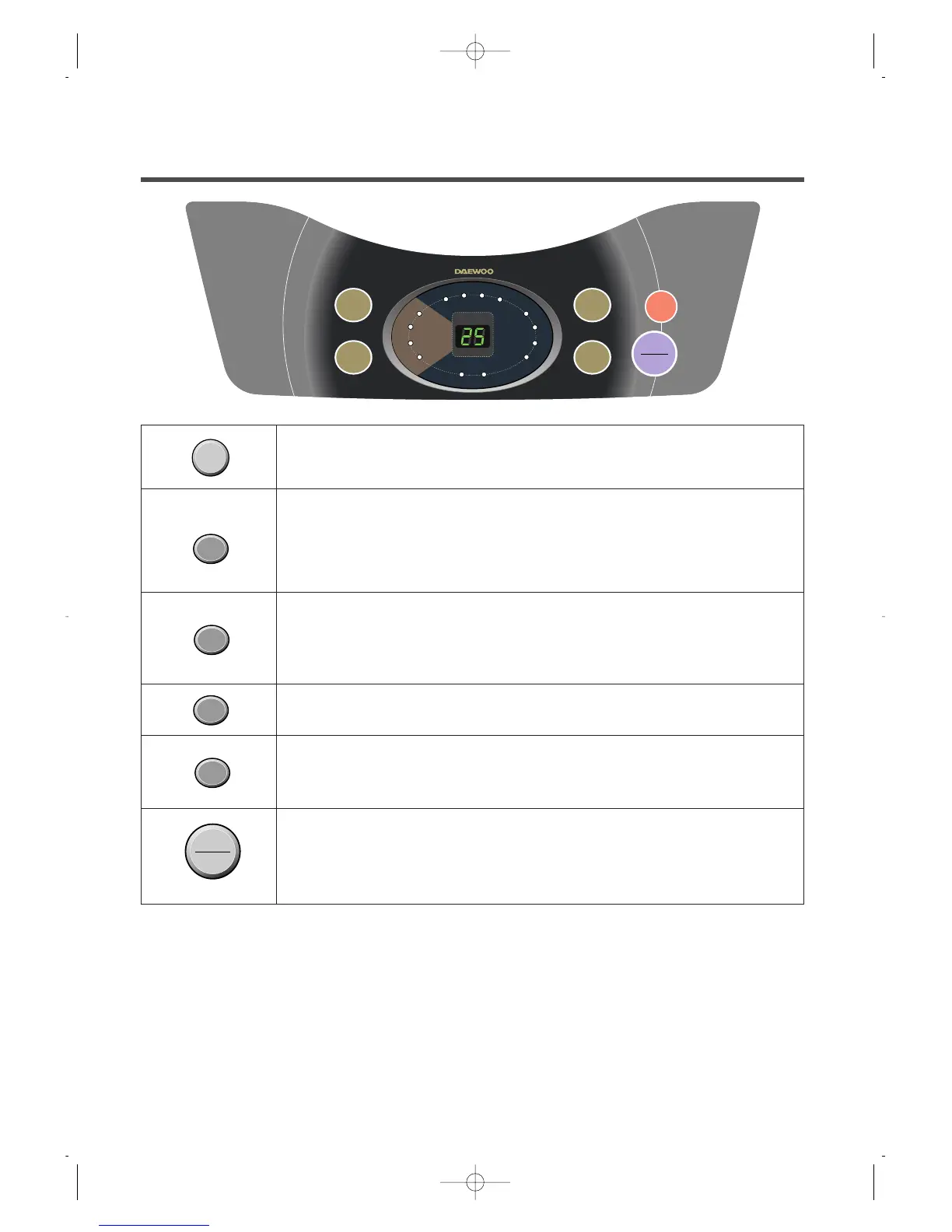
THE FUNCTIONS OF THE CONTROL PANEL
• Press this button to turn the power "ON" or "OFF".
• It can be used to choose water temperature to be supplied.
• As the button is pressed, water temperature will be repeated.
COLD ➝COLD + HOT ➝HOT
• In case of the single valve model, there is no wash temperature
selector function.
• It can be used to adjust amount of water according to the size of the
load to be washed.
• As the button is pressed, water level is selected by
E.LOW ➝LOW ➝MEDIUM➝HIGH
• It is the button for the partial process or the combination of each
process (wash, rince, spin) (See page 10)
• It can be used to select the full-automatic course.
• As the button is pressed, course will be selected by following order:
BLANKET FUZZY ➝➝ WOOL➝ECONOMY.
• Operation and temporary stop is repeated as it is pressed.
• When you want to change course in operating;
press the "START/HOLD" button ➝Select the course that you want to
change ➝press the "START/HOLD" button again.
POWER
WASH
TEMP.
WATER
LEVEL
PROCESS
COURSE
HOLD
START
8


 To Next Page