8
OPERATIONS AND FUNCTIONS
1. Connect the main lead to an electrical outlet.
2. After placing the food in a suitable container, open the oven door and put it on the glass tray. The glass tray must
always be in place during cooking.
3. Close the door securely.
4. The oven door can be opened at any time during operation by touching the door release button on the control panel.
The oven will automatically shut off. To restart the oven, close the door and then touch Comienzo/Comienzo Rápida
pad.
5. Each time a pad is touched, a BEEP will sound to acknowledge the touch.
6. The oven automatically cook on full power unless set to a lower power level.
7. The display will show : 0 when the oven is plugged in.
8. Time clock returns to the present time when the cooking time ends.
9. When the Parar/Borrar pad is touched during the oven operation, the oven stops cooking and all information retained.
To erase all information (except the present time), touch the Parar/Borrar pad once more. If the oven door is opened
during the oven operation, all information is retained.
10. If the Comienzo/Comienzo Rápida pad is touched and the oven does not operate, check the area between the door
and door is closed securely. The oven will not start cooking under the door is completely closed or the program has
been reset.
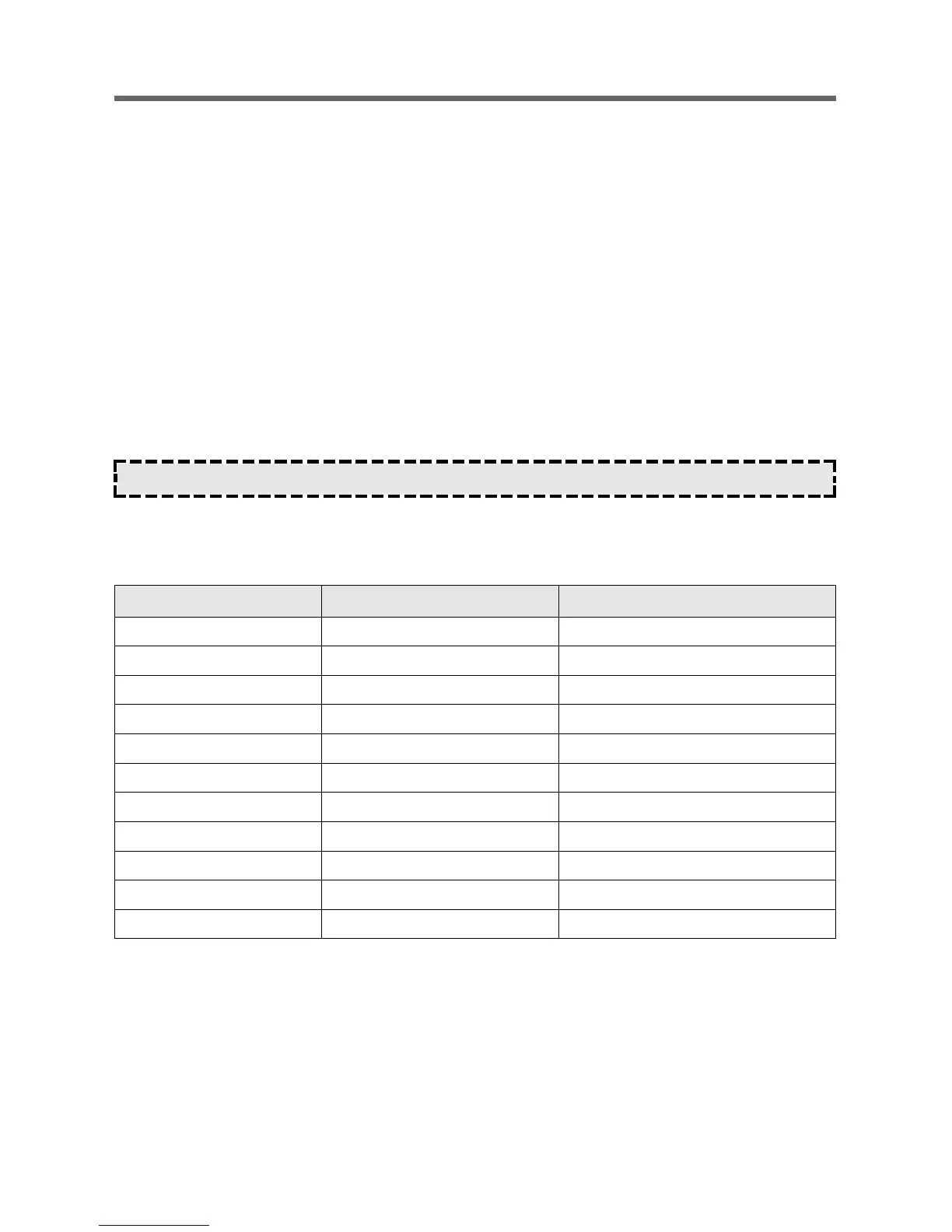
Wattage output chart
The power level is set by pressing the Potencia pad. The chart shows the display, the power level and the percentage of
power.
Make sure the oven is properly installed and plugged into the electrical outlet.
Touch Potencia pad. Power level(Display) Approximate Percentage of Power
Once P-HI 100%
Twice P-90 90%
3 times P-80 80%
4 times P-70 70%
5 times P-60 60%
6 times P-50 50%
7 times P-40 40%
8 times P-30 30%
9 times P-20 20%
10 times P-10 10%
11 times P-00 0%



 To Next Page