FUNCTIONS
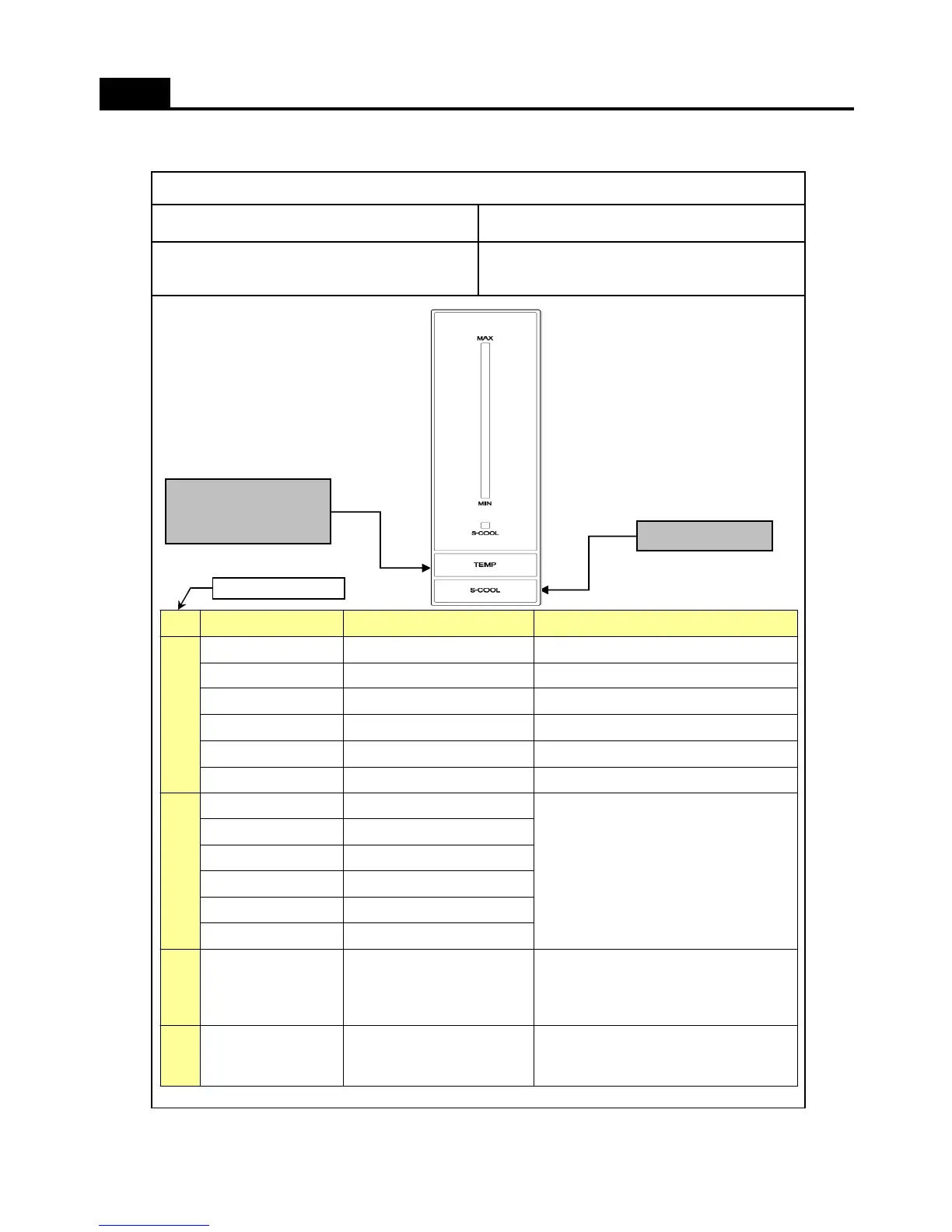
PCB Control Panel LED
CONTROL OBJECTINPUT
PCB Control Panel Buttons
1. DISPLAY
Temperature
adjustment
button for refrigerator
“Super Cool”
Push “TEMP” button 30 times.
And then, push “S-COOL” button for
continuously and “TEMP” button 5 times.
Pull Down Test
“MIN” & “S-COOL”
on “MAX-NOR” & ”
MAX” flickeringly
11
18
9
ERROR “DEFROST” (F3)
ERROR “CYCLE”
TEMP S-COOL
TEMP STEP “NOR”
FUNCTION
Push “S-COOL” button for continuously
and “TEMP” button 5 times.
The Priorities of Error :
R SENSOR> RT SENSOR> DR S/W>
CYCLE> DEFROST
“NOR” flickerin
“MIN-NOR”
“MIN” flickeringly
“MIN-NOR” & ”NOR”
“MIN” & ”NOR”
“MIN” & ”MIN0NOR”
Push “TEMP” button for continuously
and “S-COOL” button 5 times.
And then, push “S-COOL” button for
continuously and “TEMP” button 5 times.
“NOR”&“S-COOL” on,
“MAX-NOR” & ”
MAX” flickeringly
Push “TEMP” button 4 times.LED “MIN-NOR” on
Push “TEMP” button 3 times.LED “MIN” on
Push “TEMP” button 2 times.LED “MAX” on
Push “TEMP” button 1 times.LED “MAX-NOR” on
Push “S-COOL” button 1 time.LED “S-COOL” on
Initially positionLED “NOR” on
OPERATIONLED DISPLAY
Reference Page No.
8



 To Next Page