FUNCTIONS
LED Lamp
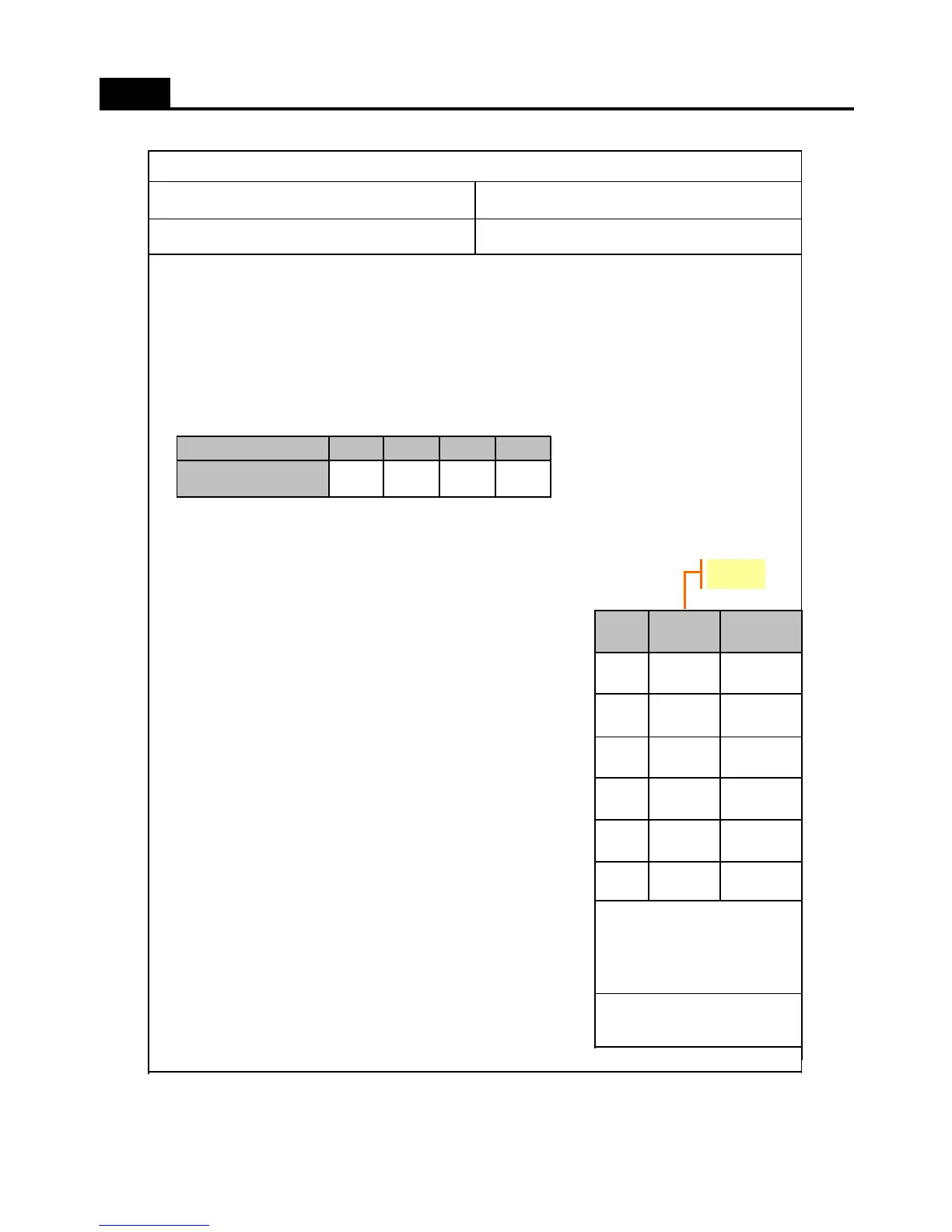
- ERROR DISPLAY
- To confirm error happens or not, push S-COOL” button for continuously and “TEMP” button 5 times.
- To stop the Error Display Set, push “TEMP” button 1 times, or wait 4 minutes.
- After operations back to normal, the displays come to be reset.
A. R1 ERROR
(It happens when R-Sensor is OPEN or SHORT)
- DISPLAY : STEP “NOR” LED is on & off continually.
- CONTROL :
; Controlled by the following condition of RT
; When “RT ERROR” happens at the same time, “COMP. ON/OFF Operating Time” is 16min/24min.
(Unit : min)
- CANCEL : when R-Sensor is working normally.
B. RT ERROR
(It happens when RT-Sensor is OPEN or SHORT)
- DISPLAY : STEP “MIN-NOR” LED is on & off continually.
- CONTROL : Delete the conditions of “RT-sensor Control” and operate normally.
- CANCEL : when RT-Sensor is working normally.
C. D1 ERROR
(It happens when D-Sensor is OPEN or SHORT)
- DISPLAY : STEP “MIN” LED is on & off continually.
- CONTROL : Return to next limit defrost time (40 min)
- CANCEL : when D-Sensor is working normally.
D. DR ERROR
(It happens when the system senses door opens more than 1 hour.)
- DISPLAY : STEP “MIN-NOR”, “NOR” LED Lamps are on & off continually.
- CONTROL : Deletion of function related door switch sensing
- If door switch (open & close) is sensed, the error is terminated
automatically
E. C1 ERROR
(When D-Sensor is more than -5C, Comp operates over 3 hrs)
- DISPLAY : STEP “MIN” & “NOR” LED Lamps are on & off continually.
- CONTROL : The system is normally operating
- CANCEL : When Comp is off, D-Sensor is less than -5C.
F. F3 ERROR
Return to next step after max defrost time.
( 60 minutes )
6.1- DISPLAY : STEP “MIN” & “MIN-NOR” LED Lamps are on/off continually.
6.2- CONTROL : At Defrost Mode, Deletion of “PRE-COOL” Mode.
6.3- CANCEL : Completion of defrost returned by D-Sensor.
- If the appliance is normal (no error), just 'MAX-NOR' and 'MAX' LED flicker in Error Mode.
CONTROL OBJECTINPUT
PCB Control Panel Buttons / Door
10. Error Display
flicker
- To Confirm Errors:
Push “S-COOL” for
continuously and “TEMP”
button 5 times.
- The Priorities of Error :
R1→RT→D1→DR→C1→F3
Defrost
“MIN”,
“MIN-
F3
Cycle“MIN”,
“NOR”
C1
DR Switch“MIN-
NOR”,
DR
D sensor
“MIN
”
D1
RT sensor
"MIN-NOR"
RT
R sensor
“NOR”
R1
ERRORLEDCODE
6/34
~13C
10/30
~19C
16/24
~29C
20/20
COMP. Operating TIME
(ON/OFF)
29C ~RT sensor TEMP
17



 To Next Page