3
ZF INTARDER
Removal and installation CF65/75/85 series
4-14
6. Remove the attachment bolts from the rear
cover and remove the rear cover. Make
sure the intarder remains in place.
7. Remove the gearbox gasket.
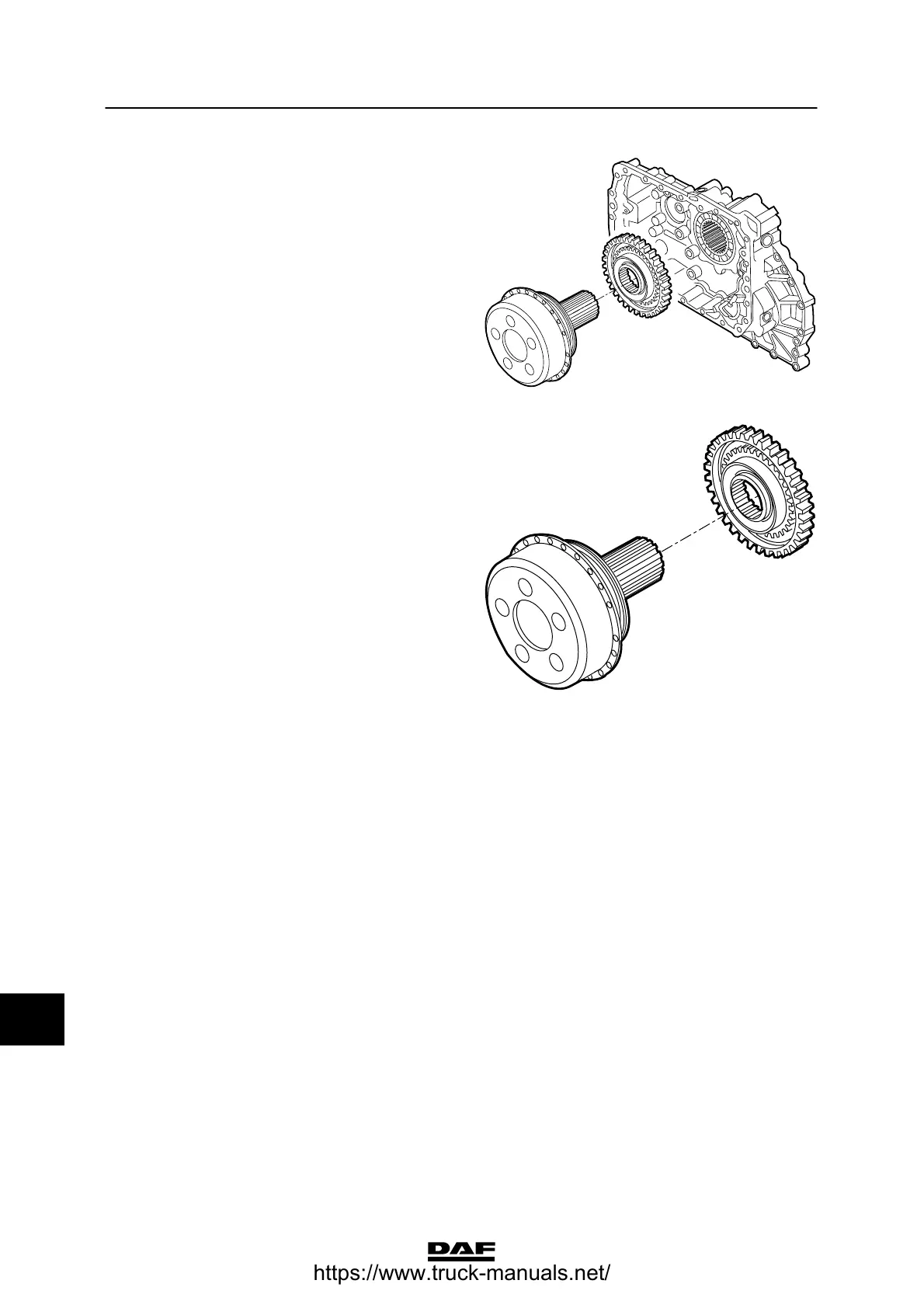
8. If necessary, use a tripod puller to remove
the drive sprocket from the intarder.
V300081
Installing the intarder drive
1. Heat the drive sprocket and install the drive
sprocket onto the intarder. See “Technical
data”.
2. Install the gasket on the gearbox housing.
3. Install the rear cover over the guide pins.
Pay attention to the shifting fork when doing
so. Insert the locking bolts of the shifting
fork into the rear cover and hand-tighten
them.
4. Install the rear cover attachment bolts and
tighten them to the specified torque. See
“Technical data”.
5. Tighten the locking bolts of the shifting fork
to the specified torque. See “Technical
data”.
V300079
12
ᓻ 200337
https://www.truck-manuals.net/



 To Next Page