1
2
3
2
1
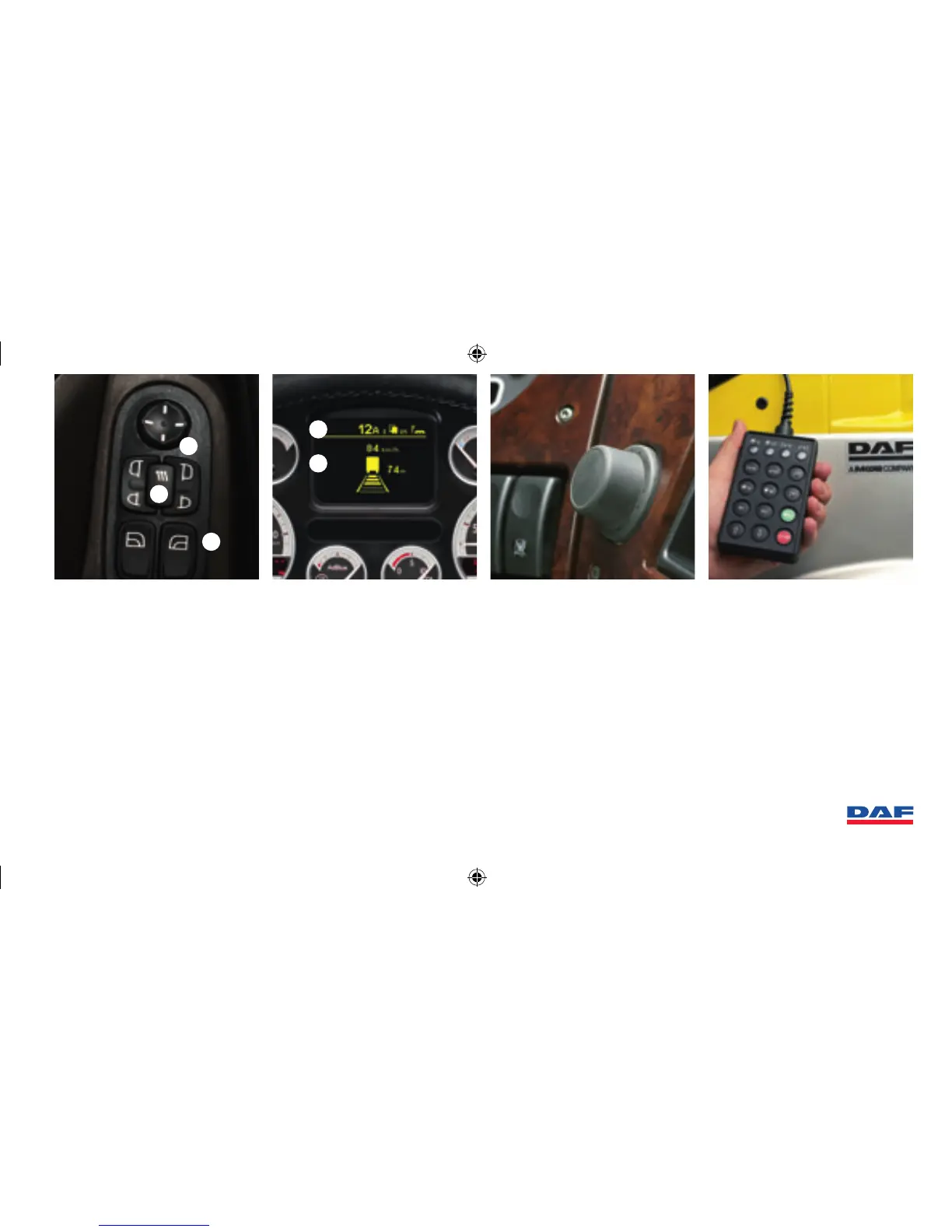
Menu Selector Switch
Press to access main menu.
Scroll and press to select.
Menu contains among others:
Door controls
1 Mirror control, select and adjust.
2
Heating on all four mirrors, on/off.
3
Window control left/right, with express
up/down (activate 0,5 sec) opens
automatically window fully.
Master display
1 Information bar with status of
warnings, alarm, AS-Tronic gear,
cruise-/down hill speed control and
telephone.
2 Information screen (red, yellow
warnings). Press Menu Selector
Switch to access main menu.
Scroll and press to select.
• vehicle info
• warnings
• trip info
• settings
• fuel consumption
• boost pressure
• next service
• PTO counter
Remote control
Setting chassis height, with
2 memory settings and automatic
setting of driving height.
Version with Axle Load Monitoring:
• Also calibration of axle load values
(preferably 1/year).
5 DAF XF105 QUICK GUIDE


 To Next Page