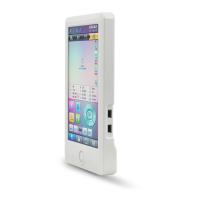
A15 Controller Operation Quick Guide
Part I. Embroidery
Pattern Management " ": memory pattern preview, letter pattern operation, delete pattern, pattern input/output, pattern function setting, etc.
A. Input Pattern B. Select Pattern for Embroidery
→Use page keys to select patterns → →
, : use page keys to select pattern
Common Parameter Setting " ": direction, angle, X/Y scaling, priority
setting, etc.
Color-changing Sequence Setting " ":
repeat, appliqué, needle bar color setting, etc.
C. Modify Embroidery Parameters: A01-A08: click to set. D. Under this Interface: set color-changing sequence.
Main Interface " ": thread trimming, main shaft jog, frame setting, color-changing and start mode setting, manual frame-moving, speed
adjustment, empty feed, etc.
E. Frame Selection and Position
① F ram e S election: → →
② Fram e Position: → Use direction keys ,
,
, to adjust frame position →
F. Embroidery Confirmation G. Start Embroidery H. Release Embroidery Confirmation
Confirm
→
→ Start
Release Confirmation
→
If user, after releasing embroidery confirmation, wants to embroidery the pattern again, user need operate from step B "Select Pattern for Embroidery" again.



 To Next Page
 Loading...