4. Set Frame Center and Size
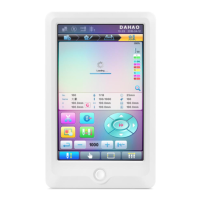
In the main interface, check the coordinates of XY, which is the position of frame center.
Press " " key, to enter the interface for frame selection and position setting; then
press " " key, to enter the interface for setting related parameters, where user can input
the coordinates of XY in the main interface.
There are four parameters: "X direction center" means the distance at X direction between
the frame center and X- direction position limitation optical coupler; "Y direction center"
means the distance at Y direction between the frame center and Y+ direction position limitation
optical coupler. "X direction frame size" means the embroidery range of the frame at X
direction; "Y direction frame size" means the embroidery range of the frame at Y direction.
A15 Controller Operation Quick Guide 7


 To Next Page