 Need help?
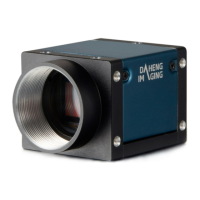
Do you have a question about the Daheng Imaging MER2-202-60GM/C-P and is the answer not in the manual?
Recommendations for preventing electromagnetic interference and electrostatic discharge.
Guidelines for safely mounting the camera.
Explains the power supply options for the camera.
Steps to install the camera driver and software.
Step-by-step guide for installing the camera driver.
How to configure the camera's IP address.
Steps to open the camera and begin image acquisition.
Details the 8-pin Hirose I/O port definition and circuits.
Configuration of camera input/output signals.
Managing camera image acquisition parameters.
FrameStart and FrameBurstStart trigger modes.
Standard vs. UltraShort exposure time settings.
Explains Global Shutter and Rolling Shutter exposure.
Core camera settings and functionalities.
Adjusting analog gain for image brightness.
Configuring the Region of Interest for image capture.
Automatic adjustment of exposure and gain.
Managing camera parameter configurations.
Image enhancement and correction features.
Correcting image inconsistencies.
Settings for data transmission.
Factors affecting frame rate.
Tool for configuring GigE camera network settings.
Plugin for correcting image non-uniformities.
Plugin for analyzing and correcting defective pixels.
 General
| Sensor Type | CMOS |
|---|---|
| Resolution | 2 MP |
| Frame Rate | 60 fps |
| Interface | GigE |
| Lens Mount | C-Mount |
| Shutter Type | Global Shutter |
| Power Supply | 12 VDC |
| Dimensions | 29 mm x 29 mm x 29 mm |
| Pixel Size | 3.45 μm × 3.45 μm |


 To Next Page