User’s Manual
11
2.2.4 DH-XVR1B08-I/DH-XVR1B08H-I/DH-XVR1B04-I/DH-XVR1B04H-
I/DH-XVR1B16-I/DH-XVR1B16H-I/DH-XVR4104HS-I/DH-XVR4108HS-
I/DH-XVR4104C-I/DH-XVR4108C-I/DH-XVR4116HS-I/DH-XVR5104H-
I/DH-XVR5108H-I/DH-XVR5116H-I/DH-XVR51xxHS-I2/DH-XVR51xxH-
I2/DH-XVR51xxHE-I2/DH-XVR51xxHS-4KL-I2/DH-XVR51xxH-4KL-
I2/DH-XVR51xxHE-4KL-I2/DH-XVR51xxHS-I3/DH-XVR51xxH-I3/DH-
XVR51xxHE-I3/DH-XVR51xxHS-4KL-I3/DH-XVR51xxH-4KL-I3/DH-
XVR51xxHE-4KL-I3/DH-XVR71xxHE-4KL-I/DH-XVR71xxH-4K-I2/DH-
XVR71xxHE-4K-I2
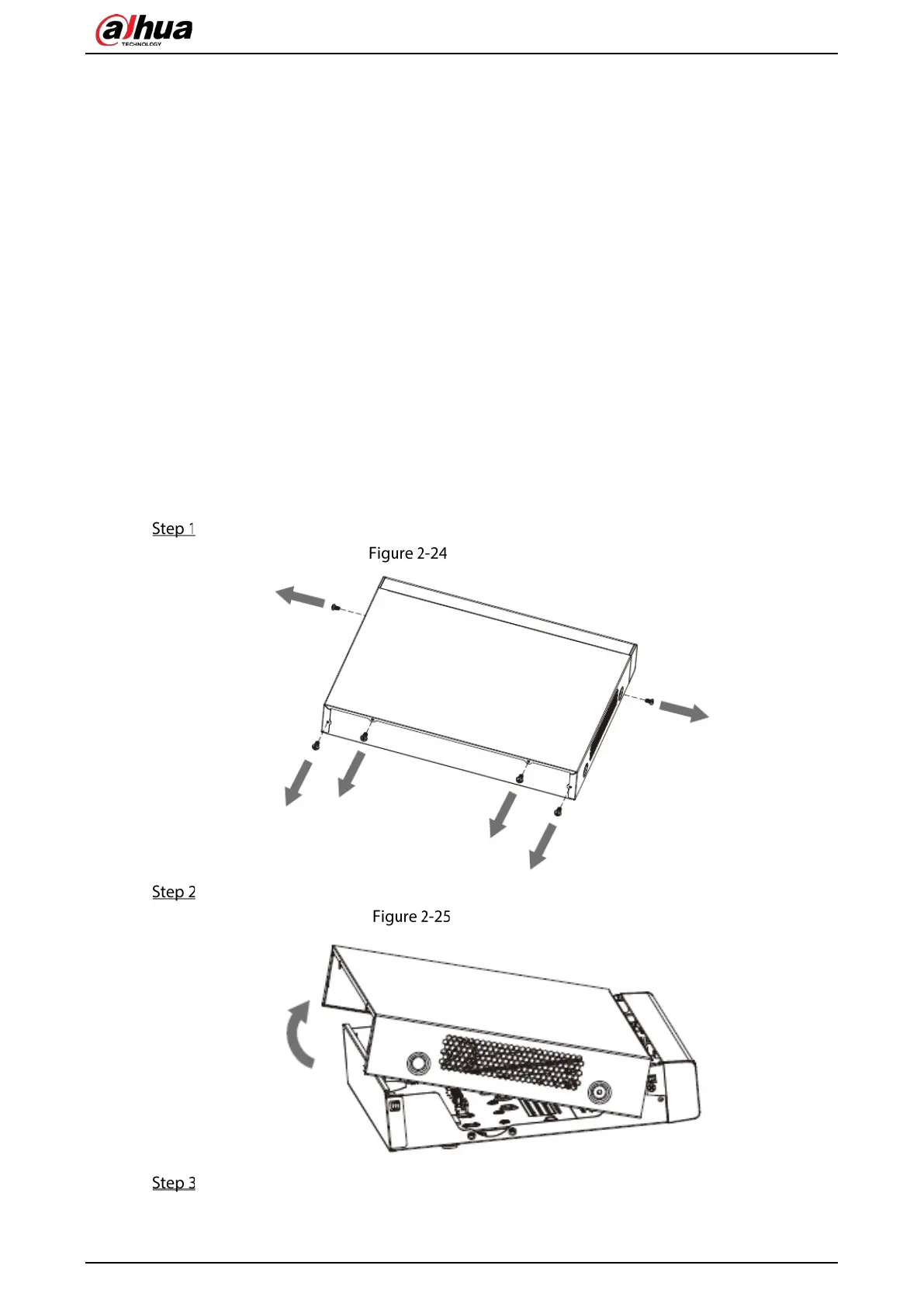
Remove the screws on the cover.
Remove screws
Remove the cover.
Remove cover
Align the screws of the HDD with the holes on the back of the device and fasten them.


 To Next Page
 Loading...

