User's Manual
238
5.17.4 Configuring HDD Group
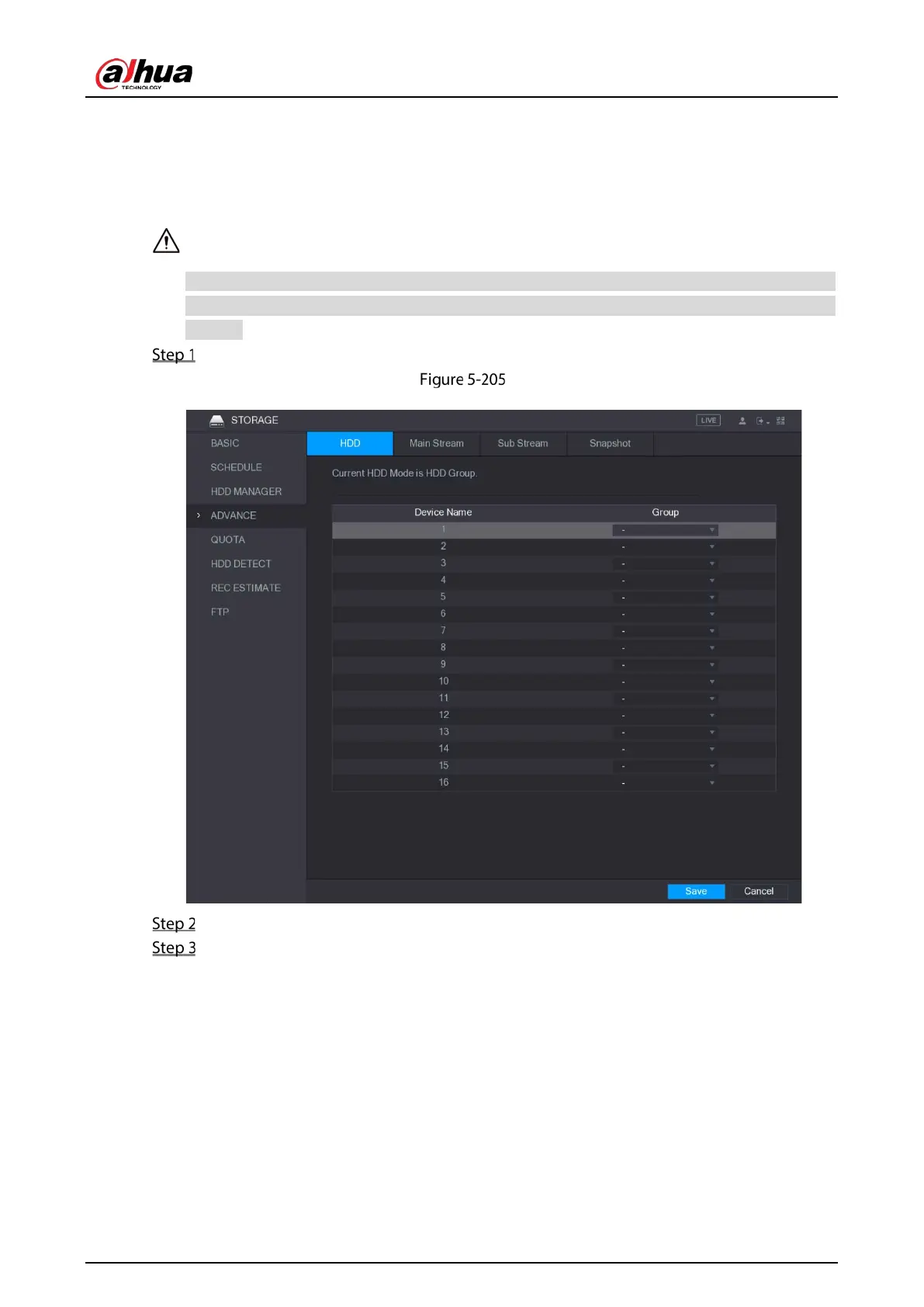
You can configure the HDD group to save the specified main stream, sub stream and snapshots to the
designated HDD group.
If "Current HDD Mode is Quota Mode" is shown on the interface, you need to switch to HDD mode.
You can enable either HDD Mode or Quota Mode at one time. The system reboots to activate the
settings.
Select Main Menu > STORAGE > ADVANCE.
Advance
Select the group for each HDD group, and then click Save to save the settings.
After configuring HDD group, under the Main Stream tab, Sub Stream tab and Snapshot tab,
configure settings to save the main stream, sub stream and snapshot to different HDD group
as selected by you.


 To Next Page
 Loading...

