This document describes a Network Video Recorder (NVR) from Zhejiang Dahua Vision Technology Co., Ltd., model V4.4.9. This NVR series is a high-performance network video recorder designed for surveillance networks, offering local preview, multi-window display, local storage of recorded files, remote control, mouse shortcut menu operation, and remote management. It supports central, front-end, and client-end storage.
General Features
The NVR supports online upgrades for applications when connected to the internet. For real-time surveillance, it offers VGA and HDMI ports for monitor connection, with some series supporting TV/VGA/HDMI output simultaneously. It includes a shortcut menu for preview and supports popular PTZ decoder control protocols, including preset, tour, and pattern functions.
For playback, the NVR supports independent real-time recording for each channel, along with search, fast forward, network monitoring, and download capabilities. It offers various playback modes such as slow play, fast play, backward play, and frame-by-frame play. Time title overlay is supported for accurate event time viewing, and specified zone enlargement is available.
User management features allow for different management powers for each group, which can be freely edited, with every user belonging to an exclusive group. Storage functions enable backing up audio/video data to the network video recorder based on alarm and schedule setups. It also supports Web record and local video recording, storing files on the client end.
Alarm features include simultaneous response to external alarms (within 200ms) based on user-defined relay setups, processing alarm inputs, and notifying users via screen and voice prompts (supporting pre-recorded audio). It supports central alarm server setup for remote notification via email/SMS and allows alarm input from various connected peripheral devices.
Network monitoring enables sending compressed audio/video data from IPC or NVS to client-ends for decompression and display, supporting up to 128 connections simultaneously. It transmits audio/video data via HTTP, TCP, UDP, MULTICAST, RTP/RTCP, and other protocols. Alarm data or information can be transmitted via SNMP, and WEB access is supported in WAN/LAN.
Window split functionality uses video compression and digital processing to display multiple windows on a single monitor, supporting 1/4/8/9/16/25/36-window display during preview and 1/4/9/16-window display during playback.
Recording functions support normal, motion detection, and alarm recording, saving files to HDD, USB devices, client-end PCs, or network storage servers. Saved files can be searched or played back locally or via Web/USB.
Backup options include network backup and USB2.0 record backup, allowing files to be saved to network storage servers, peripheral USB2.0 devices, burners, etc.
Network management allows supervision of NVR configuration and control power via Ethernet, and supports management via WEB.
Peripheral equipment management includes protocol setup and port connection, as well as transparent data transmission via RS232 (RS-422) and RS485 (RS-485).
Auxiliary functions include switching between NTSC and PAL, real-time system resource information and running statistics display, log file support, local GUI output, mouse-operated shortcut menus, IR control (for some series), and remote playback of video/audio from network cameras or NVS.
Important Safeguards and Warnings
The manual emphasizes correct application methods to prevent danger and property loss. Operating requirements include indoor installation of PoE front-end devices, no wall mounting, avoiding direct sunlight or heat-generating devices, and keeping the device away from humid, dusty, or fuliginous areas. Horizontal installation on stable surfaces is recommended to prevent falling. Liquids should not be dripped or splashed onto the device, nor should liquid-filled objects be placed on it. The device requires well-ventilated spaces, with ventilation openings unobstructed. It should be used within its rated input/output range and not be arbitrarily dismantled. Transport, use, and storage must be within allowed humidity and temperature ranges.
Power requirements specify using designated battery types to avoid explosion risks, and proper disposal of exhausted batteries. Electric wires (power wires) recommended for the area and within rated specifications must be used. Standard power adapters matched with the device are mandatory to prevent personnel injuries or device damages. The power supply must meet SELV (safety extra low voltage) requirements and conform to Limited Power Source in IEC60950-1. Products with Category I structure must be connected to a grid power output socket with protective grounding. The appliance coupler acts as a disconnecting device and should be kept in an easily operable position.
Technical Specifications and Usage Features
Front Panel Indicators:
- HDD Status Indicator Light: Red light indicates HDD abnormality (e.g., malfunction, capacity below threshold). Blue light indicates malfunction (for some models).
- Power Indicator Light: Red light (or blue light for some models) indicates power connection is OK.
- Network Status Indicator Light: Red light indicates network connection abnormality.
- USB Port: Connects to peripheral USB 2.0 storage devices, mouse, burner, etc.
- IR Remote Control Receiver: Receives signals from the remote control.
Rear Panel Ports (varies by model):
- USB2.0/USB3.0 Ports: For mouse, USB storage, burner.
- Network Port: 10M/100Mbps or 10M/100M/1000Mbps self-adaptive Ethernet port for network connection.
- HDMI: High Definition Media Interface (version 1.4 or 1.4b) for uncompressed high-definition audio/video output.
- VGA: VGA video output port for analog video signal to a monitor.
- GND: Ground end.
- Power Input Port: DC 12V/2A, DC 48V/1.5A, DC 48V/2A, DC 12V/5A, AC 100~240V, DC 53V-2.3A (specifications vary by model).
- MIC IN (Audio Input Port): Bidirectional talk input for microphone/pickup.
- MIC OUT (Audio Output Port): Audio output for sound box, supporting bidirectional talk, 1-window video monitor, and 1-window video playback.
- PoE PORTS: Built-in switch supporting PoE function, providing power to network cameras (e.g., 48V 50W for 4 PoE, 48V 120W for 8 PoE, 120W/150W for 16 PoE, max 15W per port). ePoE ports support longer distances (300m@100Mbps, 800m@10Mbps).
- Wireless AP: Supports wireless hotspot function for Wi-Fi connection to network cameras (for 41-W series only).
- Power Switch: On/off button.
- Number Buttons (0-9): Input Arabic numbers, switch channels.
- Input Number More Than 10 (-/--): For numbers greater than 10.
- Shift (⇧): Switch between numeral, English (small/capitalized), and other characters in textboxes.
- Up/Down (▲/▼): Activate current control, modify setup, move up/down, increase/decrease numeral, assistant function (PTZ menu).
- Left/Right (◄/►): Shift current activated control, move left/right, control playback bar.
- ESC: Go to previous menu, cancel operation, restore real-time monitor mode during playback.
- Enter: Confirm operation, go to default button, go to menu.
- Record (REC): Manually stop/start recording, select recording channel.
- Slow Play/8 (►-): Multiple slow play speeds, input number 8 in text mode.
- Assistant (Fn): One-window monitor mode for PTZ control and image color, backspace function, motion detection setup, switch input method.
- Fast Play/7 (►►): Various fast speeds, input number 7 in text mode.
- Play Previous/0 (|◄): Play previous video, input number 0 in text mode.
- Reverse/Pause/6 (||◄): Reverse playback, pause playback, input number 6 in text mode.
- Play Next/9 (►|): Play next video, go down dropdown list, input number 9 in text mode.
- Play/Pause /5 (►||): Pause/resume playback, input number 5 in text mode.
- Window Switch (Mult): Switch between one-window/multiple-window.
- Shuttle (outer ring): Left/right direction key in real-time monitor, forward/backward in playback.
- Jog (inner dial): Up/down direction key, frame-by-frame playback.
- Remote Control Indicator Light (ACT): Indicates remote control signal.
- Status Indicator Light (Status): Indicates current status (null if Fn indicator light is on).
- Channel Indicator Light (1-32): For 4/8/16-channel products, indicates recording status. For 32/64-channel products, slow flash for 1-16, fast flash for 17-32, solid on for 2 channels recording.
- Alarm Input Port (1-16): Receives external alarm signals (NO/NC types).
- Alarm Output Port (NO1-NO5, C1-C5, NC5): Outputs alarm signals to alarm devices.
- RS-485 Communication Port (A, B): Connects to control devices like speed dome PTZ.
- RS-232 Debug COM: For IP address configuration or transparent COM data transfer.
- CTRL 12V: Controller 12V power output for alarm relay, device alarm, or power input for alarm detectors.
- +12V Power Output Port: Provides power to peripheral devices like cameras or alarm devices (below 1A).
- eSATA Port: External SATA port for connecting SATA devices; requires HDD jump.
- CVBS Output: Video output port.
- WPS/RESET Button: Wi-Fi reset and WPS function.
Device Installation
The installation process involves checking the unpacked NVR for visible damage, installing the HDD (recommended enterprise or surveillance level HDD, not PC HDD), and connecting cables. The HDD installation steps include loosening chassis screws, placing the HDD, securing it, connecting data and power cables, and reattaching the cover. CD-ROM installation involves removing the HDD bracket, fixing the CD-ROM bracket, installing the SATA burner, and connecting cables.
Local Basic Operation
Getting Started:
- Boot Up: Connect NVR to power adapter, then power socket. Ensure rated voltage matches. Click power button.
- Device Initialization: Set system time zone, login password for 'admin' (8-32 characters, at least two types from number, letter, special characters excluding "'", """, ";", ":" and "&"). Optionally set an unlock pattern (at least four grids). Configure security questions or email for password reset.
- Reset Password: Via QR code (mobile app), security questions, or reset button on mainboard (for some models).
- Quick Settings: Configure NVR basic information (device name, number, language, video standard, instant play time, auto logout time, IPC time sync, navigation bar, mouse sensitivity). Set date and time, enable NTP. Add, edit, or delete holidays.
- Basic Network Settings: Configure IP address, DNS, MTU. Supports Multi-address, Fault Tolerance, Load Balance modes.
- P2P: Enable P2P for remote access via mobile app or web platform (www.easy4ip.com).
- Registration: Register remote devices (IPCs) to the NVR, search for uninitialized devices, initialize them (set password, IP address), and add them. Supports auto changing H.265 encode. Export/import IP lists.
- Image: Set network camera parameters (brightness, contrast, saturation, sharpness, gamma, mirror, field of view, exposure, BLC, WB, day/night mode).
- Encode: Configure video bit stream and image parameters (type, compression, resolution, frame rate, bit rate type, quality, I frame interval, bit rate).
- Channel Name: Customize channel names.
- Remote Upgrade: Upgrade connected network camera firmware (online or file upgrade).
- Remote Device Info: View connection and alarm status of channels (status, IP address, manufacturer, type, system version).
- Live View: View monitor video of each channel, with icons for recording, motion detection, video loss, monitor lock, and remote connection.
- Navigation Bar: Quick operations (main menu, view layout, previous/next screen, tour, PTZ control, color setting, record search, broadcast, event status, channel info, network, HDD manager, USB manager).
- Preview Control Interface: Instant replay (5-60 min record), digital zoom, instant backup, manual snapshot, bidirectional talk, switch bit streams (main/sub stream).
- Right-Click Menu: Access functional interfaces (main menu, search, PTZ, view layout).
- Wireless Pairing: Set customized screen split mode and channels, pair wireless IPCs.
- Sequence: Set customized view layout, drag channels to desired windows.
- Fisheye (Optional): Fisheye de-warp during preview and playback (ceiling/ground/wall mount modes).
- Test Temperature: Display instant temperature from thermal detection devices.
- AI Preview Mode: Display human face, personnel, vehicle, non-motor vehicle information on preview, play back records, display feature attributes.
- PTZ: Control PTZ movement, zoom, focus, iris, and quick positioning. Configure presets, tours, patterns, and auto-scan.
- Record File: 24-hour continuous record by default, customized period and type.
- Playback and Search: Search and playback recorded videos, clip footages, backup records, smart search playback (motion detect zones), mark playback, file list (lock/unlock files).
- AI Search: Search records by detected faces (attributes, image), IVS events, human body detection, vehicle detection, non-motor vehicle detection, people counting, heat map.
- AI Parameters: Smart Plan (IVS, face detection/recognition, human body detection, people counting, heat map), Face Detection, Face Recognition, IVS (Tripwire, Intrusion, Abandoned Object, Fast Moving, Crowd Gathering, Parking, Missing Object, Loitering Detection), Video Structuring (Metadata), Crowd Distribution, People Counting, Heat Map, ANPR (Automatic Number Plate Recognition).
- Database: Create human face libraries, add face pictures (one by one or batch), manage black/whitelist for ANPR.
- Event Manager: View and backup alarm information (local, network, IPC external, IPC offline alarms), alarm status, alarm input, alarm control, video detection (motion detect, tampering, video loss, scene change, PIR alarm), audio detect, thermal alarm, abnormality.
- POS: Connect to POS machine, receive and display overlaid text information, search POS transactions.
- Operation and Maintenance: Log (view/search/backup/clear system logs), System (version, HDD info, BPS, device status, HDD health detection), Network (online users, network load, network test), Maintenance and Management (device maintenance, IMP/EXP system settings, default settings, system update).
- File Backup: Backup record files to USB device.
- Network (Advanced): TCP/IP, Port (Max Connection, TCP/UDP/HTTP/RTSP/POS ports, HTTPS), Wi-Fi AP (general settings, advanced settings), Repeater (auto/manual cascade), PPPoE, DDNS, UPnP, Email, SNMP, Multicast, Alarm Center, Register.
- Storage (Advanced): Basic (HDD full, pack mode, auto-delete old files), Schedule (recording, snapshot), HDD (view/format HDD properties), Record Control, Advance (HDD Group), HDD Detect (manual/global detect, detect report), RAID (create/manage RAID, hot spare disk), Record Estimate (calculate recording time, HDD capacity).
- Account: Manage users, user groups, ONVIF users, set admin security questions, add/modify/delete users/groups, reset password.
- Output and Display: Display settings (transparency, time/channel display, image enhance, IVS rule, original scale, main screen, screen enable, test temperature, resolution, screen number, audio input), Tour (channel groups, interval, video detect/alarm), Customized Display (merge/split windows).
- Audio: File Manage (add/listen/rename/delete audio files, volume), Schedule (play audio files during defined periods), Broadcast (to camera or channel group).
- USB Device Auto Pop-up: Auto-detect USB device for backup, log, config, or update.
- Shutdown: Proper shutdown procedures (via menu or power button).
- Auto Resume after Power Failure: Automatically backups video files and resumes previous working status.
Maintenance Features
- Daily Maintenance: Regularly clean board, socket connectors, chassis. Ensure proper earthing to prevent audio/video disturbance. Keep device away from static/induced voltage. Unplug power cable before removing audio/video signal cables, RS232, or RS485. Do not connect TV to local video output port (VOUT). Always shut down properly.
- System Update: Keep firmware and client software up-to-date.
- Security Auditing: Check online users and equipment logs regularly for unauthorized access or key operations.
- Network Log: Enable network log function to synchronize critical logs to a network log server for tracing.
- HDD Health Detection: View HDD health status and reports.
- Device Maintenance: Configure auto reboot and case fan mode.
Cybersecurity Recommendations
- Strong Passwords: Use passwords of at least 8 characters, including two types of characters (upper/lower case letters, numbers, symbols), avoiding account names, reverse names, continuous characters, or overlapped characters.
- Firmware/Software Updates: Keep equipment firmware and client software up-to-date, enabling auto-check for updates.
- Physical Protection: Secure equipment and storage devices in a special computer room/cabinet with access control.
- Regular Password Changes: Change passwords regularly.
- Password Reset Information: Set and update password reset information (mailbox, security questions) in time.
- Account Lock: Keep account lock enabled to prevent unauthorized login attempts.
- Change Default Ports: Change default HTTP and other service ports to non-standard values (1024-65535).
- Enable HTTPS: Use HTTPS for secure web service access.
- Enable Whitelist: Use whitelist to restrict system access to specified IP addresses.
- MAC Address Binding: Bind IP and MAC addresses of the gateway to the equipment.
- Reasonable Privileges: Assign minimum necessary permissions to users.
- Disable Unnecessary Services: Turn off unneeded services (SNMP, SMTP, UPnP, etc.). Use secure modes for necessary services (SNMP v3, TLS for SMTP, SFTP for FTP, WPA2-PSK for AP hotspot).
- Audio/Video Encryption: Use encrypted transmission for sensitive audio/video data (note potential loss in transmission efficiency).
- Secure Auditing: Regularly check online users and equipment logs.
- Safe Network Environment: Disable router port mapping, partition/isolate networks with VLAN/network GAP, establish 802.1x access authentication.

 Need help?
 General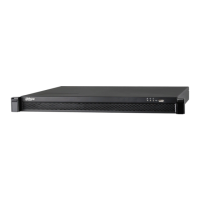

 To Next Page

