Need help?
Do you have a question about the Dahua Technology Lite N42B1P Series and is the answer not in the manual?
Covers electrical, environmental, operational, and battery safety guidelines for the NVR.
Details FCC rules, compliance statements, legal notices, copyright, and trademarks.
Outlines the manufacturer's disclaimer regarding product use, liability, and potential issues.
Instructions for carefully unpacking the NVR, checking contents, and retaining packaging.
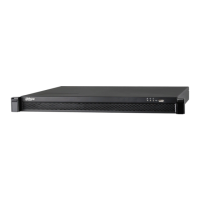
Identifies and describes the physical components on the NVR's front and rear panels.
Step-by-step guide for installing an HDD into the NVR, including safety precautions.
Details making physical connections and logging into the NVR system for the first time.
Explains how to use the Smart Add feature to quickly add network cameras to the NVR.
Guides users on searching for, adding, and managing remote devices connected to the NVR.
Provides instructions for accessing and managing the NVR through a web browser interface.
 General
| Manufacturer | Dahua Technology |
|---|---|
| Video Compression | H.265+/H.265/H.264+/H.264 |
| Storage Type | HDD |
| Type | NVR |
| Channels | 4 |
| Max Resolution | 8MP |
| Audio Compression | G.726 |
| HDD Bays | 1 |
| Power Supply | 12V DC |
| Video Output | 1x HDMI, 1x VGA |
| Operating Temperature | -10 °C to +55 °C (+14 °F to +131 °F) |
| Operating Humidity | 10% |


 To Next Page