
 Need help?
Do you have a question about the Dahua WR5210-IDC and is the answer not in the manual?
Defines signal words like DANGER, WARNING, and CAUTION used in the manual.
Details the version of the manual and its release date.
Provides guidelines and disclaimers regarding the use and content of the manual.
Lists environmental and operational guidelines for using the wireless router safely.
Specifies the requirements for using the correct power adapter and battery.
Lists essential security measures for basic device network protection.
Suggests additional steps for enhancing device and network security.
This document serves as a Quick Start Guide for a Wireless Router, providing essential information for its installation, operation, and basic troubleshooting, along with important safety guidelines and cybersecurity recommendations.
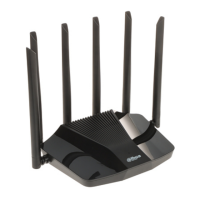
The wireless router acts as a central hub for network connectivity, enabling devices to connect to the internet and communicate with each other wirelessly or via wired connections. It facilitates the routing of data packets between the local network and the wider internet, translating network addresses and ensuring efficient data flow. The router supports various network protocols and security features to protect data and manage network access. It is designed to provide a stable and secure internet connection for multiple devices within a home or small office environment. The device's core function is to bridge the carrier network (broadband or modem) with the local network, allowing multiple client devices (PCs, mobile phones, tablets) to share a single internet connection.
The router is designed for straightforward installation and configuration. Users can connect the power adapter and then link the router's WAN port to the carrier network's broadband or modem port using a network cable. Visual cues, such as indicator lights, are provided to confirm correct hardware connections. The manual details the meaning of these lights, helping users quickly identify connection status or potential issues. For initial setup, users can connect a PC directly to the router via a network cable or connect wirelessly using the Wi-Fi credentials found on a sticker on the device's back. Web-based configuration is accessible through a specific IP address (192.168.1.110), guiding users through the setup process.
The router supports both wired (LAN ports) and wireless (Wi-Fi) connections, offering flexibility for various devices. It is capable of handling multiple simultaneous connections, making it suitable for environments with several internet-enabled devices. The device's operation is generally automatic once configured, managing IP address assignment (DHCP) and network traffic.
Troubleshooting guidance is provided for common issues such as inability to access websites despite the router working normally, failure to open the router management interface, forgotten login credentials, and difficulties connecting to the wireless network. These sections offer step-by-step solutions, including checking physical connections, verifying network settings, resetting the device to factory defaults, and updating drivers.
Maintenance of the wireless router primarily involves ensuring its physical integrity, keeping its software up-to-date, and adhering to cybersecurity best practices.
By following these guidelines, users can ensure the optimal performance, longevity, and security of their wireless router.
 General
| Wireless Standards | IEEE 802.11a/b/g/n/ac |
|---|---|
| Maximum Wireless Speed | 1200 Mbps |
| 2.4 GHz Speed | 300 Mbps |
| 5 GHz Speed | 867 Mbps |
| Power Supply | 12V DC, 1.5A |
| Operating Temperature | 0°C to 40°C |
| Frequency Band | 2.4 GHz, 5 GHz |
| Ethernet Ports | 1 x WAN, 4 x LAN (10/100/1000 Mbps) |
| Antennas | 4 x external antennas |
| Security | WPA/WPA2 |
| VPN Support | PPTP, L2TP |
| Features | MU-MIMO, Guest Network |
| Operating Humidity | 10% to 90% (non-condensing) |
| Storage Temperature | -40°C to 70°C |

 To Next Page

