EasyManua.ls Logo

Daikin McQuay AGZ-D 25 - User Manual

Daikin McQuay AGZ-D 25
84 pages
Print Icon
To Next Page IconTo Next Page
Loading...
Operating and Maintenance Manual
OMM 1087-1
Group: Chiller
Part Number: OMM 1087
Effective: August 2012
Supersedes: May 2012
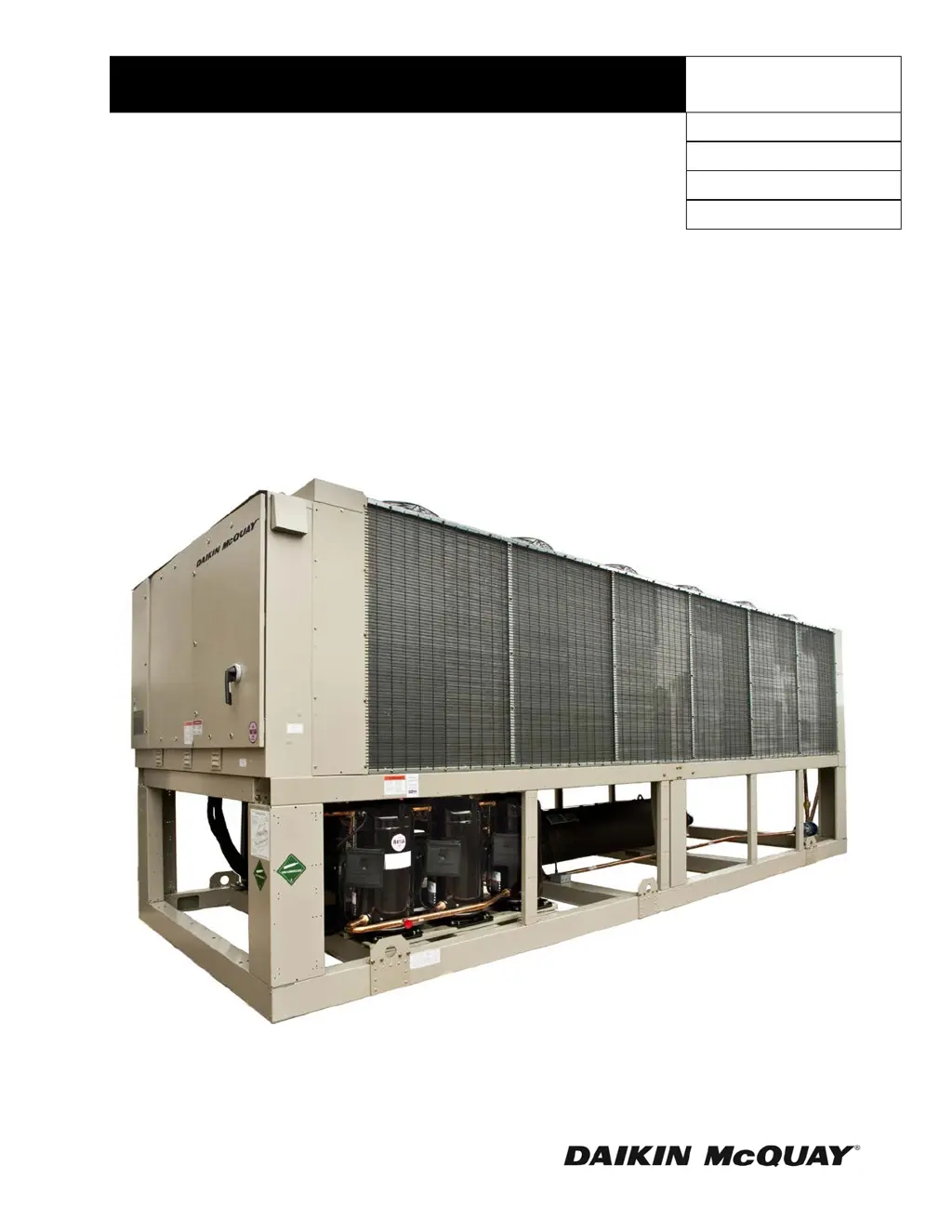
Air-Cooled Scroll Compressor Chiller
AGZ-D 25 to 190 Tons
50 - 60-Hertz, R-410A
Software Version 251699201

Questions and Answers

Summary

Introduction

General Description

Describes the chiller's overall design, components, and features.

Nomenclature

Explains the model designation for AGZ-D chillers.

Hazard Identification Information

Details safety warnings including Danger, Warning, and Caution levels.

Ambient Air Temperature Limitations

Standard;High Ambient Panels

Discusses operating temperature limits and high ambient options.

Water Flow Limitations

Explains importance of flow rates and pressure drops for unit control.

Variable Speed Pumping

Covers considerations for variable water flow in systems.

System Water Volume Considerations

Glycol Solutions

Glycol Solutions

Explains use of glycol, capacity, flow, and pressure drop calculations.

Table 1, Flow;Tons;Delta-T Relationship

Provides formulas relating flow, capacity, and delta-T with glycol.

Table 2, Ethylene Glycol Factors

Lists correction factors for ethylene glycol mixtures.

Table 3, Propylene Glycol Factors

Lists correction factors for propylene glycol mixtures.

Altitude Correction Factors

Evaporator Temperature Drop Factors

Fouling Factor

Table 6, Capacity and Power Derates

Table 7, Capacity and Power Derates

Evaporator Freeze Protection

Operating;Standby Limits

Pressure Drop Curves

Figure 1, Evaporator Pressure Drops

Table 8, Curve Cross-Reference, Min;Nominal;Max Flows

Figure 2, Typical Field Control Wiring

MicroTech III Controller

Overview

Provides a general introduction to the MicroTech III controller's design and features.

Controller Inputs and Outputs

Details the analog and digital inputs and outputs of the controller.

MicroTech III Controller (continued)

Operator-friendly

Describes the controller's menu structure and user interface.

Controller Inputs and Outputs (continued)

Lists specific analog and digital inputs/outputs for the main controller.

MicroTech III Controller (continued)

Compressor Module 1

Details analog and digital inputs/outputs for Compressor Module 1.

Compressor Module 2

Details analog and digital inputs/outputs for Compressor Module 2.

MicroTech III Controller (continued)

EXV Module 1 and 2

Describes digital outputs and stepper motor control for EXV modules.

Sensor Information

Provides information on temperature and pressure sensors used.

Setpoints

Explains how setpoints are stored and their initial values.

Unit Level Setpoints

Mode;Enabling

Setpoints related to enabling the unit and control source.

Staging and Capacity Control

Setpoints for compressor staging and capacity control.

Configuration

Setpoints for unit configuration like valve type and fan count.

Timers

Setpoints for various operational timers.

Sensor Offsets

Setpoints for calibrating sensor readings.

Alarm Settings

Setpoints for alarm thresholds.

Unit Level Setpoints (continued)

High Condenser Pressure Unload

Setpoint for unloading due to high condenser pressure.

Evaporator Flow Proof

Setpoint for verifying evaporator flow.

Evaporator Water Freeze

Setpoint related to evaporator freeze protection.

Low OAT Start Time

Setpoint for the duration of low OAT start.

Circuit Setpoints

Mode;Enabling

Circuit-specific setpoints for enabling and control.

Condenser

Setpoints related to condenser fan staging and targets.

Unit Level Setpoints (continued)

Cool LWT 1, Cool LWT 2, and Network Cool Set Point

Setpoints for controlling leaving water temperature.

Evaporator Water Freeze

Setpoints for evaporator freeze protection.

Low Evaporator Pressure Hold and Unload

Setpoints for managing low evaporator pressure conditions.

Special Set Point Operations

Security

Unit Functions

Definitions

Defines terms like LWT Slope, Pulldown Rate, and LWT Error.

Unit Functions (continued)

Unit Capacity

Explains how unit capacity is determined and limited.

Control Band

Defines the control band used for unit capacity adjustments.

Staging Temperatures

Specifies temperatures for compressor staging up and down.

Unit Enable

Unit Mode Selection

Unit States

Unit Status

Power Up Start Delay

Ice Mode Start Delay

Evaporator Pump Control

Pump selection

Primary;Standby Pump Staging

LWT Target

Unit Capacity Control

Compressor Staging in Cool Mode

Details compressor staging logic when the unit is in Cool mode.

Stage Up Delay

Defines the minimum time delay between capacity stage increases.

Stage Down Delay

Defines the minimum time delay between capacity stage decreases.

Compressor Staging in Ice Mode

Details compressor staging logic when the unit is in Ice mode.

Unit Capacity Overrides

Demand Limit

Explains how demand limit signals control unit capacity stages.

Maximum LWT Pulldown Rate

High Ambient Limit

Circuit Functions

Definitions

Defines refrigerant saturated temperature, evaporator approach, and suction superheat.

Circuit Control Logic

Circuit Enabling

Lists conditions required for a circuit to be enabled.

Compressor Availability

Details conditions that make a compressor available to start.

Circuit States

Defines the four states a circuit can be in: Off, Preopen, Run, Pumpdown.

Circuit Control Logic (continued)

T1 - Off to Preopen

Describes the transition from Off state to Preopen state for a circuit.

T2 - Preopen to Run

Describes the transition from Preopen state to Run state for a circuit.

T3 - Run to Pumpdown

Describes the transition from Run state to Pumpdown state for a circuit.

T4 - Pumpdown to Off

Describes the transition from Pumpdown state to Off state for a circuit.

T5 - Run to Off

Describes the transition from Run state to Off state for a circuit.

T6 - Preopen to Off

Describes the transition from Preopen state to Off state for a circuit.

Pumpdown Procedure

Low Ambient Starts

Circuit Status

Compressor Control

Condenser Fan Control

Fan Staging

Explains how condenser fans are staged based on capacity demand.

Condenser Fan Control (continued)

Condenser Target

Details how to select condenser targets based on compressor count.

Staging Up

Describes logic for staging condenser fans up.

Staging Down

Describes logic for staging condenser fans down.

VFD

Explains the use of Variable Frequency Drives for condenser fan trim control.

EXV Control

Auto Control

Describes automatic control of the Electronic Expansion Valve (EXV).

EXV Position Range

Provides the range of EXV positions based on fans and compressors.

Manual Control

Details how to manually control the EXV position.

Capacity Overrides - Limits of Operation

Alarms

Unit Fault Alarms

Lists specific fault alarms for the unit, like PVM/GFP Fault and Evaporator Flow Loss.

Alarms (continued)

Unit Fault Alarms (continued)

Lists unit fault alarms including sensor faults and communication failures.

Alarms (continued)

Unit Problem Alarms

Details unit problem alarms such as low ambient lockout and pump failures.

Unit Warning Alarms

External Event

Lists warning alarms related to external events, inputs, and sensor faults.

Bad Demand Limit Input

Warns about demand limit input being out of range.

Bad LWT Reset Input

Warns about LWT reset input being out of range.

Evaporator EWT Sensor Fault

Indicates a fault with the Evaporator EWT sensor.

Circuit Fault Alarms

PVM;GFP Fault

Describes the fault condition for PVM/GFP input.

Low Evaporator Pressure

Details the fault condition for low evaporator pressure.

Circuit Fault Alarms (continued)

Low Evaporator Pressure

Details the fault condition for low evaporator pressure.

High Condenser Pressure

Details the fault condition for high condenser pressure.

Mechanical High Pressure Switch

Describes the fault related to the MHP switch.

Motor Protection Fault

Describes the fault condition for motor protection.

Low OAT Restart Fault

Details the fault for repeated low OAT start attempts.

Circuit Fault Alarms (continued)

No Pressure Change After Start

Describes the fault if pressure does not change after compressor start.

Evaporator Pressure Sensor Fault

Describes the fault for a malfunctioning evaporator pressure sensor.

Condenser Pressure Sensor Fault

Describes the fault for a malfunctioning condenser pressure sensor.

Suction Temperature Sensor Fault

Describes the fault for a malfunctioning suction temperature sensor.

Circuit Events

Low Evaporator Pressure - Hold

Describes the event triggered by low evaporator pressure, holding operation.

Circuit Events (continued)

Low Evaporator Pressure - Unload

Describes the event triggering unload due to low evaporator pressure.

High Condenser Pressure - Unload

Describes the event triggering unload due to high condenser pressure.

Circuit Warning Alarms

Failed Pumpdown

Details the warning alarm for a failed pumpdown.

Unit Events

Circuit Events (continued)

Low Evaporator Pressure - Hold

Describes the event triggered by low evaporator pressure, holding operation.

Low Evaporator Pressure - Unload

Describes the event triggering unload due to low evaporator pressure.

High Condenser Pressure - Unload

Describes the event triggering unload due to high condenser pressure.

Alarm Logs

Clearing Alarms

Using the Controller

Figure 3, Unit Controller

Diagram showing the physical layout of the unit controller interface.

Figure 4, Typical Screen

Illustrates the general format and elements of a typical controller screen.

Using the Controller (continued)

Navigating

Explains how to navigate menus and screens using the controller's interface.

Passwords

Details the process for entering and managing operator passwords.

Using the Controller (continued)

Navigation Mode

Describes how to move between screens and lines using the navigation wheel.

Edit Mode

Explains how to enter edit mode to change setpoints and values.

Menus

Screen Navigational Links

Explains how screens are linked together within the controller interface.

Table 13, Menu Screens

Lists available screens, their identifiers, and navigation links.

Menus (continued)

Screen U-2

Displays the password entry screen.

Screen U-3

Shows the Quick Menu options.

Screen U-4

Details the View/Set Unit screen options.

Screen U-5

Details the View/Set Circuit screen options.

Screen U-6

Displays the Time Until Restart screen.

Menus (continued)

Screen U-6 (continued)

Shows compressor cycle time remaining and clear cycle timers.

Screen U-7

Displays options for Alarms, Alarm Log, and Event Log.

Screen U-8

Shows Scheduled Maintenance options.

Screen U-9

Displays Review Operation options.

Screen U-10

Shows Manual Control options.

Screen U-11

Details Commission Unit options.

Menus (continued)

Screen U-11 (continued)

Shows Modbus, AWM, and Ctrlr IP Setup options.

Screen U-12

Displays information about the chiller in the About Chiller screen.

Screen U-13

Shows Status/Settings options for the unit.

Menus (continued)

Screen U-14

Details Set-Up options for the unit.

Screen U-15

Shows Temperatures settings and parameters.

Screen U-16

Displays Date/Time/Schedules settings.

Screen U-17

Shows Power Conservation settings.

Menus (continued)

Screen U-18

Details LON Setup options.

Screen U-19

Shows BACnet IP Setup options.

Screen U-20

Details BACnet MSTP Setup options.

Screen U-21

Shows Modbus Setup options.

Menus (continued)

Screen U-21 (continued)

Details Modbus Setup options.

Screen U-22

Shows AWM Setup options.

Screen U-23

Details Configuration options.

Screen U-24

Shows Ctrlr IP Setup options.

Screen U-25

Details Design Conditions options.

Menus (continued)

Screen U-25 (continued)

Shows Design Conditions options.

Screen U-26

Details Alarm Limits options.

Screen U-27

Shows Calibrate Sensors options.

Screen U-28

Details Settings Change History.

Screen U-29

Shows Menu Password options.

Menus (continued)

Screen U-30

Displays Alarm Active options.

Screen U-31

Shows Alarm Log options.

Screen U-32

Details Event Log options.

Screen U-33

Shows Unit Status/Settings.

Screen U-34

Details Unit Manual Control options.

Menus (continued)

Screen U-34 (continued)

Shows Input/Output Values.

Screen U-35

Details Calibrate Circuit Sensors.

Screen U-36

Shows Unit Power Restore Event Log.

Screen U-37

Details Circuit 1 Event Log.

Screen U-38

Shows Circuit 1 Event Log.

Screen Cx-1

Displays View/Set Cirx options.

Screen Cx-2

Shows Circuit x Status/Settings.

Menus (continued)

Screen Cx-2 (continued)

Shows Circuit x Status/Settings.

Screen Cx-3

Details Circuit x Manual Control.

Menus (continued)

Screen Cx-3 (continued)

Shows Circuit x Manual Control.

Screen Cx-4

Displays Data for circuits.

Screen Cx-5

Shows Status/Settings Cirx.

Menus (continued)

Screen Cx-6

Details Condenser settings.

Screen Cx-7

Shows EXV settings.

Screen Cx-8

Details Calibrate Sensors for circuits.

Screen Cmpx-1

Shows Circuit x Comp x details.

Optional Low Ambient Fan VFD

What is an Inverter?

Explains the function and operation of an inverter drive.

Inverter Output to the Motor

Provides safety and connection details for motor output to the inverter.

VFD Interface (HMI)

Table 15, Display Key Functions

Describes the function of each key on the VFD HMI.

VFD Interface (HMI) (continued)

LCD Display

Explains the different readouts and information on the VFD's LCD.

Table 16, Display Data

Details the content and display for various VFD operational data.

VFD Interface (HMI) (continued)

Table 17, Alarm Content

Describes the meaning of different alarm indicator states on the VFD.

Table 18, LO;RE LED and RUN LED Indictors

Explains the function of the LO/RE and RUN LEDs on the VFD.

VFD Interface (HMI) (continued)

Table 19, Types of Alarms, Faults, and Errors

Classifies different types of drive faults, alarms, and errors.

Table 20 Fault Reset Methods

Provides procedures for resetting drive faults.

Recommended Periodic Inspection

Table 21, Periodic Inspection Checklist

Lists inspection points and corrective actions for periodic maintenance.

Optional BAS Interface

Startup

Pre Start-up

Details initial inspections required before starting the chiller.

Start-Up

Provides step-by-step instructions for starting the chiller.

Shutdown

Describes the procedure for a temporary shutdown.

Startup (continued)

Extended

Outlines procedures for starting the chiller after an extended shutdown.

Pre Startup Water Piping Checkout

Checks to perform on the water piping system before startup.

Pre Startup Refrigerant Piping Checkout

Checks to perform on the refrigerant piping system before startup.

Pre Startup Electrical Check Out

Details electrical checks required before startup.

Operation

Hot Gas Bypass (Optional)

Explains the function and operation of the hot gas bypass option.

VFD Low Ambient Control (Optional)

Describes the VFD's role in low ambient temperature control.

Operation (continued)

Filter-Driers

Explains the function and maintenance of filter-driers.

System Adjustment

Covers system adjustments for peak performance, including superheat and subcooling.

Liquid Line Sight Glass

Describes how to check the sight glass for system conditions.

Refrigerant Charging

Provides detailed procedures for charging R-410A refrigerant.

Thermostatic Expansion Valve

Explains the function of the thermostatic expansion valve.

Crankcase Heaters

Describes the purpose and operation of crankcase heaters.

Operation (continued)

Evaporator

Details the types and construction of evaporators used in AGZ models.

Phase Voltage Monitor (Optional)

Explains the settings for the optional phase voltage monitor.

Unit Maintenance

General

Covers routine service checks for initial startup and periodic operation.

Compressor Maintenance

States that scroll compressors require no maintenance other than oil level checks.

Lubrication

Specifies POE lubricant requirements and notes on fan motor lubrication.

Electrical Terminals

Provides a safety warning for working on electrical terminals.

Condensers

Details maintenance for air-cooled condensers, including cleaning.

Optional High Ambient Control Panel

Describes the function and maintenance of the high ambient control panel.

Unit Maintenance (continued)

Liquid Line Sight Glass

Explains how to interpret the sight glass for refrigerant charge and moisture.

Planned Maintenance Schedule

Planned Maintenance Schedule (continued)

Service

R-410 A

Information specific to R-410A refrigerant, including terminology and safety.

Refrigerant Terminology

Defines terms related to refrigerant properties like Bubble Point, Dew Point, and Glide.

Safety

Covers safety precautions, handling, and storage of R-410A cylinders.

Lubrication

Explains POE lubricant properties and handling precautions.

Service (continued)

Lubrication (continued)

Details POE lubricant handling, use of manufacturer-recommended oils, and filter-drier requirements.

Refrigerant Charging

Provides detailed procedures for charging R-410A refrigerant, including subcooling and superheat checks.

Service (continued)

Refrigerant Charging (continued)

Continues R-410A charging procedures and discusses service issues.

Service Issues

Highlights issues like fractionalization and required tools for R-410A.

Filter-Driers

Explains when to replace filter-driers based on pressure drop and moisture.

Service (continued)

Table 22, Filter-Drier Pressure Drop

Lists maximum recommended pressure drop across filter-driers at different loading percentages.

Service (continued)

Liquid Line Solenoid Valve

Describes maintenance for liquid line solenoid valves.

Evaporator

Provides construction details for AGZ-C evaporators.

AGZ-D Troubleshooting Chart

Compressor Will Not Run

Lists causes and corrective steps for a compressor that will not run.

Compressor Noisy Or Vibrating

Lists causes and corrective steps for noisy or vibrating compressors.

High Discharge Pressure

Lists causes and corrective steps for high discharge pressure.

Low Discharge Pressure

Lists causes and corrective steps for low discharge pressure.

High Suction Pressure

Lists causes and corrective steps for high suction pressure.

Low Suction Pressure

Lists causes and corrective steps for low suction pressure.

Compressor Will Not Stage Up

Lists causes and corrective steps for compressor staging failure.

Compressor Staging Intervals Too Short

Lists causes and corrective steps for short staging intervals.

AGZ-D Troubleshooting Chart (continued)

Compressor Oil Level Too High Or Too Low

Lists causes and corrective steps for incorrect compressor oil levels.

Compressor Loses Oil

Lists causes and corrective steps for compressor oil loss.

Motor Overload Relays or Circuit Breakers Open

Lists causes and corrective steps for motor overload trips.

Compressor Thermal Protection Switch Open

Lists causes and corrective steps for thermal protection switch trips.

Warranty Statement

McQuay International Training and Development

Warranty

Daikin McQuay AGZ-D 25 Specifications

General IconGeneral
BrandDaikin McQuay
ModelAGZ-D 25
CategoryChiller
LanguageEnglish

Related product manuals