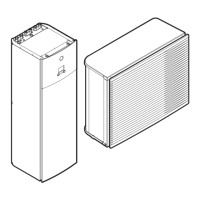
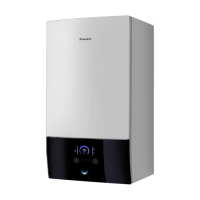
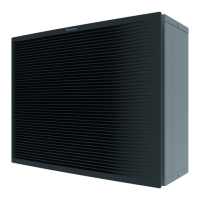
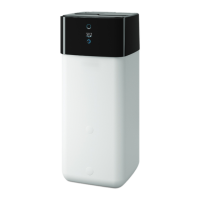
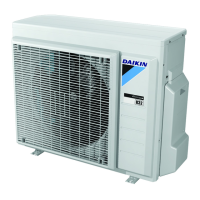
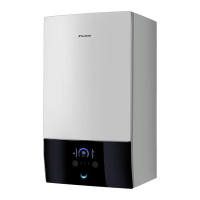
This document provides a user reference guide for the Daikin Altherma Low Temperature Split system, covering models EHVH04SU18CB6W, EHVH08SU18CB6W, EHVH08SU26CB6W, EHVH11SU26CB6W, and EHVH16SU26CB6W. It details the operation, maintenance, and troubleshooting of the system, which is designed to heat spaces and produce domestic hot water.
Function Description
The Daikin Altherma Low Temperature Split system is a heat pump designed for space heating and domestic hot water production. It operates by transferring heat from an outdoor unit to an indoor unit, which then distributes heat to the living space or heats water in a domestic hot water (DHW) tank. The system can be configured for various heating controls, including room thermostat control, leaving water temperature control, and external room thermostat control, depending on the system layout and installer settings.
For space heating, the system can operate in different modes, allowing users to set desired room temperatures or leaving water temperatures. The leaving water temperature is the temperature of the water sent to the heat emitters (e.g., underfloor heating, radiators). The system can adjust this temperature based on user settings or automatically in weather-dependent operation.
For domestic hot water, the system offers several modes: Reheat mode, Scheduled mode, and Scheduled + Reheat mode. In Reheat mode, the DHW tank continuously heats water to a set temperature. In Scheduled mode, hot water production follows a user-defined schedule, often optimized for off-peak electricity times. Scheduled + Reheat mode combines these, allowing scheduled heating with a reheat function to ensure a minimum amount of hot water is always available. The system also includes a DHW tank booster mode for immediate hot water production when needed, though this consumes extra energy.
The system's operation can be influenced by energy prices, allowing users to set fuel and electricity prices, including schedule timers for electricity, to optimize running costs. An incentive per kWh renewable energy can also be factored into these calculations.
Usage Features
The user interface provides intuitive control over the system's functions. It features buttons for navigation, status icons to indicate the system's current state, and a menu structure for configuring settings.
Basic Usage:
- Home Pages: Users can easily switch between home pages (Room temperature, Main leaving water temperature, Additional leaving water temperature, DHW tank temperature) to read out and change daily settings.
- Menu Structure: A comprehensive menu allows access to more advanced settings, including time/date, holiday mode, quiet mode, operation mode, schedules, information, and user settings.
- ON/OFF Controls: Users can turn ON or OFF controls for room temperature, leaving water temperature, and DHW tank temperature.
- Temperature Adjustment: Desired temperatures for space heating and DHW can be adjusted directly from home pages or through preset values in the menu.
- Schedules: The system supports programming weekly schedules for space heating and DHW production, allowing for customized comfort and energy savings. Predefined schedules are available, and users can create their own.
- Preset Values: Users can define preset values (e.g., Comfort, Eco) for various controls, making it easy to apply consistent settings across schedules and home pages.
- Temporary Overrule: Schedules can be temporarily overruled to adjust temperatures for specific events (e.g., a party, going away for a few hours).
- Quiet Mode: This feature allows users to decrease the sound of the outdoor unit, with multiple quiet mode levels available, though this may reduce heating capacity. Quiet mode can be manually activated or scheduled.
- Holiday Mode: During holidays, users can configure specific settings to save energy while away or maintain comfort if staying at home.
- Information Read-out: The system provides detailed information on sensor readings, energy metering, error history, user permission levels, actuator status, operation modes, running hours, and system version.
- Configuration: Date, time, units of measurement, contrast, and backlight settings can be configured.
- User Profiles: Users can select between "Basic" and "Detailed" user profiles, which determine the level of information and control available on the home pages.
- Locking Functions: Buttons and specific functions can be locked to prevent unauthorized changes, useful for households with children.
Advanced Usage:
- User Permission Level: The system supports different user permission levels (End user, Advanced end user), with the Advanced level providing access to more detailed information and settings.
- Weather-Dependent Operation: For space heating, the leaving water temperature can be automatically adjusted based on the outdoor temperature, optimizing efficiency. Users can set parameters for this weather-dependent curve.
Maintenance Features
While yearly maintenance is performed by an authorized installer, the user reference guide outlines several responsibilities for the end user to ensure proper system operation and longevity:
- Cleaning: Keep the area around the outdoor and indoor units clean. The user interface should be cleaned with a soft damp cloth, avoiding detergents.
- Water Pressure Check: Regularly check that the water pressure indicated on the manometer is above 1 bar.
- Contact Information: The user interface provides access to the contact/helpdesk number for the installer or service company in case of problems or questions.
- Error and Warning History: Users can check the error and warning history through the menu structure to identify past issues, which can be helpful for troubleshooting or when contacting a service technician.
The documentation also provides general safety precautions, including warnings about flammable materials, electrocution, burning, and explosion risks, emphasizing the importance of following instructions and having qualified personnel perform installation and maintenance. It also details proper disposal procedures for electrical and electronic products, as well as batteries, to ensure environmental protection.



 To Next Page


 General