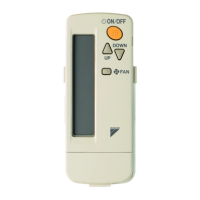
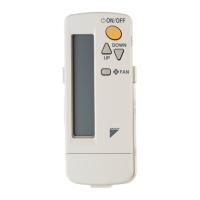
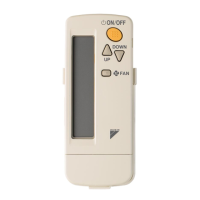
This document describes the operation and installation of a Wireless Remote Controller and Wireless Receiver Kit for Daikin air conditioning systems.
Function Description
The device is a wireless remote controller and receiver kit designed to operate Daikin air conditioning units. It allows users to control various functions of the air conditioner, including power on/off, temperature setting, operation mode selection (cooling, heating, automatic, fan, dry), fan speed adjustment, airflow direction, and timer settings. The remote controller transmits signals to a receiver unit, which then communicates with the indoor unit of the air conditioner.
Important Technical Specifications
Models:
- BRC7M530W (Wireless Remote Controller)
- BRC7M531W (Wireless Receiver Kit)
Power Supply:
- The remote controller uses dry cell batteries (AAA, LR03 alkaline).
- The receiver kit is powered by the indoor unit.
Transmission Distance:
- The maximum transmitting distance is 7 meters. This depends on the installation condition of the indoor unit.
- The signal cannot be transmitted if something such as curtains blocks the receiver and the remote controller.
Temperature Settings:
- Cooling Operation: Recommended temperature range is 26 to 28°C.
- Heating Operation: Recommended temperature setting is 18 to 23°C.
- Automatic Operation: The relative temperature as compared to the standard set temperature is displayed.
- Dry Operation: The indoor unit temperature is displayed when starting operation by PROGRAM DRY operation.
Timer Functions:
- Programming Timer: Allows setting the air conditioner to start or stop at a specific time. The timer can be programmed for a maximum of 72 hours.
- Timer Reserve: Used to reserve a timer setting.
Airflow Direction:
- The airflow direction can be fixed in any position within the range Position 0 to Position 4.
- The airflow direction blades automatically move up/down or left/right within the range of Position 0 to Position 4 (swing function).
Fan Speed:
- High, Medium, or Low fan speed can be selected.
- The microcomputer may sometimes control the fan speed in order to protect the unit.
- Fan speed may be changed automatically depending on the indoor temperature.
Disposal Requirements:
- The product and batteries are marked with a symbol indicating they should not be mixed with unsorted household waste.
- For batteries, a chemical symbol may be printed beneath the symbol, indicating the presence of heavy metals (e.g., Pb: lead (>0.004%)).
- Units and waste batteries must be treated at a specialized treatment facility for re-use, recycling, and recovery.
Usage Features
Basic Operation:
- ON/OFF: Press the ON/OFF button to start or stop the air conditioner.
- Temperature Setting: Use the TEMP ▲/▼ buttons to adjust the temperature.
- Operation Mode Selection: Press the MODE button to cycle through COOLING, HEATING, AUTOMATIC, FAN, and PROGRAM DRY modes.
- Fan Speed Selection: Press the FAN SPEED CONTROL button to select the desired fan speed.
- Airflow Direction Adjustment: Use the AIRFLOW DIRECTION ADJUST button to change the direction of airflow.
- Backlight: The remote controller has a backlight for easy viewing in the dark.
Timer Operation:
- Setting the Timer: Press the PROGRAMMING TIMER button and use the SELECT button to set the start or stop time.
- Cancelling the Timer: Press the ON/OFF TIMER button or the TIMER CANCEL button.
Multi-System Control:
- The remote controller can be used to control multiple indoor units in a VRV system or other multi-system configurations.
- Group Control System: One remote controller controls up to 16 indoor units. All indoor units are equally set.
- Two Remote Controller System: Two remote controllers (wired and wireless) control one indoor unit.
- Cool/Heat Changeover Remote Control Switch: This switch allows for changing the operation mode (cooling/heating) for multiple indoor units in a system.
Error Indications:
- The remote controller display shows error codes or "NOT AVAILABLE" when a function is not supported by the connected model.
- The OPERATING INDICATOR LAMP (Red) lights up or goes off and the system starts or stops operation.
- The TIMER INDICATOR LAMP (Green) lights up when the timer is set.
Special Functions:
- Defrost Operation: The air conditioner automatically performs defrost operation when necessary. The DEFROST OPERATION LAMP (Orange) lights up during this process.
- Filter Sign Reset: After cleaning or reinstalling the air filter, press the FILTER SIGN RESET button on the remote controller.
Maintenance Features
Battery Replacement:
- The batteries must be removed from the appliance before it is scrapped and they are disposed of safely.
- Replace the dry cell batteries (AAA, LR03 alkaline) when the battery indicator on the remote controller flashes or when the remote controller does not operate correctly.
- Ensure correct polarity when inserting new batteries.
Cleaning:
- Clean the remote controller regularly to prevent dust accumulation.
- Do not use flammable sprays or organic solvents to clean the remote controller.
Troubleshooting:
- The manual provides a detailed troubleshooting guide for common issues such as the air conditioner not operating, insufficient cooling/heating, or malfunction codes.
- If a malfunction occurs, the remote controller may display a malfunction code. Refer to the "MALFUNCTION CODE LIST" in the installation manual of the indoor unit and outdoor unit for diagnosis.
- If the problem persists, contact your local dealer for assistance.
Installation and Setup:
- The wireless remote controller and receiver kit require proper installation by a qualified installer.
- The receiver unit is installed in the decoration panel of the indoor unit.
- Initial settings, such as the indoor unit model name and address, must be configured during installation.
- The manual provides instructions for checking the accessories, mounting the remote controller holder on a wall, and loading the batteries.
Safety Precautions:
- This appliance can be used by children aged from 8 years and above and persons with reduced physical, sensory or mental capabilities or lack of experience and knowledge if they have been given supervision or instruction concerning use of the appliance in a safe way and understand the hazards involved.
- Children shall not play with the appliance. Cleaning and user maintenance shall only be done by persons described in manual.
- Do not try to dismantle the system yourself; the dismantling of the product, treatment of the refrigerant, or oil and of other parts must be done by a qualified installer in accordance with relevant local and national legislation.
- Consult your local dealer regarding relocation and reinstallation of the air conditioner.
- Do not use the air conditioner in the atmosphere contaminated with oil vapor, such as cooking oil or machine oil vapor.
- Do not use flammable materials (e.g., hairspray or insecticide) near the air conditioner.
- Do not clean the air conditioner with organic solvents such as paint thinner.
- Beware of a fire in case of refrigerant leakage. If the air conditioner is not operating correctly, i.e., not generating cool or warm air, refrigerant leakage could be the cause.
- When the air conditioner is malfunctioning (driving off a burning odor, etc.), turn off the power to the air conditioner and contact your local dealer.

 Need help?
 General

 To Next Page