English 12
Installation
TYPE B
Position of the WLAN adapter on the wall/surface is xed by double
face tapes. In this case screws located in accessory set are not
neccesary to x the holder.
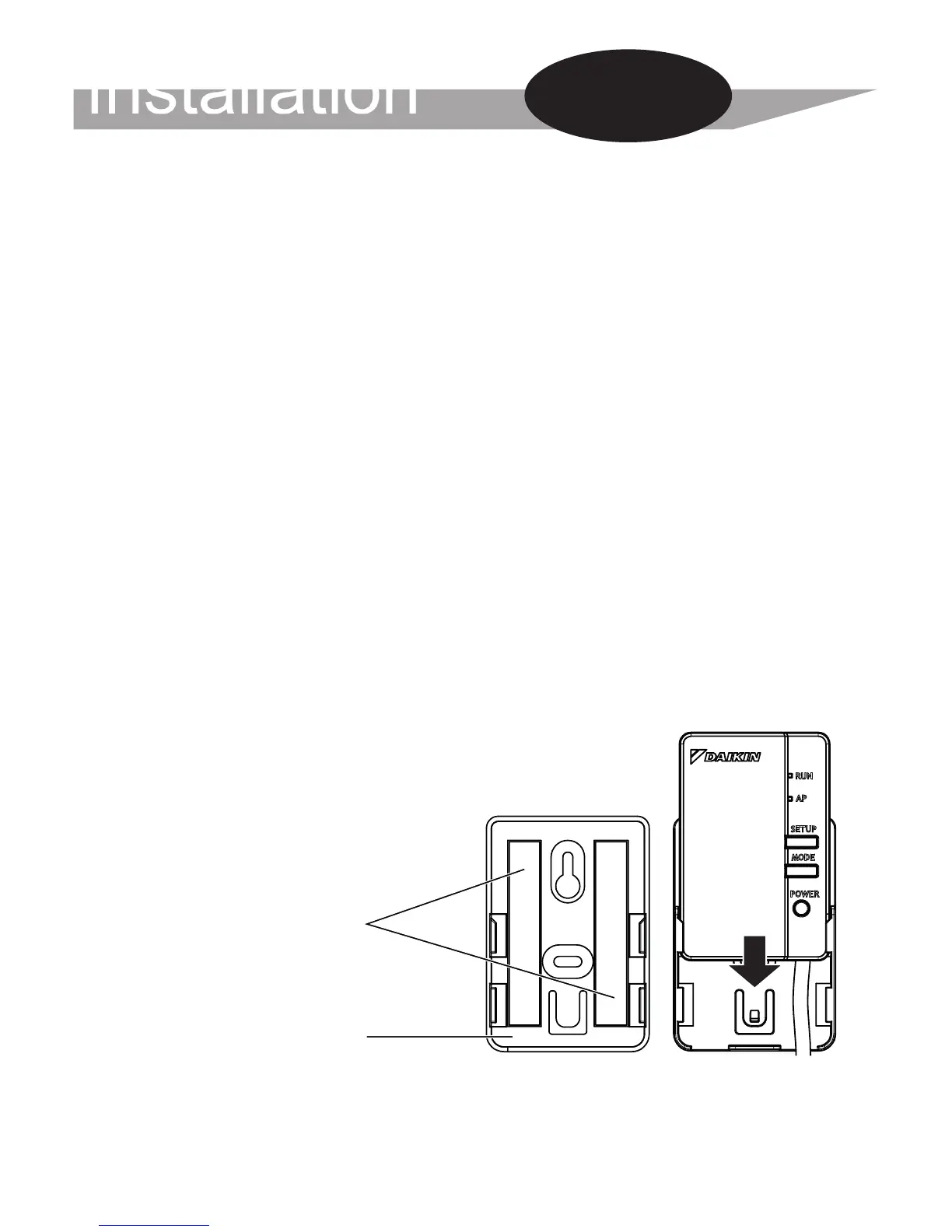
1. Attach two double face tapes located in accessory set to the back
side of holder as shown below.
2. Fix the WLAN holder on the wall/surface with the double face tapes.
3. Make sure that holder is xed to the wall/surface enough to bear the
WLAN adapter.
4. Attach the WLAN adapter to the holder by sliding into it.
NOTE
Wall/surface should be clean and degreased before attaching of the
WLAN holder by double face tapes.
For more details about installation of WLAN adapter to your model
please visit http://www.onlinecontroller.daikineurope.com
Installation
Work
Double face tape
Holder



 To Next Page