EasyManua.ls Logo

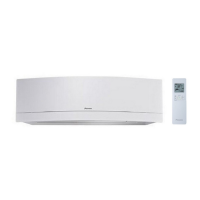
Daikin CTXG09QVJUW - User Manual

Daikin CTXG09QVJUW
116 pages
Print Icon
To Next Page IconTo Next Page
Loading...
n
mfort.
nd comf
E
Enjoy year-roun
DAIKIN ROOM AIR CONDITIONER
OPERATION MANUAL
English
Français
Español
MODELS
CTXG09QVJUW
CTXG12QVJUW
CTXG18QVJUW
CTXG09QVJUS
CTXG12QVJUS
CTXG18QVJUS

Table of Contents

Other manuals for Daikin CTXG09QVJUW

Questions and Answers

  • C
    Carl PalmerAug 2, 2025
    What to do if the operation lamp is blinking on my Daikin Air Conditioner?
    • S
      Shawn WebbAug 3, 2025
      If the operation lamp on your Daikin Air Conditioner is blinking, you should first perform the diagnostic procedure. Also, ensure all indoor units connected to a multi-system outdoor unit are set to the same operation mode. If they aren't, set all indoor units to the same operation mode and check if the operation lamp stops blinking. You can also try setting all indoor units to cooling or heating mode to see if the operation lamp returns to normal.
  • V
    Vanessa SuttonAug 11, 2025
    What to do if Daikin CTXG09QVJUW Air Conditioner stops suddenly and the operation lamp blinks?
    • G
      gbrownAug 11, 2025
      If the Daikin Air Conditioner operation stops suddenly and the operation lamp blinks, it might be due to an operation mode conflict. Ensure all indoor units connected to the multi-system outdoor unit are set to the same operation mode. If they aren't, change them to the same mode and see if the blinking stops. If the mode is set to automatic, try setting all indoor units to either cooling or heating and check again.
  • R
    Robert MorrisAug 22, 2025
    Why is the operation lamp blinking on my Daikin CTXG09QVJUW?
    • K
      kristinacraneAug 23, 2025
      The operation lamp on your Daikin Air Conditioner might be blinking because a protection device in either the indoor or outdoor unit has been activated, or the thermistor is malfunctioning. It could also indicate a signal transmission error between the indoor and outdoor units.

Summary

Pre-Operation Safety and Guidelines

Safety Considerations

Details safety warnings, symbols (DANGER, WARNING, CAUTION, NOTE), and precautions for safe operation.

Usage Environment Precautions

Lists places to avoid using the unit and precautions for handling.

Component Identification

Indoor Unit Components

Identifies parts of the indoor unit, including louvers, flaps, sensors, and lamps.

Outdoor Unit Components

Details the parts of the outdoor unit, such as air inlet, outlet, pipes, and filters.

Remote Controller Description

Explains the remote controller's display, buttons, and signal transmitter.

Pre-Operation Setup

Remote Controller Setup

Instructions on inserting batteries, mounting the holder, and changing display settings.

Initial Clock and Display Settings

Guides on setting the indoor unit's clock and display luminance.

Core Operational Functions

Mode Selection and Temperature Adjustment

How to select operation modes (AUTO, DRY, COOL, HEAT, FAN) and adjust temperature.

Adjusting Airflow Rate

How to adjust the fan speed settings to suit user preference and comfort.

Adjusting Airflow Direction

How to control the direction of airflow using swing and louvers for optimal comfort.

Advanced Features

Comfort Airflow & Intelligent Eye

Enhances comfort by directing airflow and saves energy by detecting presence.

Powerful Operation

Maximizes cooling/heating effect by operating at maximum capacity for a limited time.

Econo; Outdoor Unit Quiet Operation

Enables efficient operation by limiting power consumption or reduces outdoor unit noise.

Scheduling Operations

ON;OFF Timer Functionality

Setting timers for automatic ON and OFF operations of the air conditioner.

Weekly Timer Programming

Creating custom weekly schedules for operation, including copy mode and reservation management.

Multi-Unit System Management

Multi System Operation Guidelines

Operational notes for systems with multiple indoor units connected to one outdoor unit.

Mode Lock and Priority Settings

Managing mode locks and priority room settings for multi-system configurations.

Maintenance and Care

Cleaning Procedures and Parts

Instructions for cleaning front panels, air filters, and the remote controller.

Filter Maintenance and Replacement

Details on cleaning or replacing air filters and the titanium apatite purifying filter.

Long-Term Storage and Maintenance

Guidance on preparing the unit for extended non-use and recommended periodical professional maintenance.

Troubleshooting and Support

Frequently Asked Questions (FAQ)

Answers common user questions regarding unit operation, sounds, and common issues.

Troubleshooting Common Issues

Step-by-step guidance to resolve problems like no operation, stopping, or poor performance.

Error Code Diagnostics

How to read and interpret error codes displayed by the remote controller for fault diagnosis.

Daikin CTXG09QVJUW Specifications

General IconGeneral
BrandDaikin
ModelCTXG09QVJUW
CategoryAir Conditioner
LanguageEnglish

Related product manuals