Notes on the DEW CLEAN operation:
During the DEW CLEAN operation, all buttons except Power, Streamer, and DEW CLEAN shall be non-operable.
The DEW CLEAN operation automatically controls temperature and airflow rate, rendering manual adjustments of
these functions unavailable.
In case of a main power reset or power failure, the DEW CLEAN operation will come to an end.
It is recommended that users avoid staying inside the room during the DEW CLEAN operation, as the indoor
temperature will be lower.
If the user removes and reinserts the battery while using the DEW CLEAN function, the DEW CLEAN feature is
turned OFF on the remote.
The function will not operate if the room temperature is lower than 10°C.
To ensure easy identification of the DEW CLEAN mode, it is advisable to keep the LED lights in the "ON" state
using the Brightness control feature before starting the DEW CLEAN operation.
The DEW CLEAN feature cannot be applied if the remote is in brightness control mode, fault diagnosis mode,
construction mode, jumper setting, trial mode, or inspection and commissioning mode. To activate the DEW
CLEAN feature, it is necessary to first exit from the other selected mode.
Using this function once a month is recommended to achieve better cooling effects.
This function is recommended to operate at a temperature exceeding 24°C.
This function is available in both COOL and DRY modes of operation.
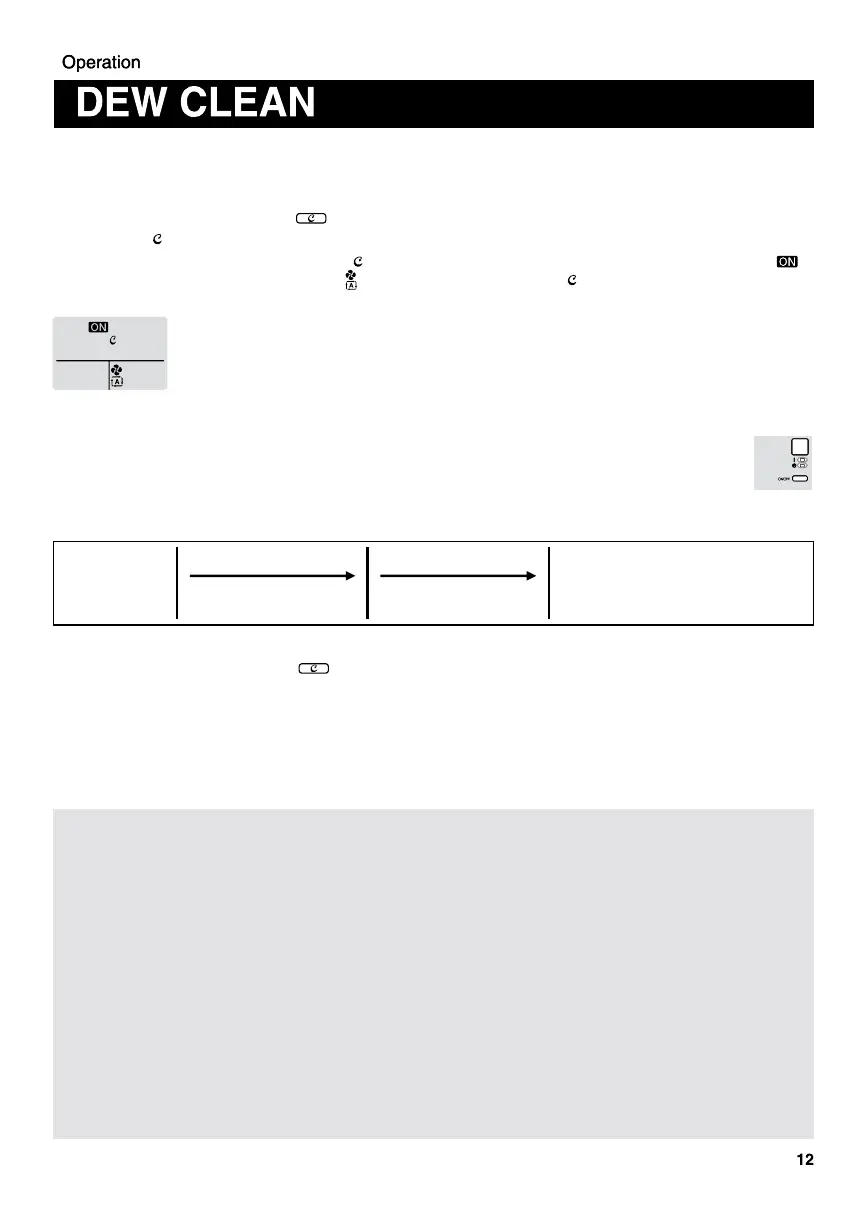
Start DEW
CLEAN
function
Dew Cleaning phase
(Cooling Operation)
Fan Drying phase
End
(IDU &
Remote
turned OFF)
Total Time
Approx.. 95 minutes
(1 hours 35 minutes)
About 65 minutes About 30 minutes
To Cancel DEW CLEAN operation :
Press, hold, and release the " " button for a duration between 2 to 9 seconds, or alternatively, use the
"On/Off" button.
Upon completion of the DEW CLEAN function (either by the stipulated time expiring or through cancellation of the
operation), both the remote and the unit shall revert to the OFF state, restoring them to the state they were in
before the DEW CLEAN function was activated.
To check the DEW CLEAN operation :
During the operation, the LED indicator lamp (green and orange) on the indoor unit shall blink
simultaneously.
The operation stops automatically according to the defined process, and the unit shall be switched off
after the completion of the DEW CLEAN operation.
DEW CLEAN function aids in cleaning the accumulation of dust and stains on the Indoor Heat Exchanger.
To start the DEW CLEAN operation :
Using the remote, turn on the air conditioner.
Press, hold and release the “ ” button for a duration between 2 to 9 seconds.
The “ ” symbol shall blink four times on remote LCD screen and remain visible in the LCD display.
After the completion of blinking by the “ ” symbol, the LCD display shall return to normal. The ON symbol “ ”,
the fan symbol with Auto Fan speed “ ”, and the DEW CLEAN symbol “ ” shall remain on the LCD display for
the entire duration of the DEW CLEAN function operation (Refer to below image).


 To Next Page
 Loading...