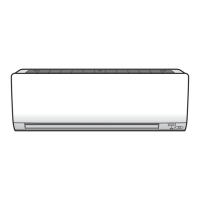
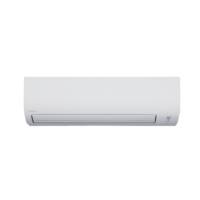
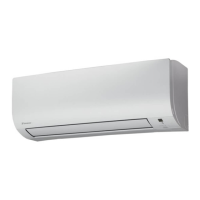
This document serves as an operation manual for Daikin Room Air Conditioners, specifically models FTX20J2V1B, FTX25J2V1B, FTX35J2V1B, FTX20J3V1B, FTX25J3V1B, and FTX35J3V1B. It provides comprehensive instructions for safe and effective use, covering initial setup, various operation modes, and maintenance procedures.
Function Description
The Daikin Room Air Conditioner is designed to regulate room temperature and humidity, offering multiple operation modes to suit different comfort needs. It features an inverter technology, which allows for precise control over the compressor speed, leading to more efficient energy consumption and consistent temperature maintenance. The unit can perform cooling, heating, drying, and fan-only operations.
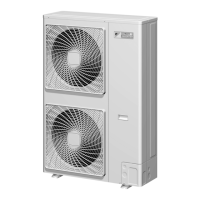
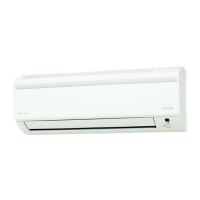
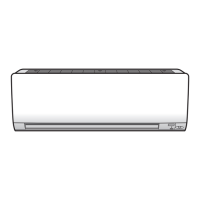
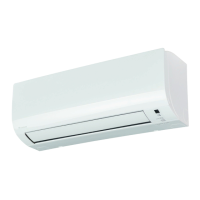
The indoor unit includes an air inlet, front panel, panel tab, room temperature sensor, air outlet, horizontal blade (flap), and vertical blades (louvers). A key feature is the Titanium Apatite Photocatalytic Air-Purifying Filter, designed to clean the air. The outdoor unit comprises an air inlet, air outlet, refrigerant piping, and an inter-unit cable.
The remote controller is the primary interface for controlling the air conditioner. It features a display that shows current settings, temperature adjustment buttons, mode selector buttons (AUTO, DRY, COOL, HEAT, FAN), fan setting buttons, and swing buttons for airflow direction. Additionally, it includes special function buttons such as ECONO, POWERFUL, COMFORT AIRFLOW, and TIMER settings (ON, OFF, CANCEL). A signal transmitter on the remote controller sends commands to the indoor unit's signal receiver, which confirms receipt with audible beeps.
Usage Features
Initial Setup: Before operation, users must install two AAA.LR03 alkaline batteries into the remote controller. The manual emphasizes correct battery positioning and advises replacing both batteries simultaneously. It also provides instructions for setting the clock on the remote controller, which is crucial for timer functions. After setting up the remote controller, the main breaker for the air conditioner should be turned ON.
Operation Modes:
- AUTO Mode: The system automatically selects the appropriate operation mode (COOL or HEAT) based on the room temperature and adjusts settings at regular intervals to maintain the desired temperature. Users can manually override the set temperature if needed.
- DRY Mode: This mode aims to reduce room humidity while maintaining the temperature as much as possible. The computer chip automatically controls temperature and airflow rate, making manual adjustments unavailable.
- COOL Mode: The unit cools the room by blowing hot air outside. Performance may decrease if the outdoor temperature is high.
- HEAT Mode: The system heats the room by circulating hot air. Heating capacity may be reduced in lower outdoor temperatures, and the unit may switch to defrosting operation if frost occurs on the outdoor unit, during which hot air will not flow from the indoor unit.
- FAN Mode: This mode operates the fan without cooling or heating, providing air circulation.
Airflow Adjustment:
- Horizontal Blade (Flap): The "SWING" button on the remote controller initiates the flap's automatic swing. Pressing the button again stops the flap at the desired position.
- Vertical Blades (Louvers): These can be manually adjusted by holding the knob on the left and right sides of the air outlet. The manual advises directing louvers away from walls in corner installations to optimize efficiency.
Special Operations:
- COMFORT AIRFLOW Operation: This feature adjusts the flap position to prevent air from blowing directly on occupants, enhancing comfort. The airflow rate is set to AUTO, and the flap moves up in COOL/DRY modes and down in HEAT mode.
- POWERFUL Operation: This mode maximizes cooling or heating effect for a rapid temperature change. It runs for 20 minutes before reverting to previous settings. Some functions are unavailable in this mode.
- ECONO Operation: This function enables efficient operation by limiting the maximum power consumption, suitable for AUTO, COOL, DRY, and HEAT modes.
- TIMER Operation: Users can set ON and OFF timers to automatically start or stop the air conditioner. Both timers can be combined. The "NIGHT SET MODE" automatically adjusts temperature settings (0.5°C up in COOL, 2.0°C down in HEAT) during OFF TIMER operation for comfortable sleep.
Energy Saving Tips: The manual recommends maintaining moderate temperature settings, covering windows with blinds or curtains to block sunlight, and regularly cleaning air filters to ensure efficient operation. It also advises turning off the breaker if the air conditioner will not be used for an extended period.
Maintenance Features
General Cleaning:
- Indoor Unit, Outdoor Unit, and Remote Controller: These should be wiped with a dry, soft cloth.
- Front Panel: The front panel can be opened by lifting it from the recesses on the main unit. It can then be removed by sliding it to the right and pulling it forward, detaching the rotating shafts. Reattachment involves aligning the shafts with grooves and gently closing the panel. Users are cautioned against touching metal parts, using hot water above 40°C, benzine, gasoline, thinner, volatile oils, polishing compounds, or scrubbing brushes for cleaning.
Filter Maintenance:
- Air Filters: These should be pulled out after opening the front panel. They can be washed with water or cleaned with a vacuum cleaner. For stubborn dust, a neutral detergent thinned with lukewarm water can be used, followed by drying in the shade. Regular cleaning every two weeks is recommended.
- Titanium Apatite Photocatalytic Air-Purifying Filter: This filter is located inside the air filters and can be removed by unhooking its claws. It can be renewed by washing with water every 6 months and should be replaced every 3 years.
Pre-Long Idle Period Maintenance: Before extended periods of non-use, such as in spring or autumn, the manual advises operating the unit in "FAN only" mode for several hours to dry the inside, turning off the breaker, cleaning and re-setting the air filters, and removing batteries from the remote controller.
Troubleshooting: The manual includes a comprehensive troubleshooting guide, distinguishing between normal operational characteristics and actual malfunctions. It provides explanations for common issues like delayed startup, unusual sounds, water/steam emission from the outdoor unit, mist from the indoor unit, odors, and fan rotation when the unit is off. For more serious issues, such as the OPERATION lamp flashing or abnormal functioning, it advises checking air filters, obstructions, and temperature settings, then resetting the breaker. If problems persist, users are instructed to contact the service shop.
Fault Diagnosis by Remote Controller: The remote controller can display diagnostic codes. By holding down the "TIMER CANCEL" button for 5 seconds, a "00" code flashes, and subsequent presses cycle through various error codes, each indicating a specific fault (e.g., refrigerant shortage, fan motor fault, sensor fault). This feature helps in identifying the nature of a malfunction.
Disposal Requirements: The manual highlights that the product and batteries contain symbols indicating they should not be mixed with unsorted household waste. It emphasizes that dismantling, refrigerant treatment, and disposal should be handled by qualified installers and specialized treatment facilities in accordance with local and national legislation.
Periodical Maintenance: Beyond user cleaning, the manual recommends periodical maintenance by a specialist after several seasons of use to address potential foulness inside the unit and maintain performance. The cost of such specialist maintenance is borne by the user.
Refrigerant Information: The product uses R410A refrigerant, a fluorinated greenhouse gas covered by the Kyoto Protocol, with a GWP (Global Warming Potential) value of 1975. Periodical inspections for refrigerant leaks may be required based on European or local legislation.


 To Next Page


 General