EasyManua.ls Logo

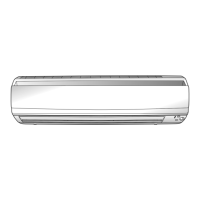
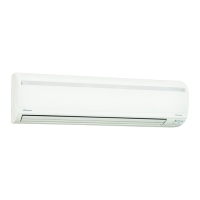
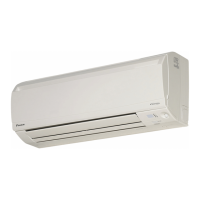
Daikin FTXS50LVMA - User Manual

Daikin FTXS50LVMA
44 pages
Print Icon
To Next Page IconTo Next Page
Loading...
DAIKIN ROOM AIR CONDITIONER
OPERATION MANUAL
MODELS
FTXS50LVMA
FTXS60LVMA
FTXS71LVMA
FTKS50LVMA
FTKS60LVMA
FTKS71LVMA
00_CV_3P291209-2.indd 100_CV_3P291209-2.indd 1 11/30/2011 2:33:34 PM11/30/2011 2:33:34 PM

Other manuals for Daikin FTXS50LVMA

Questions and Answers

  • P
    Patrick ElliottAug 5, 2025
    What to do if my Daikin FTXS50LVMA operation stopped suddenly and the operation lamp flashes?
    • J
      Jennifer HubbardAug 5, 2025
      If your Daikin Air Conditioner suddenly stops and the OPERATION lamp flashes, try these steps: Clean the air filters. If that doesn't work, turn the breaker off, remove any obstacles, and then turn the breaker back on. Try operating the air conditioner with the remote controller again. Also, set all indoor units to the same operation mode. If using “AUTO”, switch all indoor units to “COOL” or “HEAT” temporarily to see if the flashing stops.
  • A
    adrian04Aug 14, 2025
    Why doesn't hot air flow out immediately from my Daikin FTXS50LVMA Air Conditioner after starting heating?
    • K
      kennethperryAug 14, 2025
      If hot air doesn't flow out immediately when you start the heating operation on your Daikin Air Conditioner, wait for 1 to 4 minutes. The system is designed to start discharging air only after it has reached a certain temperature.
  • L
    Lindsay JohnsonAug 20, 2025
    Why doesn't the ON/OFF TIMER operate according to the settings on my Daikin Air Conditioner?
    • N
      nhernandezAug 20, 2025
      If the ON/OFF TIMER on your Daikin Air Conditioner isn't working as set, change or deactivate the settings in the WEEKLY timer.
  • S
    sjohnsonAug 29, 2025
    Why is the cooling or heating effect poor in my Daikin Air Conditioner?
    • J
      Julie TaylorAug 29, 2025
      If your Daikin Air Conditioner isn't cooling or heating well, several factors could be the cause. First, ensure the air filters are clean. Check if anything is blocking the air inlet or outlet of the indoor and outdoor units. Verify that the temperature setting is appropriate for your needs and that all windows and doors are closed properly. Lastly, confirm that the airflow rate and direction are set correctly for optimal performance.

Summary

Feature Overview

Intelligent Eye Sensor

Detects human movement for energy saving and auto operation adjustments.

Weekly Timer Function

Allows scheduling up to 4 timer settings per day for personalized comfort.

Comfort Airflow Operation

Adjusts airflow direction for comfortable air distribution in COOL and HEAT modes.

Outdoor Unit Quiet Mode

Lowers outdoor unit noise level for neighborhood consideration.

Safety Precautions

General Warning and Caution Guidelines

Details critical safety instructions for operation, maintenance, and installation.

Installation and Setup

Site Selection and Noise Considerations

Guidance on choosing suitable installation locations and minimizing neighbor disturbance.

Electrical and Relocation Guidelines

Information on dedicated power circuits, grounding, and professional relocation services.

Component Identification

Indoor and Outdoor Unit Parts

Diagrams and labels for key components of the indoor and outdoor units.

Remote Controller Parts

Identification and description of buttons and displays on the remote controller.

Remote Control Operations

Opening the Front Cover

Instructions on how to access the remote control buttons.

Button Functions Overview

Explanation of the functions for each button on the remote control.

Initial Setup Procedures

Battery Installation and Holder Mounting

Steps for inserting batteries and mounting the remote controller holder.

Power On and Clock Synchronization

Procedure to turn on the unit and set the internal clock for timer accuracy.

Operating Modes

Understanding Operation Modes

Details on AUTO, DRY, COOL, HEAT, and FAN operation modes.

Temperature Setting Adjustments

Instructions on how to change the desired temperature settings.

Airflow Management

Adjusting Airflow Direction

How to control flap and louver positions for optimal air distribution.

Setting Airflow Rate

Procedure for selecting fan speed and quiet operation settings.

Special Operation Modes

Comfort Airflow & Intelligent Eye

Combining airflow comfort with sensor-based energy saving.

Powerful Operation Mode

Maximizes cooling or heating effect for rapid temperature adjustment.

Energy Efficiency and Noise Reduction

Outdoor Unit Quiet Operation

Reduces outdoor unit noise for nighttime or quiet environments.

Econo Operation Mode

Limits maximum power consumption for efficient operation with other appliances.

Timer Functions

Off Timer Operation

Automatically switches the air conditioner off at a set time.

On Timer Operation

Automatically switches the air conditioner on at a set time.

Weekly Timer Programming

Setting and Managing Weekly Schedules

Guide to setting daily ON/OFF times, modes, and temperatures for a week.

Copying and Confirming Timer Settings

Efficiently copy settings to other days and confirm programmed reservations.

Deleting Timer Reservations

Instructions for removing individual or all programmed weekly timer settings.

Multi-System Operation

Mode and Priority Settings

How operation modes are prioritized and selected in multi-unit systems.

System-Specific Operations

Details on mode locking, priority rooms, powerful operation, and quiet mode.

Maintenance and Cleaning

Front Panel and Filter Cleaning

Instructions for cleaning the front panel and basic air filter maintenance.

Filter Maintenance Details

Detailed steps for removing, washing, and reattaching air filters.

Photocatalytic Filter Care

Guidance on cleaning or replacing the titanium apatite photocatalytic air-purifying filter.

Troubleshooting and Error Codes

Common Operational Issues

Solutions for non-trouble cases and common operating problems.

System and Remote Errors

Addressing issues like poor cooling, timer errors, remote malfunction, and unit odors.

Service Contact Information

Guidance on when to contact the service shop and understand warnings.

Diagnostic Error Codes

Interpretation of error codes displayed by the remote controller for fault diagnosis.

Daikin FTXS50LVMA Specifications

General IconGeneral
Cooling Capacity5.0 kW
Heating Capacity6.0 kW
Energy Efficiency Ratio (EER)3.21
RefrigerantR32
Weight (Outdoor Unit)32 kg
Energy Efficiency Rating (Cooling)A++
Outdoor Unit Dimensions (WxHxD)780 x 550 x 285 mm
Outdoor Unit Weight32 kg
TypeSplit
Power Supply220-240 V, 50 Hz
Dimensions (Outdoor Unit)550 x 780 x 285 mm
Indoor Unit Noise Level (Low)19 dB
Seasonal Energy Efficiency Ratio (SEER)6.10

Related product manuals