34
TIMER Operation TIMER Operation
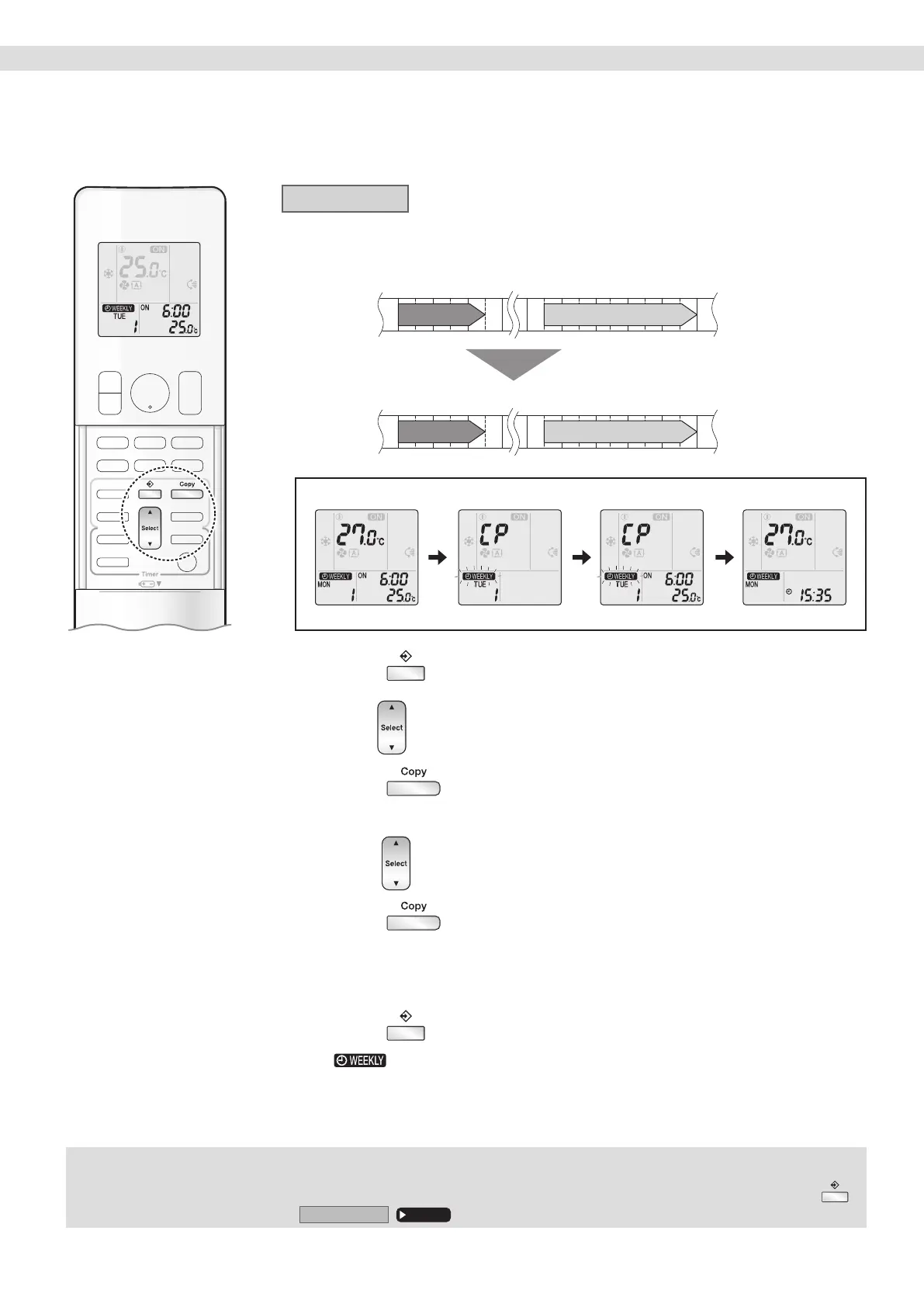
Copy mode
• A reservation made once can be copied to another day of the week. The whole reservation
of the selected day of the week will be copied.
6:00 8:30 17:30 22:00
25.0°C 27.0°C
25.0°C 27.0°C
COPY
Programme 1 Programme 2 Programme 3 Programme 4
ON OFF ON OFF
[Monday]
Programme 1 Programme 2 Programme 3 Programme 4
ON OFF ON OFF
[Tuesday]
to
[Friday]
Conrmation
Setting Displays
Copy Paste Normal
1. Press .
2.
Press to conrm the day of the week to be copied.
3. Press .
• The whole reservation of the selected day of the week will be copied.
4.
Press to select the destination day of the week.
5. Press .
• The reservation will be copied to the selected day of the week. The whole reservation of
the selected day of the week will be copied.
• To continue copying the settings to other days of the week, repeat STEP
4 and STEP5.
6. Press to complete the setting.
• “ ” appears on the LCD and WEEKLY TIMER operation is activated.
NOTE
Note on COPY MODE
• The entire reservation of the source day of the week is copied in the copy mode.
In the case of making a reservation change for any day of the week individually after copying the content of weekly reservations, press
and change the settings in the steps of
Settingmode
.
Page 32
01_EN_3P705032-11D.indd 3401_EN_3P705032-11D.indd 34 06-Feb-24 2:19:53 PM06-Feb-24 2:19:53 PM








 To Next Page