35
TIMER Operation TIMER Operation
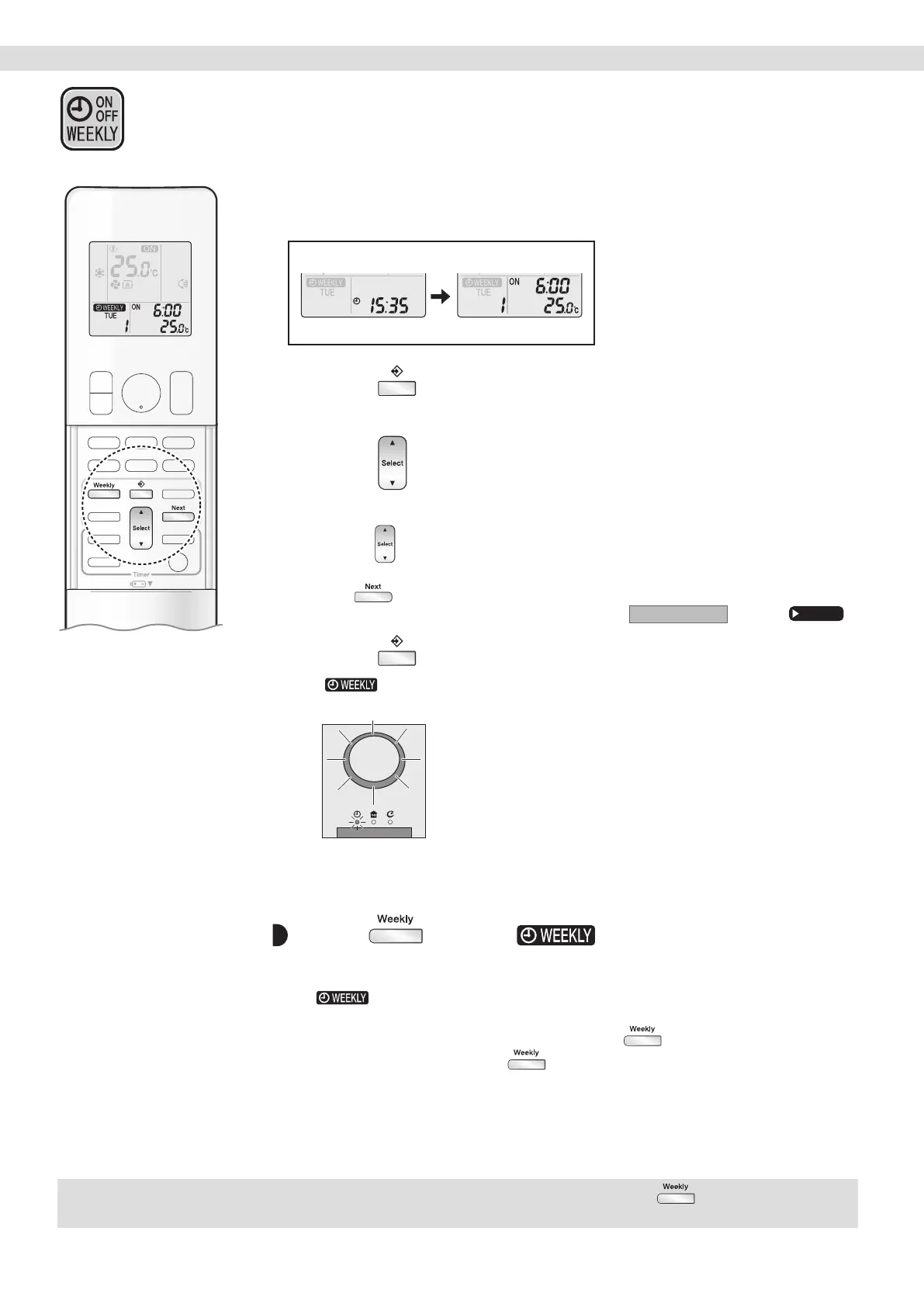
Conrming a reservation
• The reservation can be conrmed.
Normal
Setting Displays
Conrmation
1. Press .
• The day of the week and the reservation number of the current day will be displayed.
2. Press to select the day of the week and the
reservation number to be conrmed.
• Pressing displays the reservation details.
• To change the conrmed reserved settings, select the reservation number and
press
.
The mode is switched to setting mode. Proceed to
Setting mode
STEP 4.
Page 32
3. Press to exit the conrmation mode.
• “ ” appears on the LCD and WEEKLY TIMER operation is activated.
• The TIMER lamp lights orange.
Display
To deactivate WEEKLY TIMER operation
Press while “ ” is displayed on
the LCD.
• “ ” disappears from the LCD.
• The TIMER lamp goes off.
• To reactivate the WEEKLY TIMER operation, press
again.
• If a reservation deactivated with
is activated once again, the last reservation mode
will be used.
NOTE
• If not all the reservation settings are reected, deactivate the WEEKLY TIMER operation once. Then press again to reactivate the
WEEKLY TIMER operation.
WEEKLY TIMER Operation
01_EN_3P705032-11D.indd 3501_EN_3P705032-11D.indd 35 06-Feb-24 2:19:54 PM06-Feb-24 2:19:54 PM



 To Next Page