8
Read Before Operation Read Before Operation
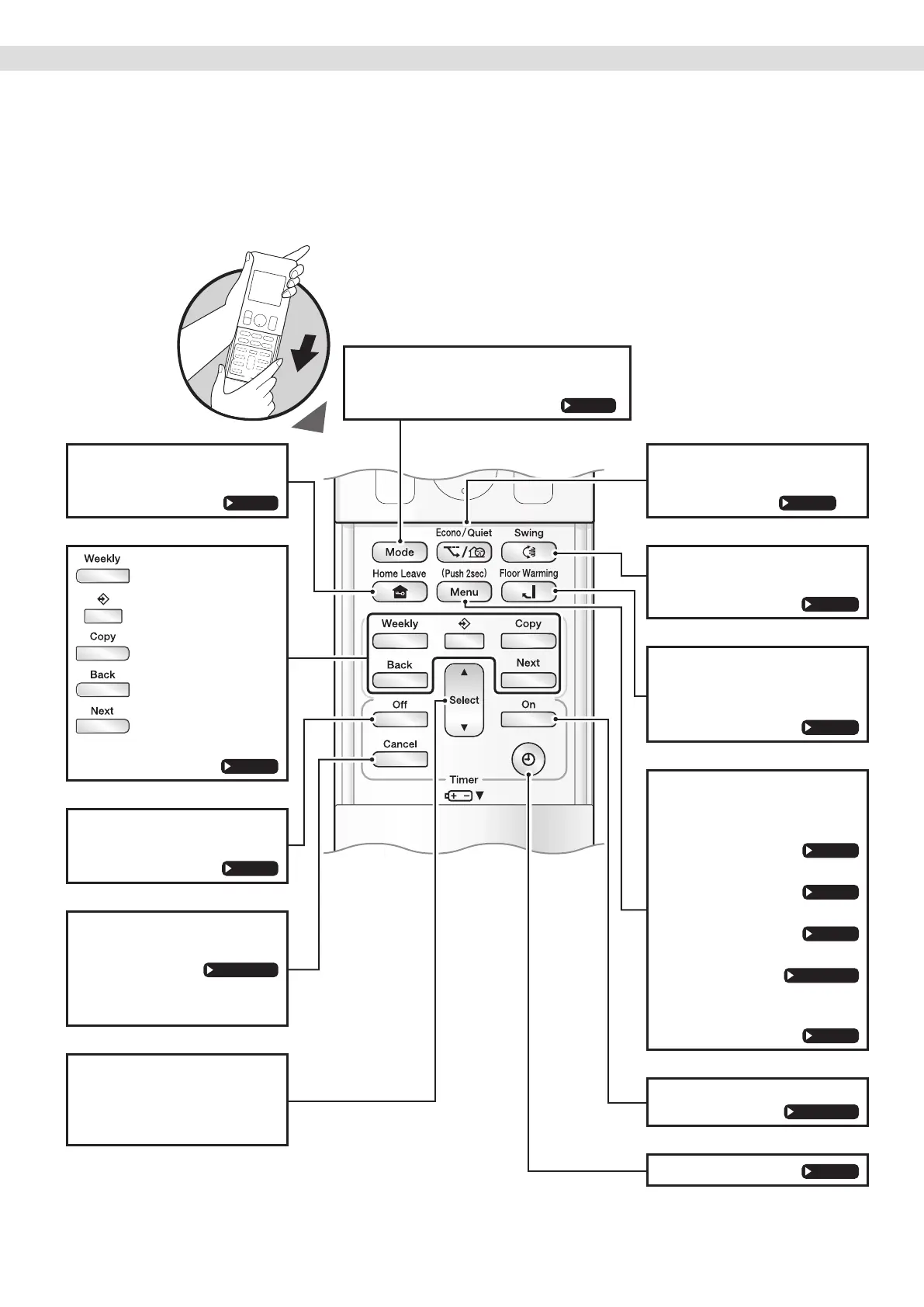
Open the front cover
HOME LEAVE button
• HOME LEAVE operation.
Page 23
: WEEKLY button
:
PROGRAMME button
: COPY button
: BACK button
: NEXT button
• WEEKLY TIMER operation.
Page 31
OFF TIMER button
(NIGHT SET mode)
Page 29
TIMER CANCEL button
• Cancels the timer setting.
Page 28, 29
• Cannot be used for the
WEEKLY TIMER operation.
SELECT button
• Changes the clock, ON/OFF
TIMER and WEEKLY TIMER
settings.
ECONO/QUIET button
• ECONO/OUTDOOR UNIT
QUIET operation.
Page 27
SWING button
• Adjusts the airow direction.
Page 18
FLOOR WARMING
button
• Floor warming operation.
Page 19
MENU button
(push 2 seconds)
• Adjusts the display brightness.
Page 12
• Setting the air outlet selection.
Page 13
• Setting the dry keep.
Page 16
• MOLD PROOF operation.
Page 20, 21
• FLASH STREAMER AIR
CLEANING operation.
Page 22
ON TIMER button
Page 28, 30
CLOCK button
Page 11
MODE selector button
• Selects the operation mode.
(AUTO/DRY/COOL/HEAT/FAN)
Page 14
01_EN_3P705032-11D.indd 801_EN_3P705032-11D.indd 8 06-Feb-24 2:19:25 PM06-Feb-24 2:19:25 PM



 To Next Page