10
ENGLISH
Timer operation
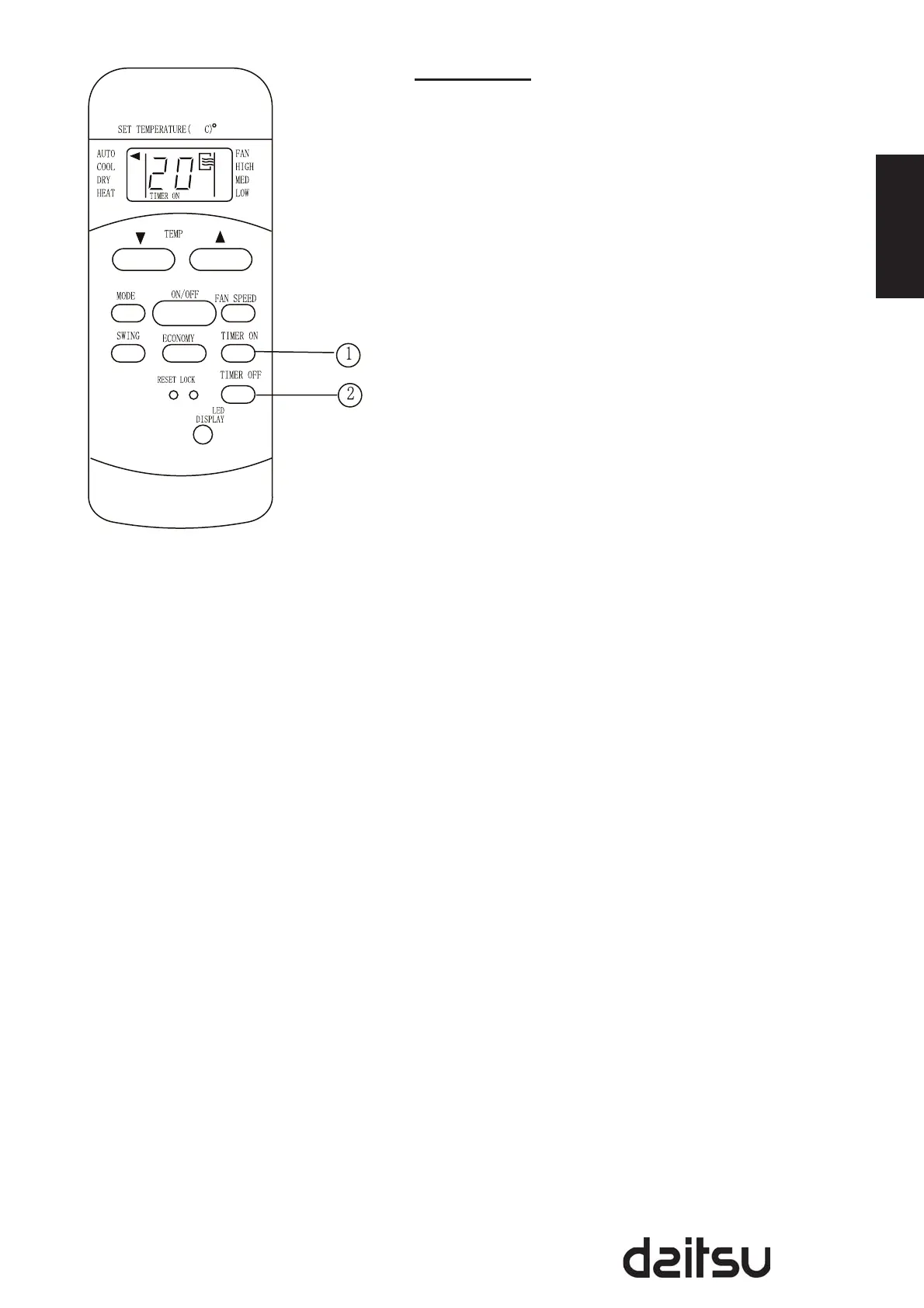
Press the TIMER ON button can set the auto-on time of the
unit. And press the TIMER OFF button can set the auto-off
time of the unit.
To set the Auto-on time.
1. Press the TIMER ON button. The remote controller shows
TIMER ON, the last Auto-on setting time and the signal
“h” will be shown on the LCD display area. Now it is ready
to reset the Auto-on time to START the operation.
2. Push the TIMER ON button again to set desired Auto-on
time. Each time you press the button, the time increases
in 30 minutes increments, up to 10 hours, then at 1 hour
increments up to 24 hours.
3. After setting the TIMER ON , there will be a one-half
second delay before the remote controller transmits the
signal to the air conditioner. Then, after approximately
another 2 seconds, the signal “h” will disappear and
the set temperature will re-appear on the LCD display
window.
To set the Auto-off time.
1. Press the TIMER OFF button. The remote controller
shows TIMER OFF, the last Auto-off setting time and the
signal “h” will be shown on the LCD display area. Now it is
ready to reset the Auto-off time to START the operation.
2. Push the TIMER OFF button again to set desired Auto-off
time. Each time you press the button, the time increases
in 30 minutes increments, up to 10 hours, then at 1 hour
increments up to 24 hours.
3. After setting the TIMER OFF ,there will be a one-half
second delay before the remote controller transmits the
signal to the air conditioner. Then, after approximately
another 2 seconds, the signal “h” will disappear and
the set temperature will re-appear on the LCD display
window.


 To Next Page