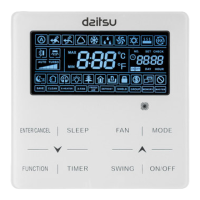
Wired Controller CDV-46
51
When there is no button operation on the wired controller or no remote control
signal is received for 20s continuously:
① If Light function is activated, the back light of LCD will turn to half bright.
② If Light function is off, the back light of LCD will be off.
6.11 SAVE SETTING
Save Function: Air conditioner can be operated in small temperature range by
setting the minimum temperature under Cooling and Dry modes and setting
maximum temperature under Heating, 3D Heating and Space Heating modes.
Thus, energy saving can be realized.
Start up Save function for Cooling: When the unit is off, simultaneously press
“TIMER” and “ ” buttons for 5s, the buzzer will give out a sound and then unit will
enter into Save setting mode. “ ” icon is blinking. “MIN” icon and Mode icon are
on. Press “MODE” button to switch to Cooling or Dry mode. Press “ ” or “ ”
button to adjust the temperature limit for Save function; press “ENTER/CANCEL”
button to start up Save function.
Fig.6.13 or 6.14 Shows how to set Save function for Cooling:



 To Next Page