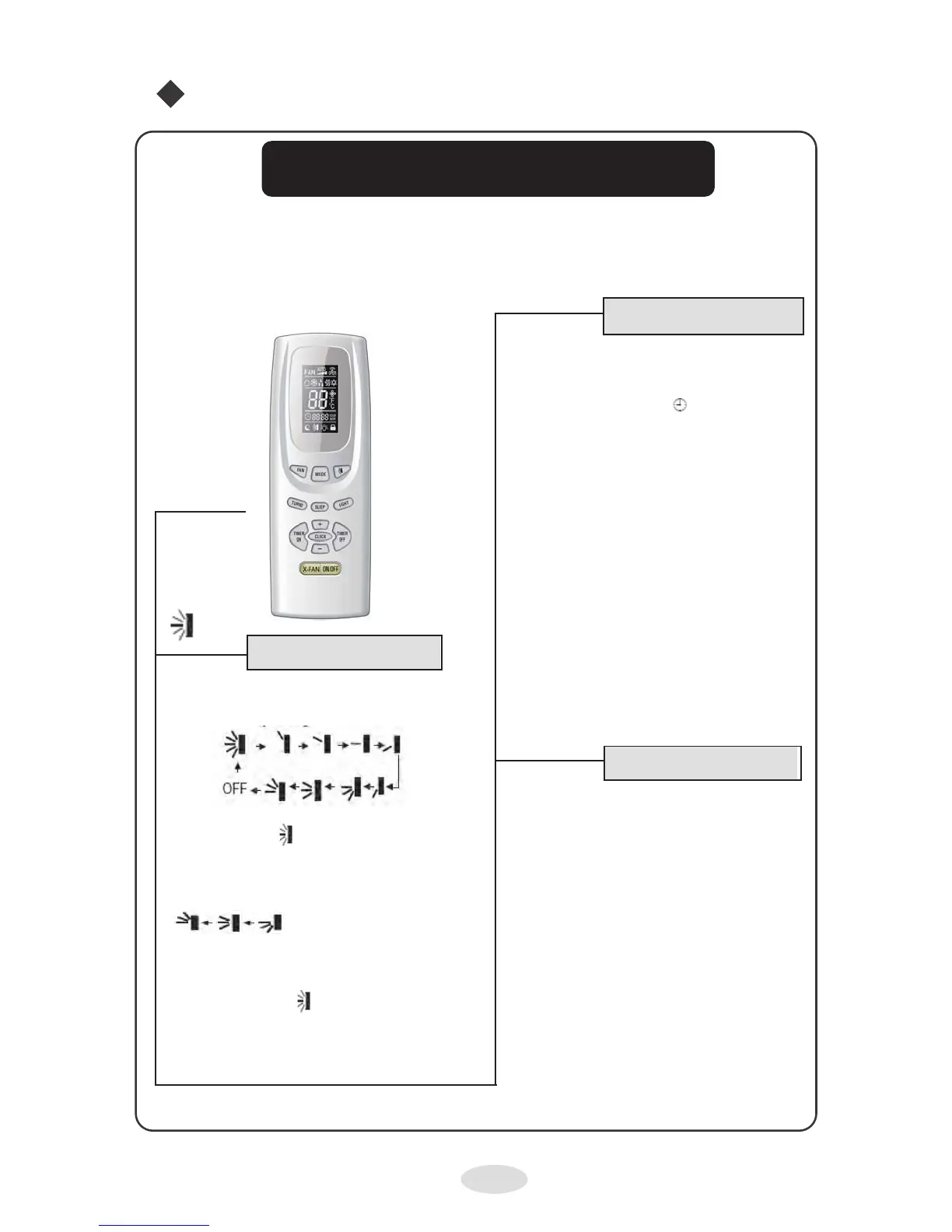
Key for sequentially activating and deactivating
the direction of the air.
When the button switches off, the slats will
stop in the current position. This is a universal
control, if the control sends the following three
statuses, the swing status of the main unit will be:
When the slat starts to move up and down, if the
Swing function is switched off, the slot will stop in
the current position. It indicates that the slat
swings up and down, through ve positions.
Remote control operation
Remote control name and functions
Note: this is a general remote control manual, and it can be used for multi-function air
conditioners; for some functions , not included in this model, if the corresponding key is
pressed on the remote control, the unit will continue operating in its original status.
TIMER ON
+TIMER ON Key
Key for selecting the switch on function for
a specic time. The ON signal will ash on
the screen. The symbol will be hidden,
the numeric section becomes the timer pro-
gramming status. During the 5 seconds of
ashing, use keys + or – to adjust the time
value. Each time they are pressed, they
increase or decrease the value by a minute.
If the key is pressed for 2 seconds
continuously, the data will change very
quickly until the key is no longer pressed,
then it will send the information. Once the
timer has been programmed, activate the
Timer On button again.If pressed a third
time, the timer will be cancelled. Before
programming the timer, correct the time.
Remote control
TIMER OFF
TIMER OFF Key
Once the TIMER OFF key has been pres-
sed, the icon will ash to program the timer
switch off. The programming method is the
same as for the TIMER ON key.
SWING key
9



 To Next Page