6
6
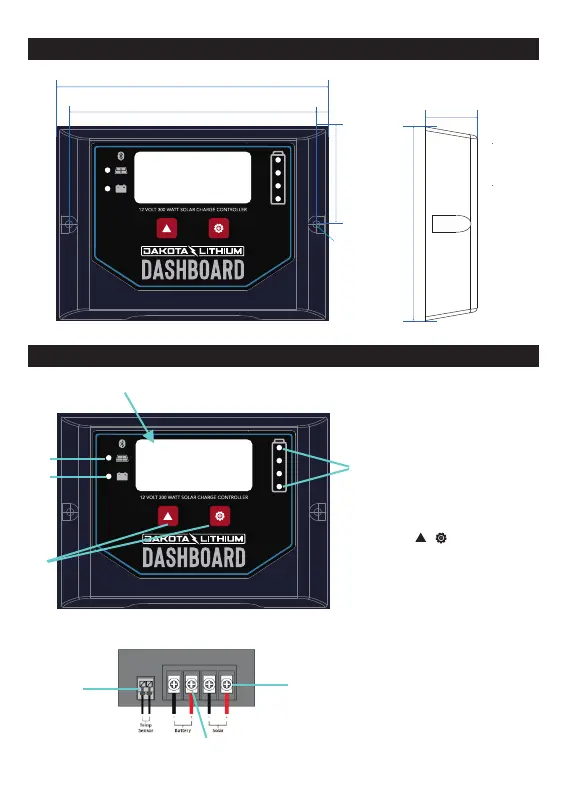
. Buttons, Indicators, and Terminals
① Backlit LCD
—Displays
system operating
information
② Solar panel indicator
—Indicates the working state
of solar panel
③ Battery indicator
—Indicates the working state
of battery
④ Key:
Set and view the operating
parameters
⑤ Battery capacity indicator
—Displays current capacity of
battery
⑥ Temperature Sensor Port
—Collects temperature
information,
Temperature
compensation. To connect -
press down the on top square
and insert wire. Repeat for the
second.
⑦ Solar module terminals
—Connected solar modules.
⑧ Battery terminals—
Connect the battery.
①
②
③
④
⑤
⑥
⑦
⑧
5. Dimensions(mm)
104
144
134
5
28
52
Φ4


 To Next Page