3.Quick using
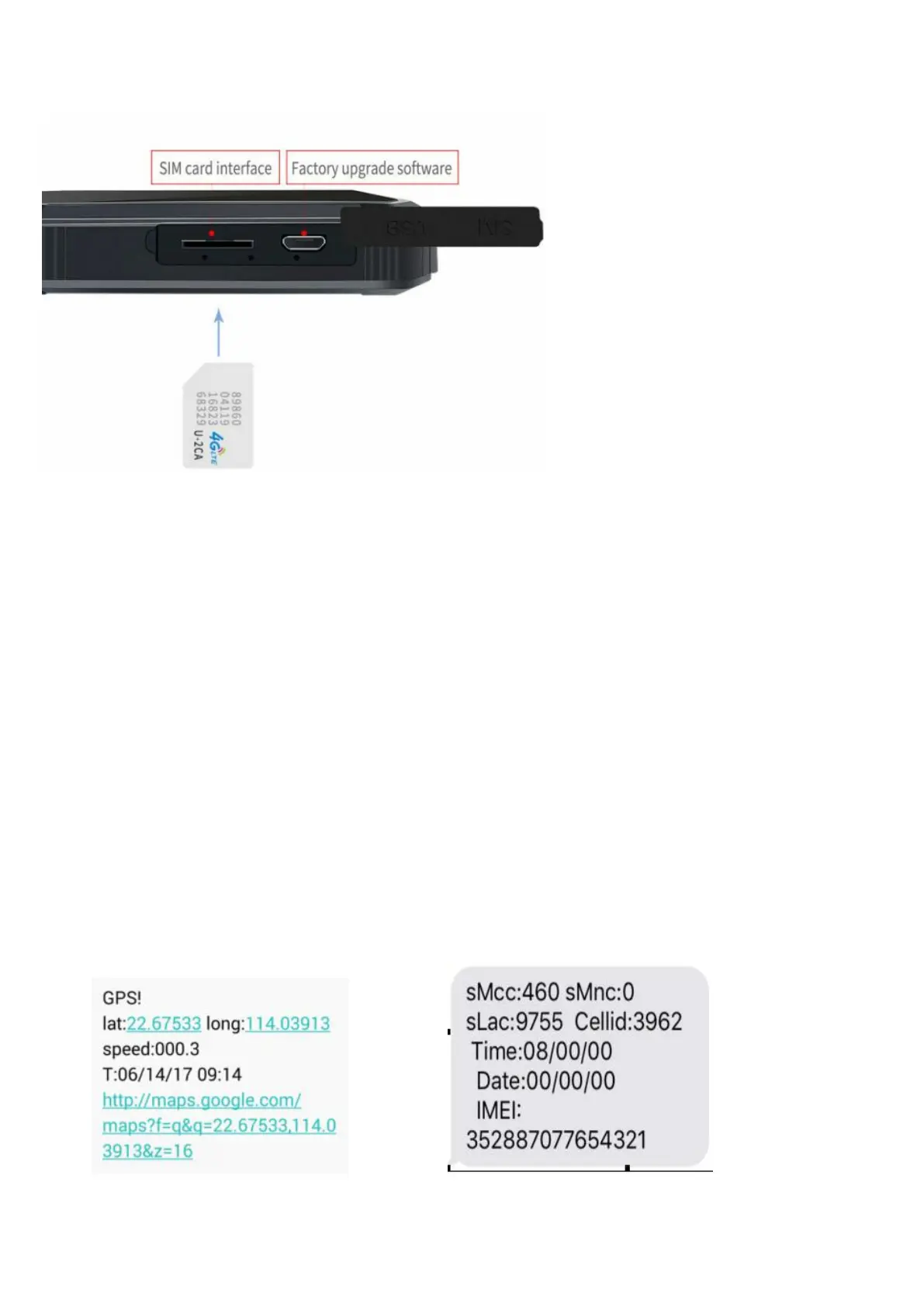
1) Put the SIM card into device,take the device to outdoor
2) if option backup battery,insert sim card ,tracker auto power on. no
battery,connect external power9-36V
3) send text message "smslink123456" to sim card of gps tracker by your mobile
phone,then you can get a position information from gps tracker.
Or call sim card of gps tracker, you can get a position information from gps tracker
EXPLANATION OF PARAMETERS/CODES IN SMS MESSAGE


 To Next Page