Need help?
Do you have a question about the Dakwit TK800 and is the answer not in the manual?
Important notes on GPS tracking, SIM card requirements, and potential signal interference.
Instructions for downloading the tracking application for Android and iOS devices.
Steps to log in to the platform for device positioning and tracking.
Guide on registering administrator accounts and adding multiple devices for tracking.
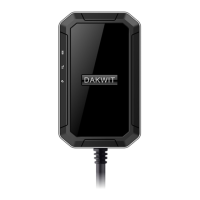
This document describes the DAKWIT TK800 GSM/GPRS/GPS Tracker, a device designed for locating and monitoring remote targets using existing GSM/GPRS networks and GPS satellites.
The TK800 tracker offers a comprehensive set of features for real-time tracking and security. Its core functionality revolves around GSM quad-band frequency for global connectivity and real-time tracking via SMS or GPRS. The device incorporates various alarm functions, including low power alerts, movement alarms, and geo-fence alarms (for entering or exiting predefined areas). It also features a vibration alarm, a monitor function for listening in, and anti-jammer and anti-detection capabilities to enhance security. For physical tampering, it includes anti-disassemble and anti-fall-off alarms.
The TK800 is designed for extended operation with a super-long standby mode, capable of 24-hour cycle positioning for up to three years. Its strong magnet allows for free and easy installation. The device supports different positioning modes, such as clock mode (fixed time positioning) and smart cycle positioning, offering flexibility in how often it reports its location. It is built to be waterproof and dustproof, ensuring durability in various environments. Power-saving features are integrated, along with AGPS (Assisted GPS) for faster GPS signal acquisition and built-in storage memory. The device also supports app-based GPRS settings for convenient configuration.
The TK800 tracker has a compact design, measuring 93mm x 77mm x 27mm and weighing 227g. It operates on GSM/GPRS networks, supporting quad-bands: 850/900/1800/1900Mhz. The GSM chip used is the MT6261, and the GPS chip is Ublox 7020. It boasts a high GPS sensitivity of -159dBm and a GPS accuracy of 5m.
Time To First Fix (TTFF) is impressive, with cold status at 45 seconds, warm status at 35 seconds, and hot status at just 1 second. The device is powered by a chargeable 3.7V 6600mAh Li-ion Battery. Its work voltage is 5V. The TK800 can operate in a wide range of temperatures, from -20°C to +55°C, and can be stored in temperatures from -40°C to +85°C. It is designed to function in humidity levels of 5% to 95% non-condensing.
To quickly start using the TK800, users need to open the lid, insert a GSM 2G SIM card (or a 2G GSM network compatible SIM card) with calling, messaging, and GPRS capabilities, and ensure the PIN code is canceled. The device should then be taken outdoors to receive a GPS signal. Users can call the device from their mobile phone and hang up, or send an SMS message "smslink123456" to the SIM card in the tracker. To set the time zone, an SMS "time zone123456 time" can be sent, after which the tracker will reply with positioning information.
The device supports both website tracking (www.gps110.org) and APP tracking. The APP, named "dagps," can be downloaded by scanning a QR code or directly from app stores (Android/iPhone). Users log in using the tracker's ID and a default password (123456). The platform also allows for registering an administrator account and tracking multiple devices by adding device IDs.
Setting the APN (Access Point Name) is crucial for GPRS functionality. This is done via SMS commands, for example, "APN123456+space+Apn name". If the APN requires a username and password, these can be appended to the command. The default upload position interval is every 3 minutes, which can be changed.
The TK800 offers several working modes:
Commands can be set via APP or SMS. The default device password is 123456. After setting an admin number, all alarm messages will be sent to that authorized number, and other cell phone numbers sending commands will not receive replies. To extend standby time, it's suggested not to enable move alarm or real-time location tracking.
For initial use, the device should be charged for 24 hours. If the device fails to turn on, users should check if it's charged and if the SIM card is correctly installed and is a 2G GSM network compatible card with the PIN code turned off. If there's no GSM signal, the SIM card installation and network compatibility should be verified. For GPS issues, taking the device to an open outdoor area or walking around with it is recommended to ensure it can receive GPS signals.
If SMS commands don't receive a reply, the password or command format might be incorrect; sending "reset123456" can restore factory settings. If calling or admin phone numbers don't receive replies or alarm messages, the authorized number might be incorrect or not set up, or the SIM card might have issues. If SMS position is OK but the APP/web platform doesn't work, the APN settings should be checked for correctness. If the platform position differs from the actual position, it might be showing the last known position due to no uploading time or GPS signal. If it shows an LBS position (like Picture 2 in the manual), taking the device outdoors and walking around can help it acquire a satellite signal.

 To Next Page
 General