6
OPERATING INSTRUCTIONS
To change how much rinse aid is being dispensed
with every wash, follow the steps below.
1. Turn the the appliance on and press the menu
button for 3 seconds.
2. Press Delay(+)button to access Rinse Aid setting.
3. r:4 will appear on the display as it is the default
setting.
4. Press Select button and the level of Rinse aid
(e.g. “r:4”) blinks.
5. Change the level by pressing the Delay buttons.
6. Press Select button to save desired level and the
new level will illuminate constantly.
7. Turn o the appliance to exit from the setting.
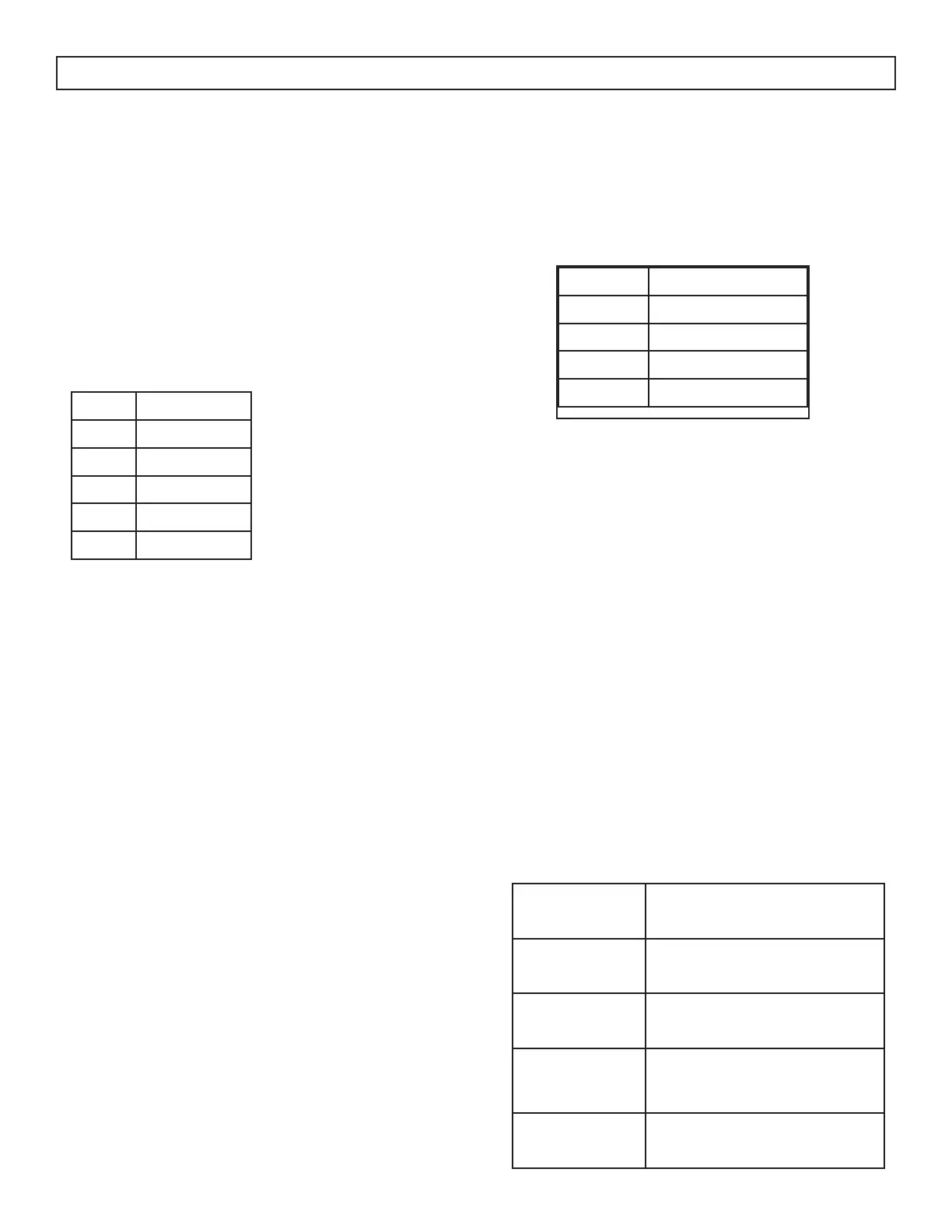
Level Dose
r:1 no rinse aid
r:2 1 dose
r:3 2 doses
r:4 3 doses
r:5 4 doses
Note: If the dishes are
not drying properly or
are spotted, increase the
level.
If there are blue stains on
the dishes, decrease the
level.
BUZZER SOUND CONTROL
To change the buzzer sound, follow the rinse aid
setting steps until the display shows “b:3” which is
the highest sound level.
Display Level
b:0 no sound
b:1 low sound
b:2 medium sound
b:3 high sound
START PROGRAM
To change the start program selection, follow the
rinse aid setting steps.
In “LP0” the appliance turns on with the Eco
program.
In “LP1” the appliance turns on with the last selected
program and option.
SAVE POWER MODE (selected models)
To change the save power mode setting, follow the
rinse aid setting steps.
In “SP0” the interior lights (if available) will always
be o, the screen will turn o after 4 minutes and
will turn o after 15 minutes of no activity.
In “SP1” the interior lights will turn o after 4
minutes when the door is opened, the screen will
turn o after 15 minutes of no activity.
In “SP2” when the appliance is in the o position,
interior lights will turn o after 4 minutes when the
door is opened. When the appliance is in the on
position, interior lights are on as long as the door
stays open and the appliance will not urn o except
by pressing the On/O button.
FACTORY SETTINGS
To change the factory setting, follow the rinse aid
setting steps.
“FS1” will return all settings to factory default.
INFOLED
Not available on all models.
An LED is located on the bottom side of the
dishwasher which shines a light on the oor to
indicate the current status of the dishwasher during
a selected program.
LED Indicator State of Appliance
Red,
continuous
Program is running
Red,
ashing
Program is cancelled
Red,
ashing rap-
idly
Appliance has a fault
Green,
continuous
Program has completed



 To Next Page