EasyManua.ls Logo

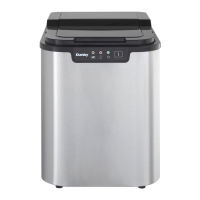
Danby DIM2500SSDB - User Manual

Danby DIM2500SSDB
25 pages
Print Icon
To Next Page IconTo Next Page
Loading...
Model • Modèle • Modelo
Model • Modèle • Modelo DIM2500SSDB
• Owners Use and Care Guide
• Guide d’utilisation et soin de Propriètaire
• Manual de Instructions Pare el Uso y el Cuidado
de su Unidad
ICE MAKER
MACHINE À GLAÇONS
MÁQUINA DE HIELO
V5.07.13.DM
Danby Products Limited, Ontario, Canada N1H 6Z9
Danby Products Inc., Findlay, Ohio, USA 45840

Other manuals for Danby DIM2500SSDB

Questions and Answers

  • A
    adamalexanderSep 8, 2025
    What to do if both ICE FULL and ADD WATER indicators are on in my Danby DIM2500SSDB Ice Maker?
    • P
      pmillerSep 8, 2025
      If both the ICE FULL and ADD WATER indicators are illuminated on your Danby Ice Maker, the ice-making box might be in an incorrect position. Check for any foreign objects stuck in the ice-making box. If there are no obstructions, internal components may be damaged, and maintenance by a professional is required.
  • J
    jrodriguezSep 10, 2025
    How to reduce abnormal noise from my Danby DIM2500SSDB Ice Maker?
    • M
      Melanie PaulSep 10, 2025
      Abnormal noise from your Danby Ice Maker can be caused by an obstructed fan or pump. Ensure the appliance is set up in a proper location.
  • A
    Abigail MolinaSep 12, 2025
    What are the normal noises for a Danby DIM2500SSDB?
    • B
      brian00Sep 12, 2025
      Gurgling noises or sounds of rushing water are normal for Danby Ice Maker. However, grinding noises are not normal and can indicate that the fan or pump is obstructed.
  • S
    Steven CampbellSep 14, 2025
    What to do if both the full bucket and low water indicators are illuminated on my Danby DIM2500SSDB Ice Maker?
    • K
      Karen CampbellSep 14, 2025
      If both the full bucket and low water indicators are illuminated on your Danby Ice Maker, the ice box may be in an incorrect position; check that it is level. Also, check whether any foreign objects are stuck in the ice making compartment.
  • T
    Timothy HarrellSep 15, 2025
    What to do if the ICE FULL and ADD WATER indicators are both on in my Danby Ice Maker?
    • D
      Danny RileySep 15, 2025
      If both the 'ICE FULL' and 'ADD WATER' indicators are illuminated on your Danby Ice Maker, it indicates that the ice making box is in an incorrect position. Check for any foreign objects stuck in the ice making box. If the issue continues, internal components may be damaged, and maintenance by a professional is required.
  • S
    samanthaweissSep 18, 2025
    Why the POWER indicator does not illuminate on my Danby Ice Maker?
    • D
      Danielle BaileySep 18, 2025
      If the 'POWER' indicator on your Danby Ice Maker isn't lighting up, it could be due to a few reasons: 1. Ensure the power source is on and appropriate. 2. Verify the power cord is correctly connected to both the unit and the power supply. If these steps don't resolve the issue, internal components may be damaged, requiring professional maintenance.

Summary

Ice Maker Product Identification

Model and Language Titles

Displays the product name in English, French, and Spanish, and the model number DIM2500SSDB.

Warranty Service Requirements

Proof of Purchase for Warranty

Requires a valid receipt to be stapled to the page for future reference for warranty service.

Ice Storage Limitation

Clarifies the machine is for ice production only, not long-term storage, advising transfer to freezer if needed.

Safety Instructions Overview

Pre-Use Safety Advice

Advises reading all safety rules and operating instructions before initial use of the product.

Welcome and Assistance

Obtaining Service Assistance

Provides guidance on troubleshooting and contacting customer support for help with the appliance.

Important Safety Precautions

Electrical Safety Guidelines

Stresses the importance of grounding and proper power supply for electrical safety.

General Operating Safety

Lists ten essential safety rules for using the ice maker, including avoiding disassembly and supervising children.

Installation and Features

Installation Location Requirements

Specifies requirements for placing the ice maker, considering heat, sunlight, ventilation, and temperature.

Product Features Overview

Details the main functional parts and indicators of the ice maker, including window, panel, and alerts.

Operating Instructions

Preparation and Initial Use

Outlines procedures for unpacking, positioning, initial cleaning, and preparing for first use.

Using the Ice Maker

Explains how to start the ice production cycle, fill with water, and compressor oil settling.

Control Panel Functions

Describes the function of each button and indicator light on the control panel.

Care and Maintenance

Cleaning the Exterior Surfaces

Instructions for cleaning the outer case, control panel, and door seals using mild detergents.

Self-Clean Mode Operation

Details the process for performing self-cleaning using water and vinegar for the ice maker.

Troubleshooting Guide

Common Ice Maker Issues

Lists common problems, their possible causes, and suggested solutions.

Limited Appliance Warranty

Warranty Terms and Conditions

Outlines the duration, coverage, exclusions, and responsibilities for the appliance warranty.

General Warranty Provisions

Lists conditions that void the warranty, such as power failure, misuse, or improper installation.

Repair Parts and Service Information

Ordering Replacement Parts

Explains how to obtain repair parts and the necessary information to provide for ordering.

Danby DIM2500SSDB Specifications

General IconGeneral
Voltage115V
ColorStainless Steel
Control TypeElectronic
TypePortable Ice Maker
Ice Cube SizeSmall
Power Consumption120 W
Ice TypeBullet
Ice Production Capacity25 lbs per day

Related product manuals