EasyManua.ls Logo

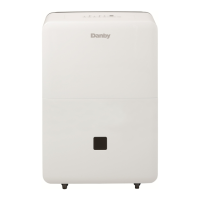
Danby Premiere DDR30B3WP - User Manual

Danby Premiere DDR30B3WP
48 pages
Print Icon
To Next Page IconTo Next Page
Loading...
DANBY PRODUCTS LIMITED, ONTARIO, CANADA N1H 6Z9
DANBY PRODUCTS INC., FINDLAY, OHIO, USA 45840
2:1(5¶686($1'&$5(*8,'(
*8,'('¶87,/,6$7,21(7'(175(7,(1
*8Ë$'(87,/,=$&,Ï1<&8,'$'23$5$(/3523,(7$5,2
02'(/02'Ê/(02'(/2
)25<2856$)(7<Read these instructions carefully before operating the unit.
32859275(6e&85,7eLire attentivement ces instructions avant d’utiliser l’appareil.
3$5$686(*85,'$'Lea y observe todas las reglas de seguridad y las instrucciones de operación antes
de usar este producto.
(1*/,6+
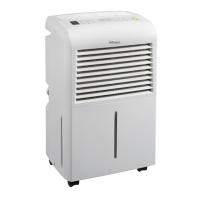
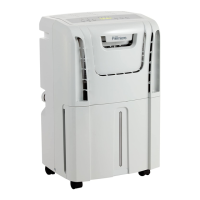
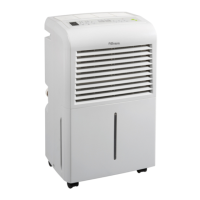
PORTABLE DEHUMIDIFIER
DESHUMIDIFICATEUR PORTATIF
DESHUMIDIFICADOR PORTÁTIL
DDR30B3WP
DDR45B3WP
DDR50B3WP
2015.05.11

Questions and Answers

  • B
    Briana MurphyJul 31, 2025
    How to fix a Danby Dehumidifier that won't start?
    • D
      Daniel TaylorAug 1, 2025
      If your Danby Dehumidifier isn't starting, ensure it's properly plugged into the outlet. Check your house's fuse or circuit breaker box and replace the fuse or reset the breaker if necessary. The unit automatically shuts off when it reaches its preset level or if the bucket is full; in such cases, change to a lower setting or empty the bucket and replace it correctly. Make sure the bucket is correctly placed and securely seated for the unit to operate. Note that there's a protective time delay of up to 3 minutes to prevent compressor overload, so the unit might not start immediately after being turned back on.
  • J
    Jeffrey GutierrezAug 5, 2025
    Why does frost appear on the coils of my Danby Dehumidifier?
    • J
      Jeffrey Martin IIIAug 5, 2025
      It's normal to see frost on the coils of your Danby Dehumidifier if the unit has been recently turned on or if the room temperature is below 5°C (41°F). The frost should disappear within 60 minutes. See the “Defrost” section.
  • D
    David AndersonAug 10, 2025
    Why can't I set the controls on my Danby Premiere DDR30B3WP Dehumidifier?
    • M
      Matthew DawsonAug 11, 2025
      If you find that the controls on your Danby Dehumidifier cannot be set, it is likely because the compressor turns off, and the fan continues to run automatically for approximately 3 minutes at a fixed setting. This is a normal operation. Wait about 3 minutes, and then you should be able to set the fan as desired.
  • M
    mpetersenAug 15, 2025
    What to do if there's water on the floor near my Danby Dehumidifier?
    • S
      Steve CooperAug 16, 2025
      If you find water on the floor near your Danby Dehumidifier, check the hose connection to ensure it's secure. See “Continuous Drain” section. If you're using the bucket to collect water, disconnect the hose. See “Continuous Drain” section.
  • D
    David FlowersAug 20, 2025
    Why is my Danby Premiere DDR30B3WP not drying the air properly?
    • J
      johnstondianaAug 20, 2025
      If your Danby Dehumidifier isn't drying the air adequately, ensure you've allowed at least 24 hours for it to reach the desired dryness after installation. Check for any obstructions like curtains or furniture blocking airflow to the front or back of the unit. Clean the air filter as described in the “Air filter” section. Adjust the humidity control to a lower percentage for drier air. Verify that all doors and windows are tightly closed. Position the dehumidifier away from the clothes dryer, which should ideally be vented outside. Keep in mind that moisture removal is most effective at higher room temperatures, as lower temperatures can reduce its efficiency. The dehumidifier is designed to operate at temperatures above 5°C (41°F).
  • P
    Patricia EdwardsAug 26, 2025
    Why does my Danby Premiere DDR30B3WP run too much?
    • M
      Marcus FosterAug 26, 2025
      If your Danby Dehumidifier is running excessively, it might be due to a few reasons. The area you're trying to dehumidify could be too large for the unit's capacity. Alternatively, open doors and windows can contribute to the issue. To resolve this, ensure all doors and windows are closed. If the problem persists, consider that your dehumidifier's capacity may not be adequate for the space.

Summary

Safety Information

Electrical Requirements

Details electrical specifications and safety compliance for appliance operation.

Grounding Instructions

Explains proper grounding methods to prevent electrical shock hazards.

Safety Precautions

Installation and Features

Control Panel and Initial Setup

Control Panel Functions

Explains the purpose and operation of each button on the control panel.

Operational Indicators and Functions

Dehumidifying Process and Water Management

Dehumidifying Mode Selection

Guides the user on selecting and operating the dehumidifying modes.

Removing Collected Water

Troubleshooting Guide

Danby Premiere DDR30B3WP Specifications

General IconGeneral
BrandDanby
ModelPremiere DDR30B3WP
CategoryDehumidifier
LanguageEnglish

Related product manuals