Inputs
More Settings
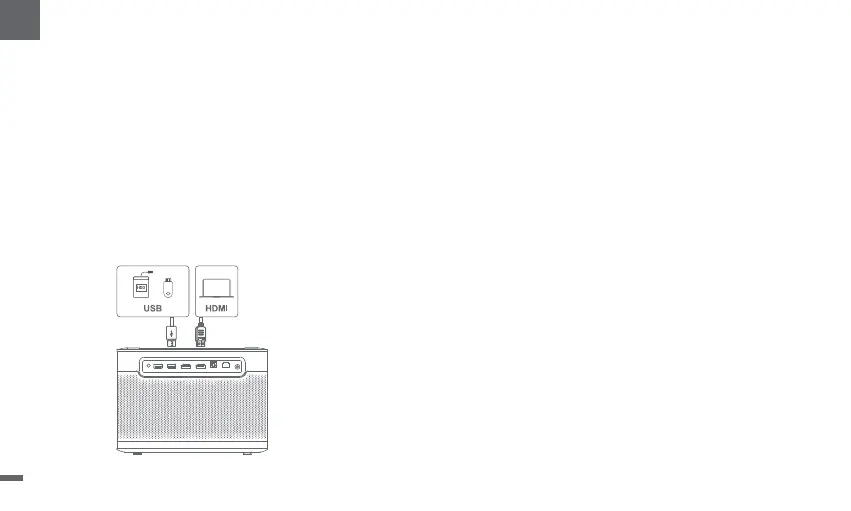
HDMI
Insert the HDMI device into the HDMI port.
Go to [Inputs] ,select the HDMI option.
USB Drive
Download the File Explorer app from Google Play.
Insert a USB-A dirve into the USB port.
Open the app and find the USB drive,select the
content which you want to play.
* USB format supported:FAT32,NTFS
1.Projection Mode
2.Zoom
3.3D Mode
4.System & Product Info
After playing the video,press and hold the Home button,a dashboard in
the upper right corner of the screen.
On dashboard,go to [Picture] -- [3D Mode],according to the format of
the 3D video, select the corresponding 3D option.
Go to [Settings] -- [System] -- [About] to check the System &
Product information.
Go to [Settings] -- [Projector]-- [Advanced Settings] -- [Projection Mode]
to choose the placement method of the projector.
Go to [Settings] -- [Projector] -- [Image Correction] -- [Image Adaption]
to decrease the image size from 100% to 50%.
13
EN


 To Next Page