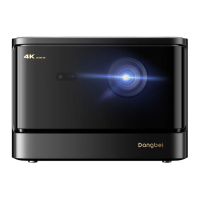
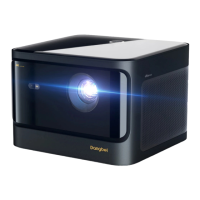
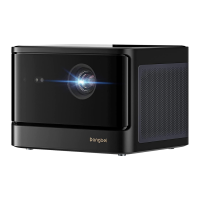
Need help?
Do you have a question about the Dangbei DBOX02 and is the answer not in the manual?
Explains trademark ownership and uses illustrations; notes product variations.
Positions the projector and determines optimal projection distance and size.
Connects the projector to power and turns it on.
How to enter standby or turn off the projector.
Triggers autofocus for automatic image clarity.
Uses navigation keys to adjust focus distance for clarity.
Corrects screen shape using auto or manual adjustments.
Automatically adjusts projected image to fit the screen.
Adjusts image to avoid obstacles.
Connects HDMI devices and selects the HDMI option.
Plays content from a USB drive using a file explorer.
Choose the projector's placement method.
Adjusts image size from 100% to 50%.
Selects 3D format based on video.
Provides access to system and product information.
Troubleshoots audio issues by checking mute, HDMI ARC, or Bluetooth connections.
Verifies projector power status and adapter functionality for image output issues.
Addresses network problems by checking settings, cable insertion, and router configuration.
Resolves blurry images by adjusting focus, keystone, distance, or cleaning the lens.
Corrects non-rectangular images by adjusting projector position or using the keystone function.
Ensures camera/TOF is clear and within optimal distance for automatic keystone correction.
Checks camera/TOF clarity and optimal distance for autofocus functionality.
Verifies camera/TOF and optimal sensing range for eye protection feature.
Checks projector positioning and screen frame for intelligent screen fit issues.
Guides on checking Bluetooth pairing, buttons, and battery for unresponsive remote controls.
Details on pairing additional Bluetooth devices via the settings menu.
Contact customer support for any unresolved troubleshooting issues.
 General
| Display Technology | DLP |
|---|---|
| Contrast Ratio | 10000:1 |
| Lamp Life | 30, 000 hours |
| Light Source | LED |
| Throw Ratio | 1.2:1 |
| Operating System | Android |
| Native Resolution | 1920 x 1080 |
| Projection Size | 40-300 inches |
| Wi-Fi | 2.4/5GHz |
| Bluetooth | Yes |
| Ports | HDMI, USB |
| Noise Level | 30 dB |
| Power Supply | AC 100-240V, 50/60Hz |
| Supported Resolutions | 4K, 1080p, 720p, 576p, 480p |
| Keystone Correction | ±40° (Vertical), ±40° (Horizontal) |

 To Next Page