1.Keystone Correction
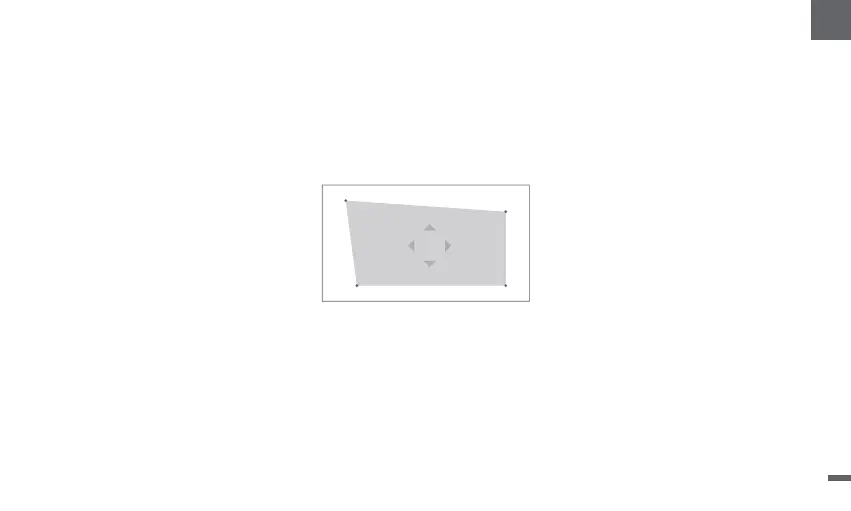
ㆍGo to [ Projector] -- [Image Correction].
ㆍSelect [Auto Keystone Correction], and the screen will automatically be corrected.
ㆍSelect [Manual Keystone Correction], and use navigation keys to adjust the four points and the image shape.
2.Intelligent Screen Fit
ㆍ
ㆍFollow the on-screen instructions to automatically adjust the projected image to fit the screen.
3.Intelligent Obstacle Avoidance
ㆍ
ㆍFollow the on-screen instructions to automatically adjust the projected image to avoid any objects on the projection surface.
Image Correction Settings
Go to [Projector] -- [Image Correction], and turn on [Fit to Screen].
Go to [Projector] -- [Image Correction] -- [Advanced], and turn on [Avoid Obstacles].
10
EN


 To Next Page