EasyManua.ls Logo

Dantherm HCP 10 - User Manual

Dantherm HCP 10
8 pages
Print Icon
To Next Page IconTo Next Page
Loading...
1
088162 – Version 1.3 – 021018
Remote Control HCP 10
Installation and User Manual
Rev. 1.3
en
Question and Answer IconNeed help?

Do you have a question about the Dantherm HCP 10 and is the answer not in the manual?

Summary

Introduction and Installation

Getting Started and Safety

Essential checks and cautions before installation and operation.

Parts Identification

Lists components included with the HCP 10, excluding the wallbox.

Mounting Procedure

Step-by-step guide for mounting the Remote Control unit.

Calibration Procedure

Calibration Steps

Follow steps to activate installer mode and adjust airflows.

Airflow Measurement

Guidance on noting measured airflows using the provided table.

Control Panel Operations

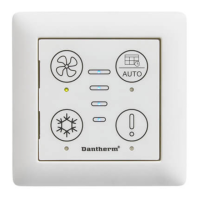
Manual Fan Speed Control

Increases fan speed step-by-step. Speed 4 cycles to speed 0.

Week Program Selection

Enables selection of week programs for ventilation operation.

Demand Mode Operation

Automatic ventilation adjustment based on VOC/RH% sensors.

Summer Cooling Mode

Enables cooling by drawing in outside air when temperature is above 14°C.

Auto Bypass Cooling

Automatic cooling based on bypass damper and temperature settings.

Manual Bypass Mode

Manual activation of bypass for 1 hour if conditions are met.

Fireplace Mode

Creates overpressure for fireplace use by adjusting fan speeds.

Filter and Error Indicators

Button to reset alarms and filter timer. Indicates filter needs changing.

Summary

Introduction and Installation

Getting Started and Safety

Essential checks and cautions before installation and operation.

Parts Identification

Lists components included with the HCP 10, excluding the wallbox.

Mounting Procedure

Step-by-step guide for mounting the Remote Control unit.

Calibration Procedure

Calibration Steps

Follow steps to activate installer mode and adjust airflows.

Airflow Measurement

Guidance on noting measured airflows using the provided table.

Control Panel Operations

Manual Fan Speed Control

Increases fan speed step-by-step. Speed 4 cycles to speed 0.

Week Program Selection

Enables selection of week programs for ventilation operation.

Demand Mode Operation

Automatic ventilation adjustment based on VOC/RH% sensors.

Summer Cooling Mode

Enables cooling by drawing in outside air when temperature is above 14°C.

Auto Bypass Cooling

Automatic cooling based on bypass damper and temperature settings.

Manual Bypass Mode

Manual activation of bypass for 1 hour if conditions are met.

Fireplace Mode

Creates overpressure for fireplace use by adjusting fan speeds.

Filter and Error Indicators

Button to reset alarms and filter timer. Indicates filter needs changing.

Dantherm HCP 10 Specifications

General IconGeneral
BrandDantherm
ModelHCP 10
CategoryRemote Control
LanguageEnglish

Related product manuals