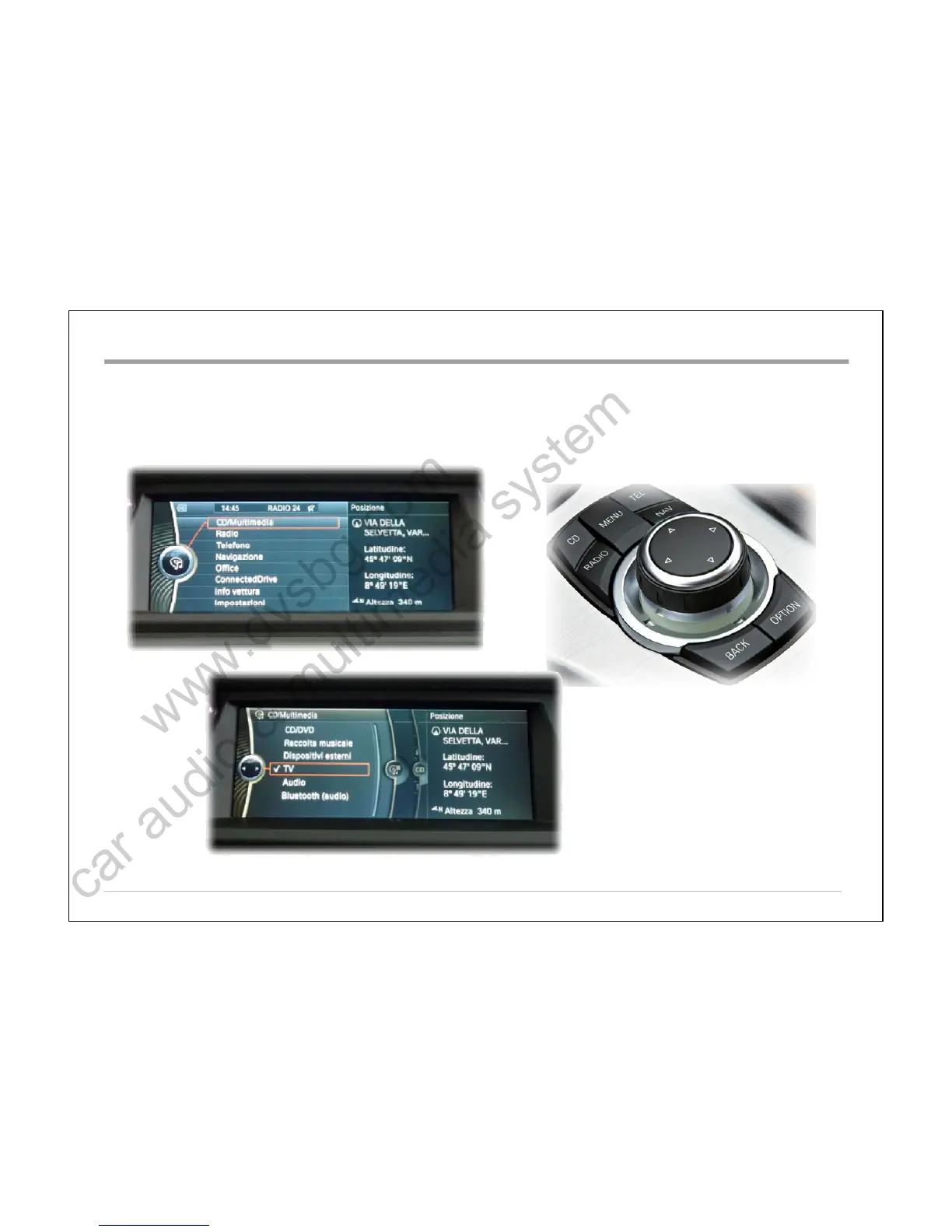
To enter in DASDAS TV tuner with the iDrive press MENUMENU, then CD/MultimediaCD/Multimedia and select TVTV (like the original TV Tuner).
WARNING:WARNING: For the basic settings such as color, contrast, brightness and format, please refer to the menu of theFor the basic settings such as color, contrast, brightness and format, please refer to the menu of the
car and make sure that the format is congruent with the set menu on the DAS.car and make sure that the format is congruent with the set menu on the DAS.
CIC iDrive controllerCIC iDrive controller
User Manual:User Manual:
Multiconn SrlMulticonn Srl
5
Right rotation = UP
on remote control (dropdown menu)
Left rotation = Down on remote control
(dropdown menu)
BMWBMW –– CIC systemCIC system



 To Next Page