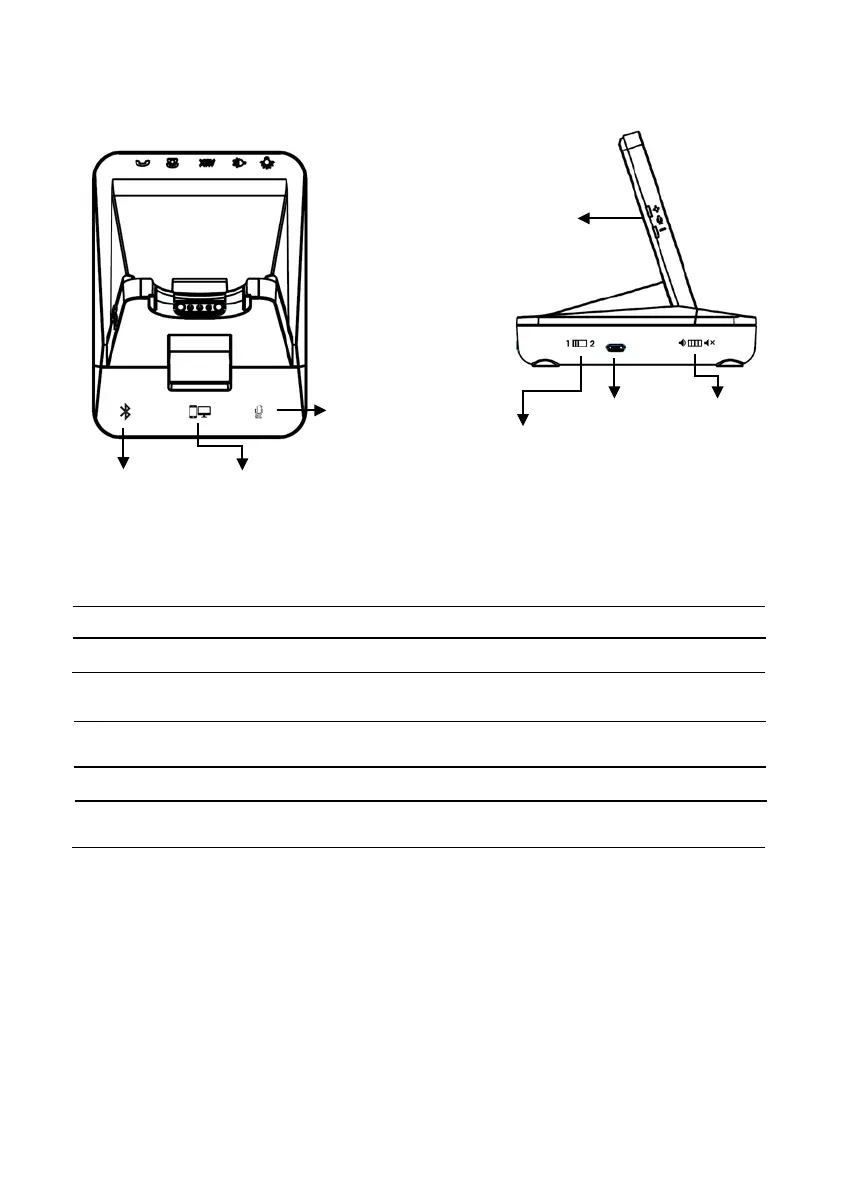
Base Unit (Front & Left side)
Bluetooth PC/TEL
Bluetooth Button This function works for
DW-780B and DW-780UB model.
PC/TEL Selection This function works for
DW-780U and DW-780 UB model.
Microphone Mute Button Touch to mute the call
Microphone Volume When connected, you can adjust the volume level for the
best microphone volume.
Compatibility Switch Select ‘1’ or’2’ until a dial tone is heard via the telephone
connection
USB Port This is for PC connection through the USB cable
External Ring On/Off This is external ring alert for incoming call when you use
softphones. (It only works with PC mode.)
Volume
Connection
Mute
Ring
On/Off
Compatibility



 To Next Page