Need help?
Do you have a question about the Dash DCBCM550 and is the answer not in the manual?
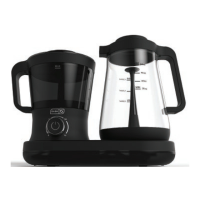
Introduces the Dash Rapid Cold Brew System as a faster way to make cold brew.
Explains the proprietary patent-pending technology for rapid circulation and extraction.
Lists basic safety precautions for using electrical appliances like unplugging before cleaning.
Details usage restrictions, supervision, damaged parts, and electrical safety like plugs.
Outlines initial setup steps like removing packaging, cleaning the exterior, and plugging in.
Lists necessary items and actions like assembling parts and ensuring a stable surface.
Details steps for preparing the coffee container, adding grounds, and securing the lid.
Explains filling the carafe, setting the timer, and starting the brew process.
Describes how to identify brew completion and how to pour the cold brew.
Provides step-by-step instructions for daily cleaning after each use.
Outlines steps for thorough cleaning after heavy use or periodic deep cleaning.
Addresses issues with brew strength, no brew in carafe, and time display.
Covers causes and solutions for leaks from the lid or container, and coffee grounds in carafe.
Discusses system not turning on and overflow issues, advising customer support.
Provides contact phone number, email, and operating hours for support.
Details the terms and conditions of the product's limited warranty for defects.
Clarifies exclusions, limitations on damages, and legal rights.
 General
| Model | DCBCM550 |
|---|---|
| Type | Coffee Maker |
| Capacity | 5 cups |
| Color | Black |
| Voltage | 120V |
| Material | Plastic |
| Features | Auto Shut-Off |

 To Next Page