Data-Pac Mailing Systems Corp. Copyright Data-Pac Mailing Systems Corporation 2019. All Rights Reserved.
DIB-C Setup and Basic Operation Guide Ver. 2.0
10
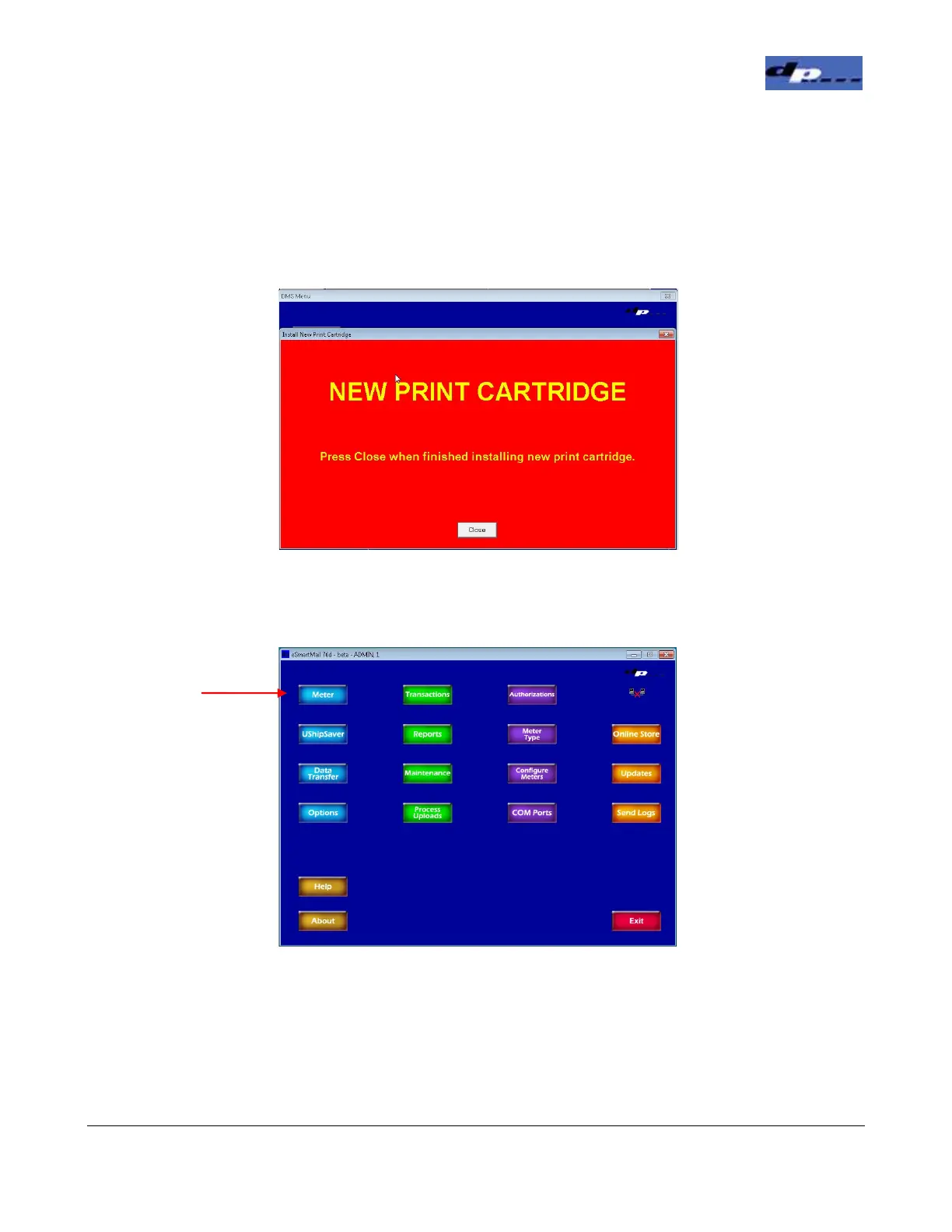
12. Once in the New Ink screen, lift the front cover on the DIB-C. Locate the Print Cartridge
Pen Stall on the right side and lift the lever on the top. Place the Print Cartridge in the
Pen Stall and push the lever to lock it in. Close the front cover on the DIB-C and click the
Close button to close the New Ink screen. After the close button is clicked a window will
appear asking if you actually installed a new Print Cartridge. Click YES if it is a new
cartridge, click NO if the existing cartridge was removed and put back in.
13. To run pieces and print postage, from the Main screen click the Meter button.
Click the Meter
Button


 To Next Page