Data-Pac Mailing Systems Corp. Copyright Data-Pac Mailing Systems Corporation 2019. All Rights Reserved.
DIB-C Setup and Basic Operation Guide Ver. 2.0
5
Basic Operation
1. Login to Windows using Administrator for the User and Admin for the Password.
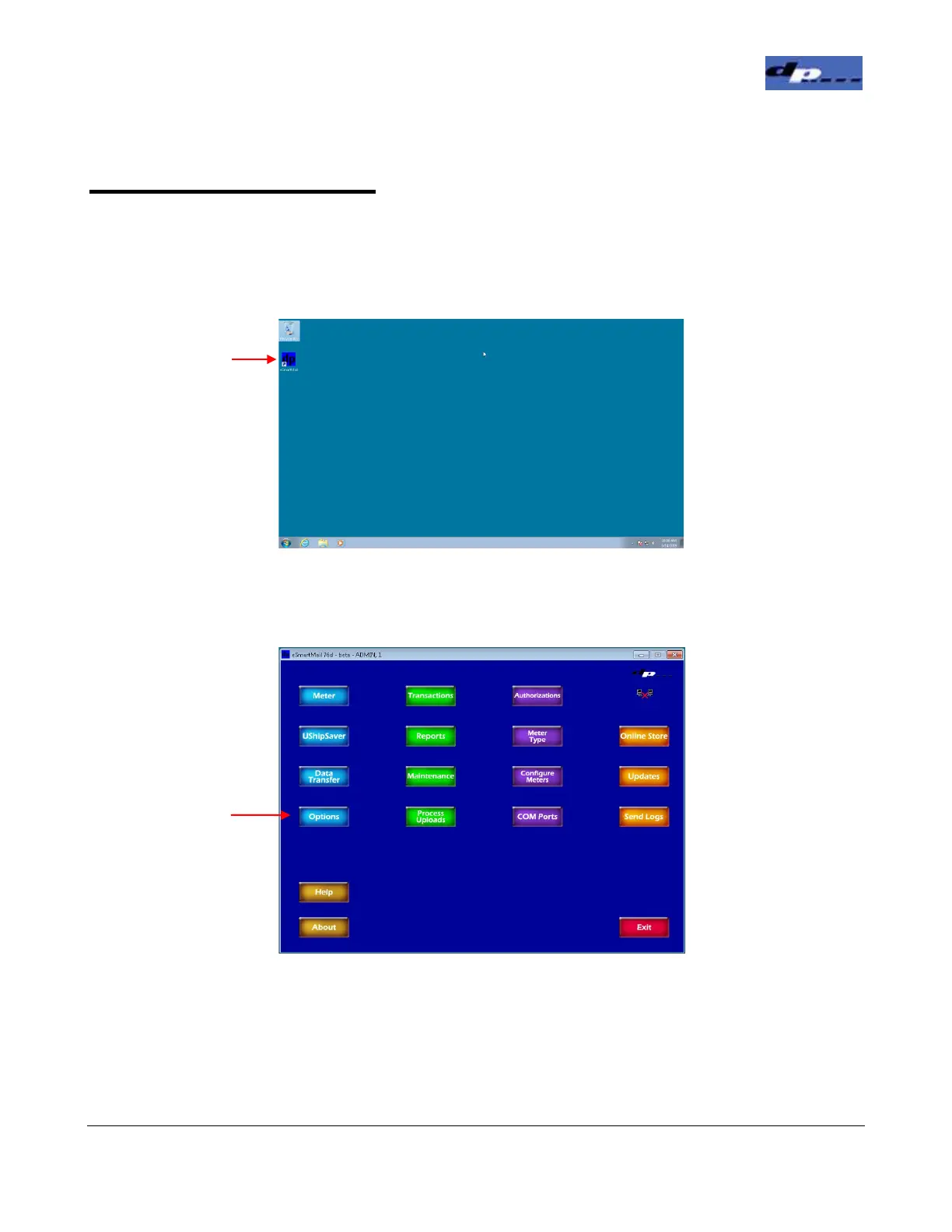
2. Open the eSmart-Mail application by double clicking the icon on the desktop.
3. To enter the PSD Parameters, in the Main screen click the Options button.
Double Click Icon
To open eSmart-
Double Click Icon
To open eSmart-
Click the
Button


 To Next Page