Data-Pac Mailing Systems Corp. Copyright Data-Pac Mailing Systems Corporation 2019. All Rights Reserved.
DIB-C Setup and Basic Operation Guide Ver. 2.0
6
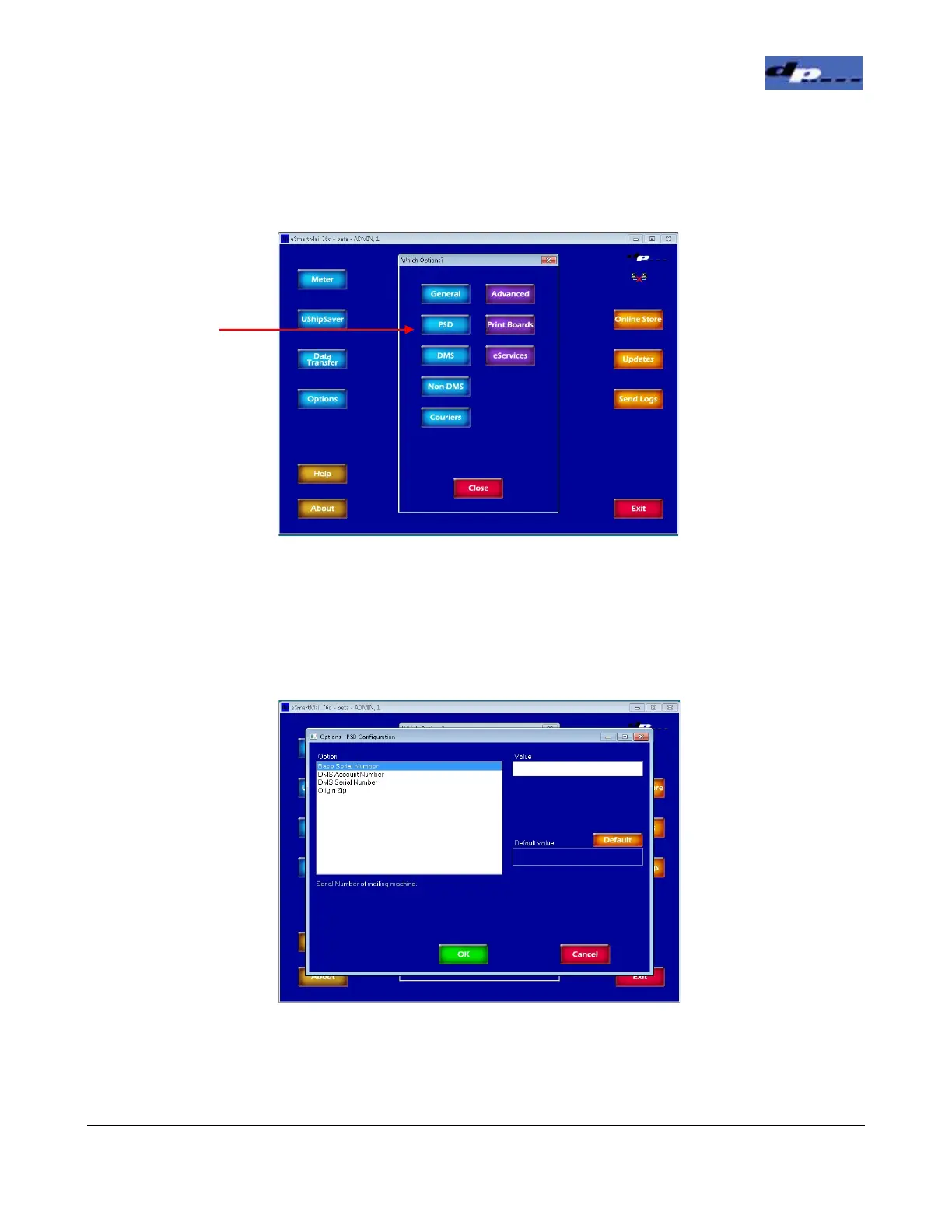
4. In the Options screen click the PSD button.
5. In the PSD Options screen, highlight each of the options on the left and enter the
proper value for each option. The Base Serial Number can be found under the
front cover on the DIB. The DMS Account Number, DMS Serial Number, and the
Origin Zip can be found on the PSD Info sheet. Click OK when complete.
Click the
Button


 To Next Page