Data-Pac Mailing Systems Corp. Copyright Data-Pac Mailing Systems Corporation 2019. All Rights Reserved.
DIB-C Setup and Basic Operation Guide Ver. 2.0
8
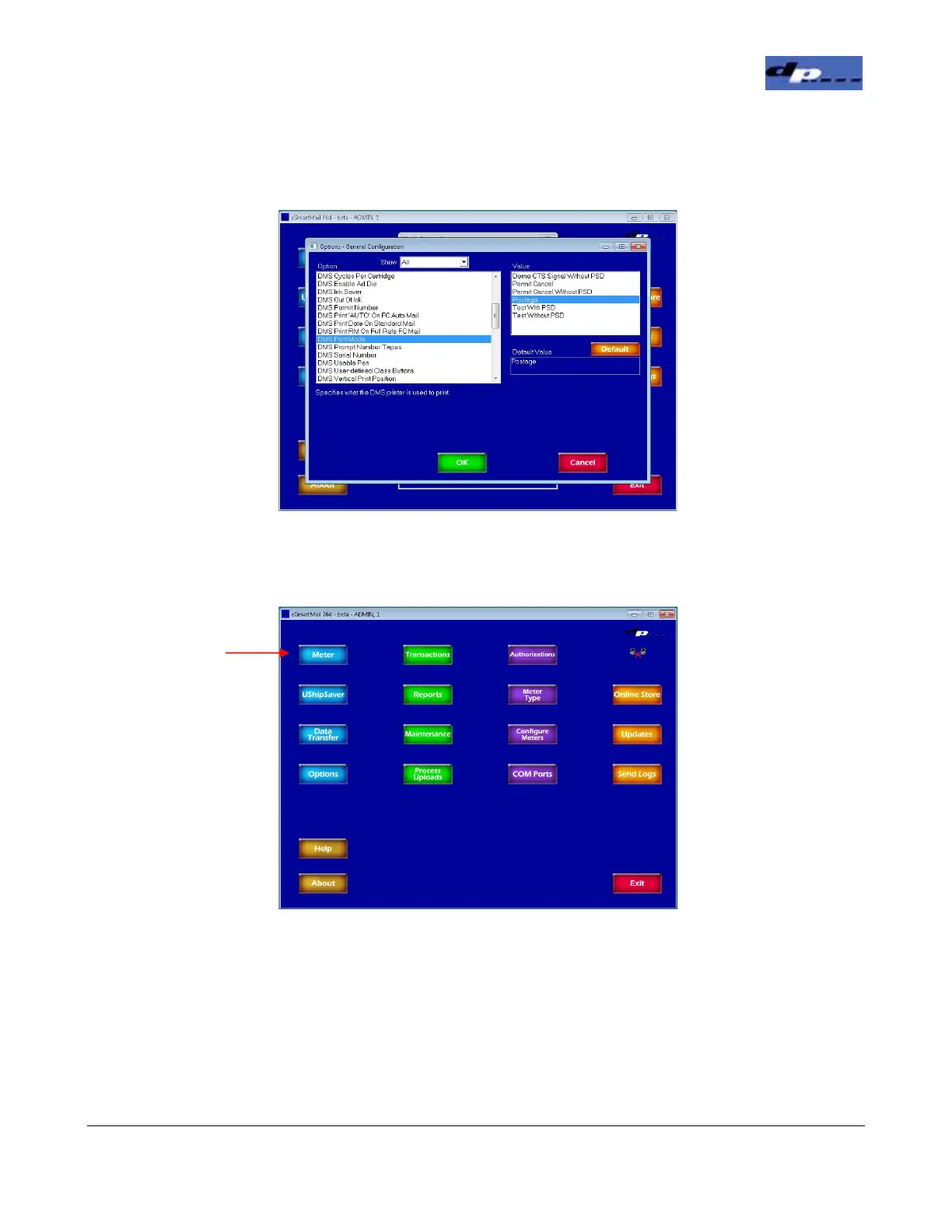
8. In the General Options screen, scroll down in the left box to the DMS Print Mode option.
Set the value in the right box to Postage. Click OK.
9. To install the ink cartridge, in the Main screen click the Meter button.
Click the Meter
Button


 To Next Page